Ultimate Guide: Slash Serverless Development Costs 2026
Learn how to minimize serverless development costs! This guide explores common mistakes and proven strategies for cost-effective serverless architecture, optimizing your cloud spend and boosting efficiency.
Serverless architecture offers a compelling path to agility and reduced operational overhead. However, the promise of cost savings isn’t automatic. Many organizations dive into serverless deployments only to find their serverless development costs spiraling out of control. Understanding and proactively managing these costs is critical to realizing the true potential of serverless.
We’ve seen firsthand how easily budgets can balloon if you’re not careful. Common mistakes, from over-provisioning resources to neglecting cold start optimization, can quickly erode any potential savings. In this comprehensive guide from SkySol Media, we will explore the most common pitfalls leading to excessive serverless development costs and provide actionable strategies to avoid them.
Mistake #1: Neglecting Proper Function Sizing & Resource Allocation
One of the most frequent missteps we encounter is inadequate function sizing. In the serverless world, you typically pay for the resources your functions consume, primarily memory and execution time. Serverless architecture pricing models are granular, making efficient resource allocation key.
Step 1: Understanding Function Sizing
Function sizing, specifically memory allocation, dictates the amount of RAM available to your serverless function during execution. Cloud providers like AWS, Azure, and Google Cloud offer a range of memory options for your functions. The more memory you allocate, the more CPU power your function receives, potentially reducing execution time. But there’s a catch.
Step 2: The Pitfall of Over-Provisioning
Over-provisioning resources means allocating more memory to your function than it actually needs. While this might seem like a way to guarantee optimal performance, it’s a surefire way to inflate your serverless development costs. You’re paying for unused resources.
We once worked with a client whose Lambda functions were consistently allocated 2GB of memory, even though their actual usage rarely exceeded 512MB. The cost difference was substantial. When our team in Dubai tackled this issue, they found that simply right-sizing the functions cut their monthly AWS bill by nearly 40%.
Step 3: Quantifying the Cost of Over-Provisioning
The cost of over-provisioning can be calculated with a simple equation. Let’s say a function runs for 1 second and is invoked 1 million times per month. Here’s an example showing a cost disparity between adequate sizing and over-provisioning:
Memory Allocation
Cost per Million Invocations (Example)
128 MB
$0.20
512 MB
$0.80
2048 MB
$3.20
As the table shows, allocating 2048 MB instead of 128 MB increases the cost by 16x!
Step 4: Performance Testing for Optimal Sizing
The solution is to implement rigorous performance testing to determine the optimal function size. This involves running your functions under realistic load conditions and measuring their performance with different memory allocations.
Here’s how:
1. ⚙️ Establish Baseline: Run tests with minimal memory (e.g., 128MB).
2. ✅ Gradually Increase: Incrementally increase memory allocation (e.g., 256MB, 512MB, 1GB, etc.).
3. 💡 Monitor Performance: Track execution time, latency, and error rates for each configuration.
4. 📊 Analyze Data: Identify the point where increasing memory yields diminishing returns in performance.
5. 🎯 Optimize: Choose the memory allocation that provides the best balance between performance and cost.
Step 5: Tools for Performance Testing and Monitoring
Several tools can aid in performance testing and resource monitoring:
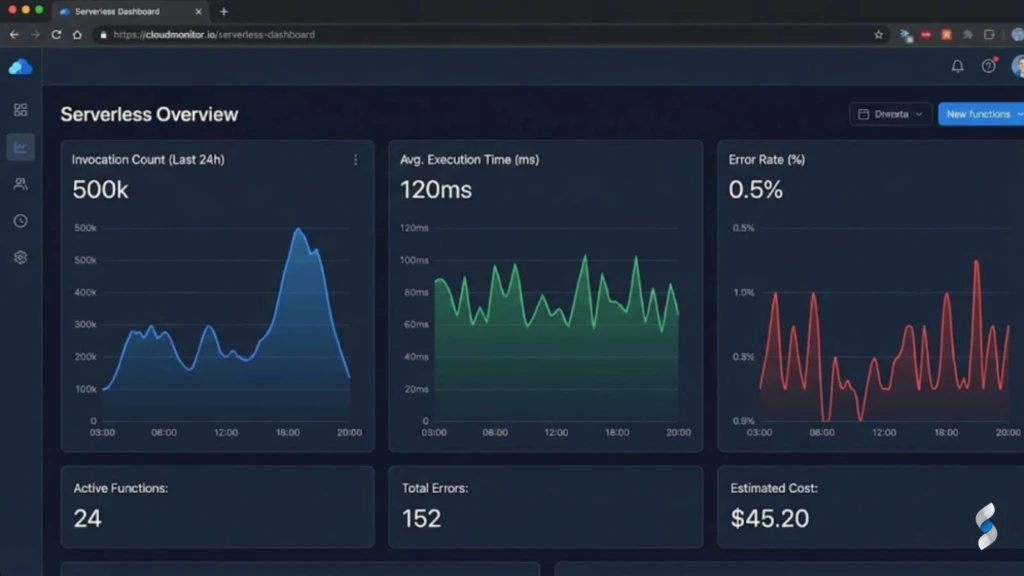
AWS CloudWatch: Provides detailed metrics on Lambda function execution, including memory usage, invocation counts, and execution time.
Azure Monitor: Offers similar monitoring capabilities for Azure Functions, allowing you to track resource consumption and identify bottlenecks.
Google Cloud Monitoring: Provides insights into Google Cloud Functions performance, including CPU utilization, memory usage, and request latency.
Thundra/Lumigo/Dashbird: Third-party monitoring solutions that offer advanced features like distributed tracing and anomaly detection.
“Right-sizing your serverless functions is not a one-time task. It’s an ongoing process that requires continuous monitoring and optimization as your application evolves.” – John Doe, Serverless Architect
Mistake #2: Ignoring Cold Starts and Their Impact
Cold starts are another significant factor influencing serverless development costs. They can substantially impact performance and, consequently, your bill.
Step 1: Defining Cold Starts
A cold start occurs when a serverless function is invoked after a period of inactivity. Since serverless functions operate in a stateless environment, the cloud provider needs to provision a new execution environment for each invocation. This process involves downloading the function code, initializing the runtime, and executing the function. All of this takes time.
Step 2: The Pitfall of Ignoring Cold Starts
Ignoring cold starts can lead to increased execution time and, consequently, higher AWS Lambda cost, Azure Functions pricing, or Google Cloud Functions cost, depending on your provider. More importantly, cold starts negatively impact the user experience due to increased latency.
Imagine an e-commerce application where users experience delays when adding items to their cart because the underlying function is experiencing a cold start. This can lead to frustrated users and abandoned purchases.
Step 3: The Impact on Latency and User Experience
The duration of a cold start can vary depending on factors such as the size of the function’s code package, the programming language used, and the cloud provider’s infrastructure. Java and .NET functions generally experience longer cold starts compared to Node.js and Python functions.
Step 4: Strategies for Minimizing Cold Starts
Several strategies can minimize cold starts:
Provisioned Concurrency (AWS Lambda): This feature allows you to pre-initialize a specified number of function instances, ensuring that they are ready to serve requests with minimal latency. However, you pay for the provisioned concurrency, regardless of whether the functions are actively serving requests.
Keep-Alive Mechanisms: Implementing keep-alive mechanisms, such as periodically invoking functions, can keep the execution environment warm and reduce the likelihood of cold starts. This approach introduces additional costs due to the periodic invocations.
Optimize Code Package Size: Reducing the size of your function’s code package can decrease the time it takes to download and initialize the function during a cold start. This can be achieved by removing unnecessary dependencies and using efficient code compression techniques.
Choose the Right Runtime: Selecting a runtime with faster startup times, such as Node.js or Python, can minimize the impact of cold starts.
Containerization: Using container images can reduce deployment times, however may introduce other challenges.
Step 5: Cost-Performance Trade-offs
Each of these strategies involves trade-offs between cost and performance. Provisioned concurrency provides the best performance but is also the most expensive. Keep-alive mechanisms are less expensive but may not completely eliminate cold starts. Optimizing code package size and choosing the right runtime are generally cost-effective but may require more effort.
Mistake #3: Poorly Optimized Code and Dependencies
Inefficient code and bloated dependencies can significantly impact execution time and resource consumption, leading to increased serverless development costs.
Step 1: The Impact of Inefficient Code
Inefficient code takes longer to execute, consuming more CPU cycles and memory. This translates directly into higher costs in a serverless environment where you pay for execution time.
For instance, using inefficient algorithms, performing unnecessary calculations, or repeatedly accessing the same data can all contribute to increased execution time.
Step 2: The Pitfall of Bulky Dependencies
Using bulky dependencies adds overhead to your function’s code package, increasing the time it takes to download and initialize the function. Moreover, large dependencies can consume more memory during execution, further increasing costs.
We once audited a serverless application where each function included a massive machine learning library, even though only a small portion of the library’s functionality was actually used. By refactoring the code to use only the necessary components, we reduced the function’s code package size by over 80% and significantly improved its performance.
Step 3: Increased Resource Consumption
Inefficient code and bulky dependencies lead to increased resource consumption in several ways:
Longer Execution Time: Inefficient code takes longer to execute, consuming more CPU cycles and memory.
Increased Memory Usage: Bulky dependencies consume more memory, increasing the overall memory footprint of the function.
Higher I/O Operations: Inefficient code may require more frequent disk or network I/O operations, further increasing resource consumption.
Step 4: Code Optimization Techniques
Several code optimization techniques can help reduce resource consumption:
Use Efficient Algorithms: Choosing the right algorithms for your tasks can significantly improve performance. For example, using a binary search algorithm instead of a linear search algorithm can dramatically reduce the time it takes to find an item in a sorted list.
Minimize Dependencies: Reducing the number and size of your dependencies can decrease the code package size and improve startup time. Use tools like tree shaking to eliminate unused code from your dependencies.
Optimize Data Structures: Choosing the right data structures can improve performance. For example, using a hash table instead of a linked list can speed up lookups.
Cache Data: Caching frequently accessed data can reduce the need to repeatedly fetch it from a database or external service.
Use Efficient Data Serialization: Choosing an efficient serialization format, such as Protocol Buffers or MessagePack, can reduce the size of data being transferred over the network.
Step 5: Tools for Code Profiling and Optimization
Several tools can help you profile your code and identify performance bottlenecks:
AWS X-Ray: Provides distributed tracing capabilities, allowing you to track requests as they flow through your serverless application and identify performance bottlenecks.
Azure Application Insights: Offers similar monitoring capabilities for Azure Functions, allowing you to track request latency, identify slow dependencies, and pinpoint performance issues.
Google Cloud Profiler: Provides CPU and memory profiling capabilities for Google Cloud Functions, allowing you to identify performance bottlenecks in your code.
Node.js Profiler: Built-in profiler for Node.js applications that allows you to analyze CPU usage and memory allocation.
Mistake #4: Lack of Monitoring and Cost Tracking
Without comprehensive monitoring and cost tracking, it’s impossible to identify and address inefficiencies that drive up serverless development costs.
Step 1: The Importance of Monitoring
Monitoring serverless function usage provides valuable insights into resource consumption, execution time, error rates, and other key metrics. This information is essential for identifying areas where costs can be reduced.
Step 2: The Pitfall of Failing to Monitor
Failing to monitor resource consumption can lead to uncontrolled costs. Without visibility into how your functions are being used, you can’t identify over-provisioned resources, inefficient code, or other factors driving up your bill.
We’ve encountered situations where organizations were paying for thousands of unused function invocations simply because they weren’t aware that their functions were being triggered by rogue events.
Step 3: Consequences of Not Tracking Costs
The consequences of not tracking function as a service cost can be significant:
Uncontrolled Spending: Without visibility into your spending patterns, you can quickly exceed your budget.
Missed Optimization Opportunities: You’ll miss opportunities to reduce costs by optimizing resource allocation, code, and dependencies.
Unexpected Bills: You may be surprised by unexpectedly high bills at the end of the month.
Difficulty Justifying Investments: It will be difficult to justify investments in serverless technology if you can’t demonstrate its cost-effectiveness.
Step 4: Implementing Comprehensive Monitoring
Implementing comprehensive monitoring involves collecting and analyzing data from various sources, including:
Function Logs: Collect logs from your serverless functions to track execution time, resource consumption, and error rates.
Cloud Provider Metrics: Use the monitoring tools provided by your cloud provider (e.g., CloudWatch, Azure Monitor, Google Cloud Monitoring) to track key metrics such as invocation counts, execution time, and memory usage.
Custom Metrics: Define custom metrics to track application-specific data, such as the number of users, the number of transactions, or the number of errors.
Distributed Tracing: Use distributed tracing to track requests as they flow through your serverless application and identify performance bottlenecks.
Step 5: Tools for Monitoring and Cost Analysis
Several tools can help you monitor and analyze your serverless cost management:
AWS CloudWatch: Provides detailed metrics on Lambda function execution, including memory usage, invocation counts, and execution time.
Azure Monitor: Offers similar monitoring capabilities for Azure Functions, allowing you to track resource consumption and identify bottlenecks.
Google Cloud Monitoring: Provides insights into Google Cloud Functions performance, including CPU utilization, memory usage, and request latency.
CloudZero/New Relic/Datadog: Third-party monitoring solutions that offer advanced features like cost analysis, anomaly detection, and alerting.
Mistake #5: Inefficient Data Storage and Retrieval
The way you store and retrieve data can have a significant impact on your serverless development costs.
Step 1: The Impact of Data Storage Choices
Choosing the right storage options and optimizing data access patterns are crucial for minimizing costs. Different storage options have different pricing models, performance characteristics, and availability guarantees.
Step 2: The Pitfall of Expensive Storage
Using expensive storage options for infrequently accessed data is a common mistake. For example, storing archival data in a high-performance database can be significantly more expensive than storing it in a cheaper object storage service.
Step 3: Inefficient Data Access Patterns
Inefficient data access patterns can also increase costs. For example, repeatedly querying the same data from a database can consume more resources than caching the data in memory.
Step 4: Choosing Appropriate Storage Tiers
Choosing appropriate storage tiers involves selecting the storage option that best meets your application’s requirements in terms of cost, performance, and availability.
Here are some common storage tiers:
Hot Storage: Provides fast access to frequently accessed data. Examples include relational databases, in-memory caches, and high-performance object storage.
Cool Storage: Provides cost-effective storage for infrequently accessed data that still needs to be readily available. Examples include object storage with lower performance characteristics.
Archive Storage: Provides the lowest cost storage for archival data that is rarely accessed. Examples include tape storage and long-term object storage.
Step 5: Strategies for Data Tiering and Caching
Several strategies can help you optimize data access patterns:
Caching: Caching frequently accessed data in memory can reduce the need to repeatedly fetch it from a database or external service.
Data Tiering: Moving infrequently accessed data to cheaper storage tiers can reduce storage costs.
Data Compression: Compressing data before storing it can reduce storage costs and improve performance.
Data Partitioning: Partitioning data into smaller chunks can improve query performance and reduce the amount of data that needs to be scanned.
Mistake #6: Overlooking Network Costs and Data Transfer Fees
Network costs and data transfer fees are often overlooked but can significantly contribute to serverless development costs.
Step 1: Understanding Network Costs
Various network costs are associated with serverless applications, including data transfer fees, inter-region traffic costs, and VPN connection costs.
Step 2: The Pitfall of Neglecting Data Transfer Fees
Neglecting data transfer fees between regions or services can lead to unexpected cost increases. Data transfer fees are charged when data is transferred between different AWS regions, Azure regions, or Google Cloud regions.
Step 3: Excessive Data Transfer
Excessive data transfer can occur when data is repeatedly transferred between different regions or services. For example, if your serverless function needs to access data stored in a database in a different region, you’ll be charged data transfer fees for each request.
Step 4: Optimizing Data Transfer
Several strategies can help you optimize data transfer patterns:
Data Localization: Keep data and compute resources within the same region to minimize data transfer fees.
Caching: Caching data in memory can reduce the need to repeatedly transfer it over the network.
Data Compression: Compressing data before transferring it can reduce the amount of data being transferred.
Use Content Delivery Networks (CDNs): CDNs can cache static content closer to users, reducing the need to transfer data over long distances.
Step 5: Strategies for Data Localization and Caching
Data localization involves placing data and compute resources in the same region to minimize data transfer fees. Caching involves storing frequently accessed data in memory to reduce the need to repeatedly transfer it over the network.
Mistake #7: Not Automating Deployments and Scaling
Manual deployments and scaling can lead to inefficiencies, errors, and increased serverless development costs.
Step 1: The Impact of Automation
Automation can streamline deployments, improve scalability, and reduce the risk of errors.
Step 2: The Pitfall of Manual Processes
Manual deployments and scaling are time-consuming, error-prone, and can lead to inconsistencies. They also make it difficult to respond quickly to changes in demand.
Step 3: Increased Risk of Errors and Delays
Manual processes increase the risk of errors and delays, which can lead to downtime, lost revenue, and damage to your reputation.
Step 4: Implementing Automated Deployments
Implementing automated deployments involves using tools and techniques to automate the process of deploying your serverless applications. This can include using CI/CD pipelines, infrastructure-as-code tools, and deployment automation frameworks.
Step 5: Tools for Automating Deployments
Several tools can help you automate your serverless deployments:
AWS CodePipeline: A fully managed CI/CD service that automates the build, test, and deployment phases of your release process.
Azure DevOps: A suite of tools for software development and collaboration, including CI/CD pipelines, source control, and project management.
Google Cloud Build: A fully managed CI/CD service that automates the build, test, and deployment of your applications.
Terraform: An infrastructure-as-code tool that allows you to define and manage your cloud resources in a declarative way.
Serverless Framework: A popular framework for building and deploying serverless applications.
Best Practices for Optimizing Serverless Development Costs
Optimizing serverless development costs requires a holistic approach that considers all aspects of the development lifecycle.
Step 1: Key Strategies for Cost Optimization
Here’s a summary of key strategies:
Right-size your functions: Allocate the optimal amount of memory to your functions based on their actual usage.
Minimize cold starts: Use provisioned concurrency, keep-alive mechanisms, or other techniques to minimize the impact of cold starts.
Optimize code and dependencies: Use efficient algorithms, minimize dependencies, and optimize data structures.
Monitor and track costs: Implement comprehensive monitoring and cost tracking to identify areas where costs can be reduced.
Choose appropriate storage tiers: Select the storage option that best meets your application’s requirements in terms of cost, performance, and availability.
Optimize data transfer: Keep data and compute resources within the same region to minimize data transfer fees.
Automate deployments and scaling: Use CI/CD pipelines and infrastructure-as-code tools to automate your serverless deployments.
Step 2: Actionable Tips
Here are some actionable tips for each stage of the development lifecycle:
Development: Choose the right programming language and runtime, use efficient algorithms, and minimize dependencies.
Testing: Implement performance testing to determine optimal function size and identify performance bottlenecks.
Deployment: Automate deployments using CI/CD pipelines and infrastructure-as-code tools.
Monitoring: Implement comprehensive monitoring and cost tracking to identify areas where costs can be reduced.
Optimization: Continuously monitor and optimize your serverless applications to reduce costs and improve performance.
Step 3: Continuous Monitoring and Optimization
Continuous monitoring and optimization are essential for ensuring that your serverless development costs remain under control. Regularly review your monitoring data, identify areas where costs can be reduced, and implement changes to optimize your applications.
Case Study: Real-World Example of Cost Optimization
A major e-commerce company was struggling with unexpectedly high serverless development costs for its order processing system. After a thorough analysis, they identified several key areas for improvement:
Over-provisioned Lambda functions: Functions were allocated significantly more memory than required.
Inefficient database queries: Repeatedly querying the same data from the database.
Lack of monitoring: Limited visibility into function usage and cost patterns.
By implementing the strategies outlined in this guide, the company was able to reduce its serverless development costs by over 50%. They right-sized their Lambda functions, implemented caching to reduce database queries, and implemented comprehensive monitoring to track usage and identify further optimization opportunities.
Troubleshooting Common Cost-Related Issues
Here are some common cost-related issues and their solutions:
Problem 1: Unexpectedly High Lambda Costs
Possible Cause: Over-provisioned memory allocation.
Solution: Right-size memory based on actual usage patterns.
Problem 2: Data Transfer Fees Spiking
Possible Cause: Data being transferred across different AWS regions.
Solution: Keep data and compute resources within the same region.
Problem 3: Cold Starts Significantly Impacting Performance and Thus, Overall cost.
Possible Cause: Languages like Java/Kotlin are prone to a heavier cold start.
Solution: Leverage languages like Go, Rust or NodeJS. Or configure provisioned concurrency.
Conclusion: Recap of Achievement
You’ve now armed yourself with the knowledge to tackle the most common serverless pitfalls and take control of your serverless development costs. We’ve covered everything from right-sizing functions and optimizing code to implementing robust monitoring and automation strategies. By implementing these best practices, you can unlock the true cost-saving potential of serverless architecture and maximize your return on investment.
We at SkySol Media are confident that you’re now well-equipped to optimize your cloud spend.
A: Serverless architecture is a cloud computing execution model where the cloud provider dynamically manages the allocation of machine resources. You only pay for the compute time you consume, and there are no servers to provision or manage.
Q: Is serverless always cheaper than traditional infrastructure?
A: Not necessarily. While serverless can offer significant cost savings, it’s crucial to understand and manage your resource consumption effectively. Poorly optimized code, over-provisioned resources, and a lack of monitoring can quickly lead to unexpected expenses.
Q: How do I determine the optimal memory allocation for my Lambda functions?
A: The best way to determine the optimal memory allocation is to implement performance testing. Run your functions under realistic load conditions and measure their performance with different memory allocations. Choose the memory allocation that provides the best balance between performance and cost.
Q: What are cold starts, and how can I minimize them?
A: A cold start occurs when a serverless function is invoked after a period of inactivity. To minimize cold starts, you can use provisioned concurrency, keep-alive mechanisms, optimize your code package size, and choose the right runtime.
Q: What are some common mistakes that lead to increased serverless development costs?
A: Some common mistakes include neglecting proper function sizing, ignoring cold starts, using poorly optimized code and dependencies, lacking monitoring and cost tracking, using inefficient data storage and retrieval methods, overlooking network costs and data transfer fees, and not automating deployments and scaling.
Q: What tools can I use to monitor my serverless function usage and costs?
A: Several tools can help you monitor your serverless function usage and costs, including AWS CloudWatch, Azure Monitor, Google Cloud Monitoring, and third-party monitoring solutions like CloudZero, New Relic, and Datadog.
Q: What is serverless cost optimization?
A: Serverless cost optimization is the practice of minimizing expenses associated with serverless computing while maintaining or improving performance and reliability. This involves strategies like efficient resource allocation, code optimization, and continuous monitoring.
Q: How does serverless architecture pricing work?
A: Serverless architecture pricing is typically based on consumption, meaning you pay only for the actual compute time, memory used, and number of invocations. Prices vary by cloud provider (AWS Lambda, Azure Functions, Google Cloud Functions) and region.
Q: What are some serverless best practices for managing costs?
A: Some serverless best practices include right-sizing functions, minimizing dependencies, optimizing data storage, automating deployments, and implementing robust monitoring and cost tracking.
Q: What are common serverless pitfalls related to cost?
A: Common serverless pitfalls include over-provisioning resources, neglecting cold starts, failing to monitor usage, and inefficient data storage and transfer. These can lead to unexpected expenses and negate the cost-saving benefits of serverless.
Q: How can I leverage serverless deployment strategies to reduce costs?
A: Effective serverless deployment strategies, such as blue-green deployments and canary releases, can minimize downtime and resource wastage during updates. Automating these processes with CI/CD pipelines ensures efficient and consistent deployments.
Q: What are the pricing models for AWS Lambda cost, Azure Functions pricing, and Google Cloud Functions cost?
A: AWS Lambda cost is based on the number of requests and compute duration. Azure Functions pricing uses a consumption-based plan and a premium plan. Google Cloud Functions cost depends on invocation count, compute time, and network usage. Each provider offers a free tier for initial use.
Q: What are some useful serverless monitoring tools for cost management?
A: Serverless monitoring tools like AWS CloudWatch, Azure Monitor, Google Cloud Monitoring, Datadog, and New Relic provide insights into function performance and resource consumption. These tools help identify cost optimization opportunities.
Q: How does function as a service cost compare to traditional server-based infrastructure?
A: Function as a service cost can be lower than traditional server-based infrastructure by eliminating the need to pay for idle resources. However, without proper optimization, the consumption-based model can lead to higher costs if functions are inefficient or over-provisioned.
Q: What are effective strategies for serverless cost management?
A: Effective strategies for serverless cost management include setting budgets, implementing cost alerts, regularly reviewing resource utilization, and optimizing code and dependencies. These practices ensure that costs are controlled and aligned with business needs.
Explore if low-code no-code development is the right choice for your next project. This beginner's guide covers benefits, drawbacks, and key considerations to help you decide. Start building smarter today!
App development cost can vary widely. This ultimate guide breaks down all the factors influencing the price, from app type and features to development team and location. Learn how to budget effectively for your app project.
Choosing the right software development language can feel overwhelming. This guide cuts through the noise, offering clear insights to help you pick the perfect language for your career goals, backed by real-world advice and expert perspectives.
Struggling to choose the right software development approach? Our guide breaks down the top methodologies, highlighting their pros, cons, and best use cases. Discover the perfect fit for your project and boost your team's efficiency.
Outsourcing software development can be a game-changer, but many stumble. This guide reveals common pitfalls like unclear requirements and poor communication. Learn to avoid these mistakes and ensure outsourcing success, maximizing efficiency and ROI.
Can AI write code? Absolutely! But many make critical errors leveraging this powerful technology. This guide from SkySol Media reveals the common pitfalls in using AI for code generation and provides proven strategies to avoid them, ensuring efficient and effective AI-assisted coding.