Wix Development: The Ultimate Guide for 2026 Beginners
Confused about Wix development? This comprehensive guide breaks down everything you need to know, from initial setup to advanced customization. Discover if Wix is the right platform for your business, with actionable tips and clear, beginner-friendly explanations.
Wix development offers a streamlined approach to website creation, particularly appealing to beginners who want to establish an online presence without delving into complex coding. Its intuitive drag-and-drop interface, coupled with a range of customizable templates, makes it an accessible platform for individuals and small businesses alike. This guide serves as your actionable roadmap to mastering Wix development, from understanding the basics to leveraging advanced features. SkySol Media has extensive experience assisting businesses in harnessing the power of Wix.
Key Takeaways
Wix offers a user-friendly drag-and-drop interface, ideal for beginners.
Wix development includes using the Wix editor, templates, and apps.
Wix Velo allows for custom coding and advanced functionality.
SEO on Wix is crucial for visibility; optimize your site for search engines.
Wix e-commerce features are suitable for small to medium-sized online stores.
Understanding the Wix Ecosystem 🌐
The Wix ecosystem is built around simplicity and scalability, making it a powerful tool for users of all skill levels. It comprises several key components that work together to provide a comprehensive website building experience. Understanding these components is crucial for effective Wix development.
The Wix Editor: Your Visual Workspace
The Wix editor is the heart of the platform, providing a visual workspace where you can build and customize your website. It’s designed with a drag-and-drop interface, which means you can add, move, and resize elements with ease. This intuitive approach eliminates the need for coding knowledge, making it accessible to non-technical users.
With the Wix editor, you can add and customize a variety of elements, including text, images, videos, and interactive components. Customizing these elements is straightforward. You can change fonts, colors, sizes, and alignments with just a few clicks.
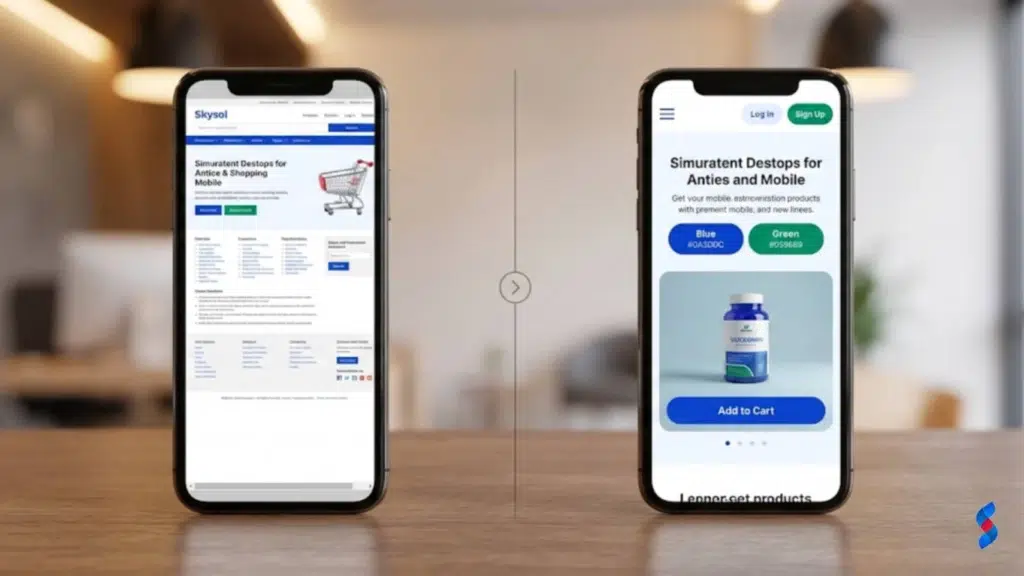
One of the most important aspects of the Wix editor is its focus on responsive design. Responsive design ensures that your website looks great on all devices, from desktops to smartphones. The Wix editor allows you to preview your website on different screen sizes and make adjustments as needed. This is crucial for providing a positive user experience and improving your website’s SEO.
Wix Templates: Starting Points for Success
Wix offers a vast library of templates, providing a starting point for your website design. These templates are professionally designed and cover a wide range of industries and purposes. Whether you’re building a website for a small business, a portfolio, or an online store, you’ll find a template that suits your needs.
Choosing the right template is essential for setting the foundation of your website. Consider your business goals, target audience, and brand identity when making your selection. A well-chosen template can save you time and effort in the long run, providing a solid base upon which to build your online presence.
Customizing Wix templates to match your brand is a critical step in the Wix development process. You can change the colors, fonts, images, and layout of the template to create a unique and cohesive brand experience. This ensures that your website reflects your brand’s personality and values.
The Wix App Market: Extending Functionality
The Wix App Market is a treasure trove of tools and integrations that extend the functionality of your website. With hundreds of apps available, you can add features like contact forms, social media feeds, e-commerce capabilities, and more. The App Market allows you to tailor your website to your specific needs.
Popular Wix apps can be categorized into several key areas:
SEO Apps: These help you optimize your website for search engines.
Marketing Apps: These enable you to promote your business and engage with your audience.
E-commerce Apps: These provide the tools you need to sell products and services online.
Limited Customization Options Compared to Traditional Coding: While Wix offers extensive customization options, it’s not as flexible as traditional coding. If you need highly customized features or designs, you may find Wix limiting.
Potential SEO Limitations for Very Large or Complex Sites: While Wix is generally good for SEO, it may not be the best choice for very large or complex websites. The platform’s structure can sometimes make it difficult to optimize for certain SEO factors.
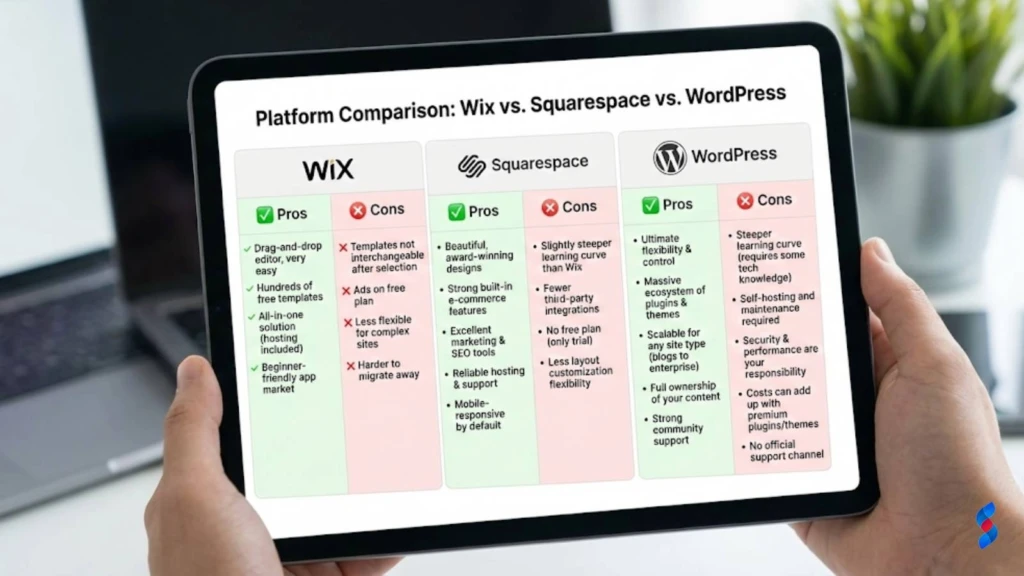
Wix vs. Other Website Builders: A Quick Comparison
Choosing the right website builder can be a daunting task, with numerous options available. Here’s a quick comparison of Wix to other popular website builders:
Platform
Pros
Cons
Best For
Wix
Easy to use, extensive app market, affordable pricing
Template lock-in, limited customization compared to coding
Steeper learning curve, requires more technical knowledge
Large businesses, blogs, websites with complex needs
For many of our clients here in Lahore, we’ve seen that Wix provides a perfect balance of ease of use and functionality, making it an excellent choice for small to medium-sized businesses.
Getting Started with Wix: A Step-by-Step Guide 🚀
Creating a Wix website is a straightforward process, even for beginners. This step-by-step guide will walk you through the essential steps, from creating your account to customizing your template and adding essential elements.
Creating Your Wix Account
1. Visit the Wix Website: Go to [www.wix.com and click on the “Get Started” button.
2. Sign Up: You can sign up using your email address, Google account, or Facebook account.
3. Answer Questions: Wix will ask you a few questions about your business and website goals. This will help the platform recommend the right templates and features for you.
4. Choose a Template or Start from Scratch: You can either choose a template or start with a blank canvas.
5. Select a Pricing Plan: Wix offers a range of pricing plans, including a free plan with limited features. Choose the plan that best suits your budget and needs.
When choosing a pricing plan, consider the following factors:
Storage Space: How much storage space do you need for your website’s files and media?
Bandwidth: How much traffic do you expect your website to receive?
E-commerce Features: Do you need to sell products or services online?
Custom Domain: Do you want to use a custom domain name for your website?
Choosing and Customizing Your Template
1. Browse Templates: Wix offers a wide variety of templates to choose from. Browse the template library and find a template that aligns with your business goals and brand identity.
2. Preview Templates: Before choosing a template, preview it to see how it looks and functions.
3. Select a Template: Once you’ve found a template you like, click on the “Edit” button to start customizing it.
4. Customize the Design: Use the Wix editor to customize the template’s design. You can change the colors, fonts, images, and layout to match your brand.
5. Add Your Content: Replace the template’s placeholder content with your own text, images, and videos.
6. Maintain Branding Consistency: Ensure that your website’s design and content are consistent with your brand’s identity.
Adding Essential Elements to Your Website
1. Add Text: Use the Wix editor to add text elements to your website. You can add headings, paragraphs, lists, and more.
2. Add Images: Upload images from your computer or choose from Wix’s stock photo library. Optimize your images for visual appeal and SEO by using descriptive file names and alt text.
3. Add Videos: Embed videos from YouTube, Vimeo, or other video platforms. Videos can enhance your website’s engagement and provide valuable information to your visitors.
4. Structure Content Effectively: Use headings, subheadings, and bullet points to break up your content and make it easier to read.
5. Optimize for Readability: Use clear and concise language, and avoid using jargon or technical terms that your audience may not understand.
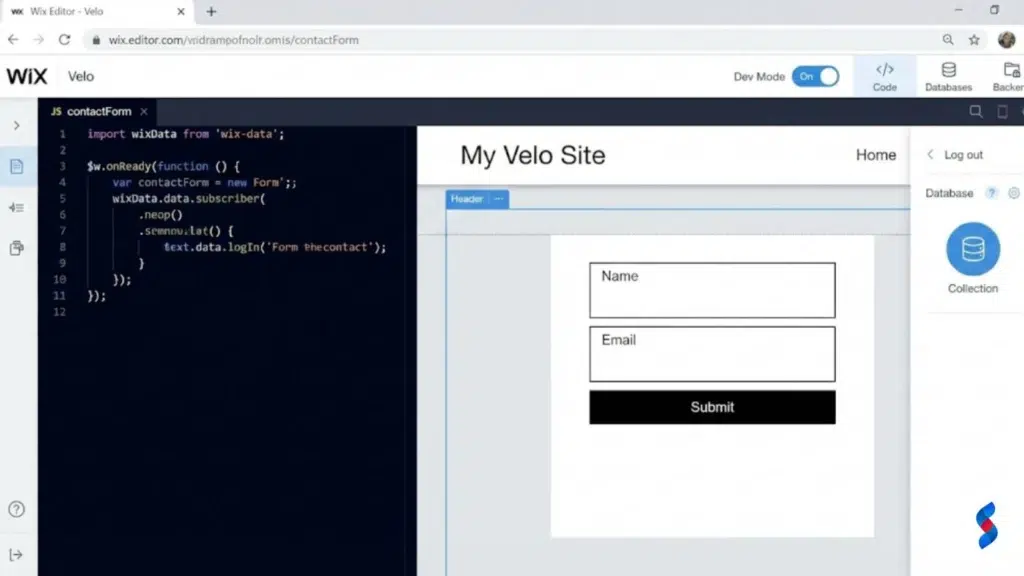
Velo can be used to add a wide range of custom functionality to your Wix website, including:
Connecting to External APIs: Integrate your website with third-party services and data sources.
Creating Dynamic Pages: Build pages that display real-time data from databases or APIs.
Building Custom Forms: Create custom forms with advanced validation and data processing.
Adding Interactive Elements: Add interactive elements like maps, charts, and animations.
For example, we worked with a client who needed to integrate their Wix website with a CRM system. Using Velo, we were able to connect their website to the CRM API and automatically create new leads whenever someone submitted a form on their website.
SEO on Wix: Making Your Website Visible 🔍
Search engine optimization (SEO) is crucial for driving traffic to your website and attracting new customers. Wix offers a range of tools and features to help you optimize your website for search engines.
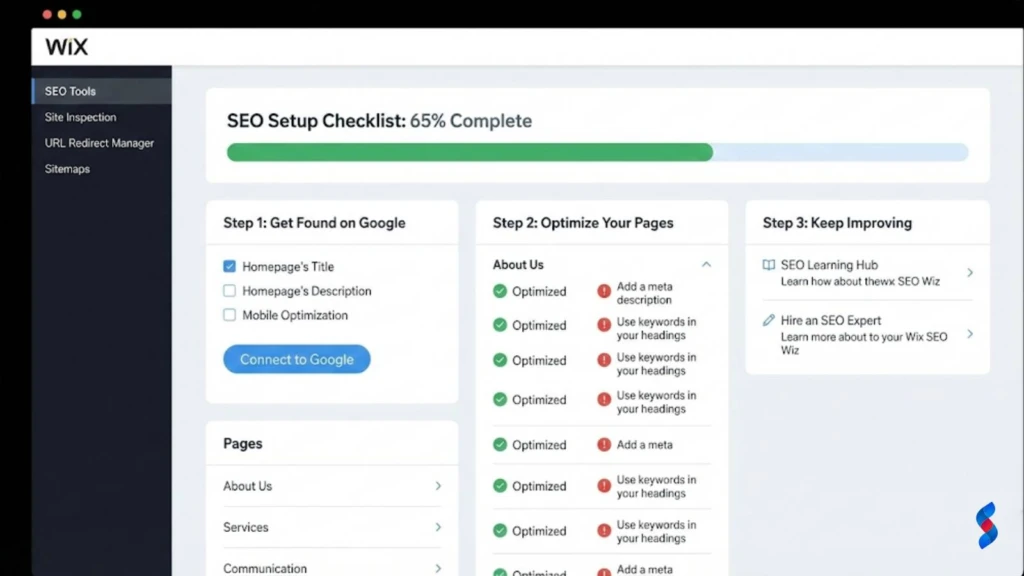
Wix SEO Wiz: Your SEO Assistant
Wix SEO Wiz is a built-in tool that guides you through the SEO process. It provides personalized recommendations for optimizing your website’s content, structure, and technical aspects. Using Wix SEO Wiz, you can:
Identify Keywords: Discover relevant keywords for your business and target audience.
Optimize Content: Get suggestions for improving your website’s content and meta descriptions.
Track Your Progress: Monitor your website’s SEO performance and track your progress over time.
Following SEO best practices is essential for achieving high search engine rankings. This includes using relevant keywords, creating high-quality content, and building backlinks from other reputable websites.
Optimizing Your Website’s Content
Keyword Research: Research relevant keywords for your business and target audience. Use these keywords throughout your website’s content, including in your headings, paragraphs, and meta descriptions.
High-Quality Content: Create informative, engaging, and original content that provides value to your visitors. Google prioritizes websites with high-quality content.
Meta Descriptions and Title Tags: Write compelling meta descriptions and title tags that accurately describe your website’s content and entice users to click on your links in search results.
> “SEO is not about gaming the system; it is about learning how to play by the rules.” – Bruce Clay
Technical SEO Considerations
Site Speed: Optimize your website for speed by compressing images, enabling browser caching, and using a content delivery network (CDN).
Mobile-Friendliness: Ensure that your website is mobile-friendly by using a responsive design and optimizing your content for mobile devices.
Site Structure: Create a clear and logical site structure that makes it easy for search engines to crawl and index your website.
Google Search Console: Use Google Search Console to monitor your website’s performance, identify errors, and submit your sitemap to Google.
Wix E-commerce: Selling Online Made Easy 🛒
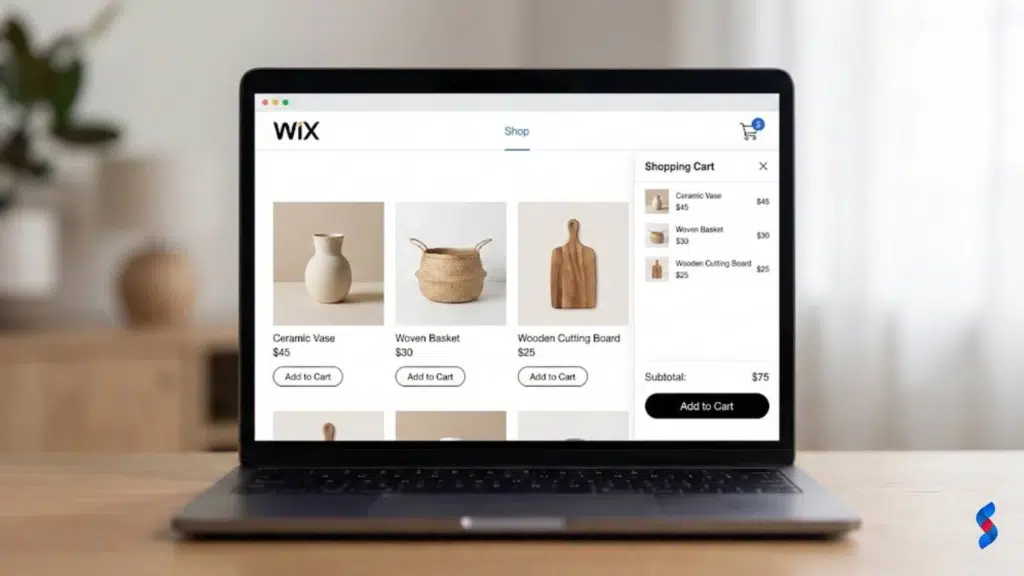
Wix offers a comprehensive e-commerce platform that enables you to sell products and services online. Whether you’re selling physical products, digital downloads, or subscriptions, Wix provides the tools you need to create and manage your online store.
Setting Up Your Online Store
1. Choose an E-commerce Template: Select a Wix template that’s designed for e-commerce businesses.
2. Add Products: Add your products to your online store, including product descriptions, images, and pricing.
3. Set Pricing: Set your product prices and configure any discounts or promotions.
4. Configure Shipping Options: Choose your shipping methods and set your shipping rates.
5. Product Descriptions and Images: High-quality product descriptions and images are essential for attracting customers and driving sales.
Managing Orders and Payments
1. Manage Orders: Track your orders, fulfill orders, and update order statuses.
2. Process Payments: Choose a payment gateway to process payments from your customers. Wix supports a variety of payment gateways, including PayPal, Stripe, and Square.
3. Customer Service: Excellent customer service is crucial for building trust and loyalty with your customers. Respond to customer inquiries promptly and resolve any issues quickly and efficiently.
Promoting Your Online Store
1. Social Media Marketing: Use social media to promote your products and drive traffic to your online store.
2. Email Marketing: Build an email list and send out regular newsletters and promotions to your subscribers.
3. SEO: Optimize your online store for search engines to attract organic traffic.
4. Track Results and Make Adjustments: Monitor your marketing efforts and make adjustments as needed to improve your results.
Common Wix Development Mistakes (and How to Avoid Them) ⚠️
Even with Wix’s user-friendly interface, it’s easy to make mistakes that can negatively impact your website’s performance and user experience. Here are some common Wix development mistakes and how to avoid them.
Ignoring Mobile Optimization
Mobile optimization is crucial for SEO and user experience. More than half of all website traffic comes from mobile devices, so it’s essential to ensure that your website looks and functions great on smartphones and tablets.
To ensure your Wix website is mobile-friendly:
Use a Responsive Template: Choose a Wix template that’s designed to be responsive.
Test on Mobile Devices: Preview your website on different mobile devices to ensure that it looks and functions correctly.
Optimize Images: Optimize your images for mobile devices by compressing them and using appropriate file sizes.
Neglecting SEO Best Practices
SEO is essential for driving traffic to your website and attracting new customers. Neglecting SEO best practices can result in low search engine rankings and reduced visibility.
To avoid this mistake:
Use Wix SEO Wiz: Follow the recommendations provided by Wix SEO Wiz to optimize your website for search engines.
Research Keywords: Research relevant keywords for your business and target audience.
Create High-Quality Content: Create informative, engaging, and original content that provides value to your visitors.
Overloading Your Website with Apps
While the Wix App Market offers a wealth of tools and integrations, using too many apps can slow down your website and negatively impact its performance.
To avoid this mistake:
Choose Apps Wisely: Only install apps that are essential for your website’s functionality.
Optimize App Performance: Optimize the performance of your apps by compressing images and using asynchronous loading.
Monitor Website Speed: Regularly monitor your website’s speed and identify any apps that are slowing it down.
Conclusion
Wix development provides an accessible and powerful platform for beginners to create professional-looking websites. By understanding the Wix ecosystem, weighing the pros and cons, following our step-by-step guide, diving into Wix Velo for advanced customization, and prioritizing SEO, you can build a successful online presence. Avoiding common mistakes will further ensure your website’s performance and user experience are top-notch. With dedication and the right approach, you can leverage Wix to achieve your online goals. We are confident that this guide has equipped you with the knowledge and tools you need to embark on your Wix development journey!
A: Wix offers a free plan, but it comes with limitations, such as Wix branding on your website and limited storage space. Paid plans offer more features, storage, and remove the Wix branding.
Q: Do I need to know coding to use Wix?
A: No, Wix is designed for non-technical users and offers a drag-and-drop interface that doesn’t require coding knowledge. However, Wix Velo allows for advanced customization using JavaScript.
Q: Can I transfer my domain to Wix?
A: Yes, you can transfer your domain to Wix. The process is straightforward and involves updating your domain’s DNS settings.
Q: Is Wix good for SEO?
A: Yes, Wix offers built-in SEO tools and features that can help you optimize your website for search engines. However, SEO success depends on following best practices and creating high-quality content.
Q: How do I choose the right Wix template?
* A: Choose a Wix template that aligns with your business type, goals, and brand identity. Consider the template’s design, layout, and features when making your selection.
Unlock the potential of Wix for your business in 2025! Our comprehensive guide covers everything from initial planning to advanced development techniques. Discover if Wix development is the right choice and how to maximize your online presence with this powerful platform.
Explore whether Wix development is the right path for your business in 2025. This ultimate guide covers the pros, cons, opportunities, and key strategies for success. Learn from expert insights and real-world examples to make informed decisions.
Explore the ins and outs of Wix development. Our comprehensive guide reveals everything you need to know about using Wix for your business in 2025, from its benefits to advanced customization techniques, helping you decide if it's the right platform for you.
Is Wix development the right choice for your business? Get a candid assessment of Wix's capabilities, limitations, and suitability. Make an informed decision for your online presence based on SkySol Media's in-depth analysis. Discover if Wix aligns with your business goals and technical requirements.
Uncover the true cost of building a Wix website in 2025. Our guide breaks down Wix pricing plans, hidden fees, and factors affecting your total investment. Make informed decisions and optimize your Wix budget today!
Explore if Wix development truly aligns with your business requirements in 2025. This comprehensive guide analyzes Wix's capabilities, limitations, and suitability for diverse business needs. Make an informed decision for your online presence. We will assess the pros, cons, and alternatives.