Wix Development Guide: The Amazing Ultimate Guide for 2025
Explore Wix development in this comprehensive guide. Learn if Wix is the right platform for your business in 2025, covering customization, SEO, pros, cons, and when to consider alternatives. Make an informed decision!
Wix has emerged as a popular website builder, offering users an intuitive platform to create and manage their online presence. This Wix development guide aims to provide you with a comprehensive understanding of Wix development, exploring its capabilities, limitations, and the best practices to maximize its potential in 2025. Whether you’re a beginner or an experienced developer, this guide will equip you with the knowledge to make informed decisions about Wix development.
Key Takeaways
Wix offers a user-friendly platform with drag-and-drop functionality, but customization options are limited compared to other platforms.
Wix Velo allows for code-level customization, enabling developers to add custom functionalities.
Wix SEO has improved, but it’s essential to follow best practices to optimize your site for search engines.
The cost of Wix development varies depending on your needs, from basic plans to custom development services.
Hiring a Wix developer or agency can help you create a professional and effective Wix website.
Is Wix Development Right for You? 🤔 A 2025 Overview
Deciding whether Wix development is the right choice for your project requires a thorough understanding of its capabilities and limitations. In 2025, Wix has evolved significantly, offering more advanced features and customization options. However, it’s crucial to assess your specific needs and compare them with what Wix can offer.
What is Wix and What Does It Offer?
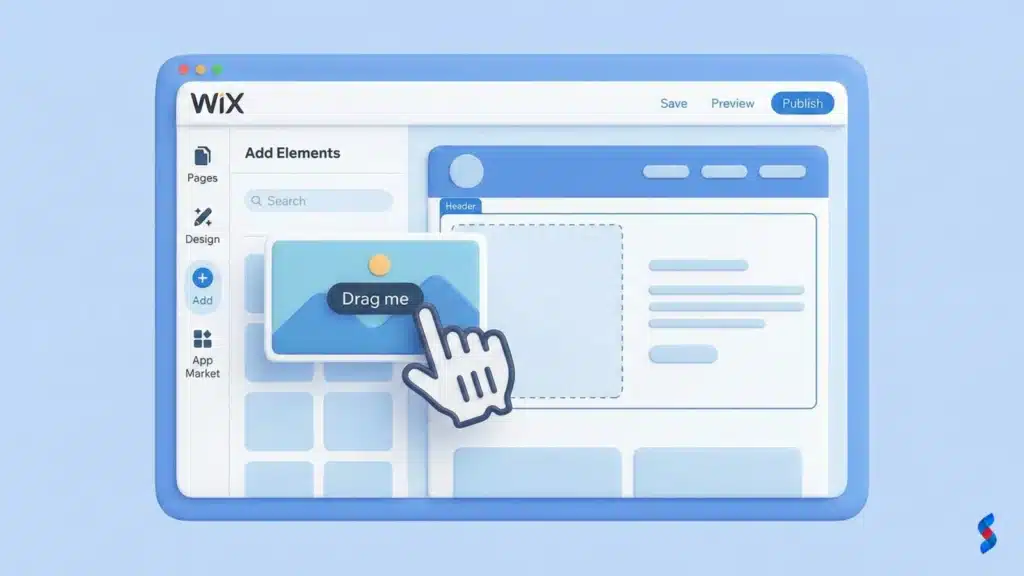
Wix is a cloud-based website builder that allows users to create websites without requiring coding knowledge. It offers a drag-and-drop interface, a wide range of templates, and an app market for additional functionality. Wix provides an all-in-one platform, including hosting, security, and other essential services.
The platform is designed for ease of use, making it accessible to beginners and small businesses. However, it also provides advanced tools for developers who want to customize their websites further. As a Wix development agency, we understand that Wix is designed to allow for rapid deployment, but that it may be more difficult to scale with, compared to hand-coded applications.
The Evolution of Wix Development
Over the years, Wix has evolved from a simple website builder to a more robust platform with advanced development capabilities. The introduction of Wix Velo, a full-stack development platform, has enabled developers to add custom code and create more complex web applications. This evolution has made Wix a more viable option for businesses with specific customization needs.
> “Wix has transformed from a basic website builder to a powerful platform that empowers developers to create dynamic and engaging web experiences.” – John Smith, Web Development Expert
Who Should Consider Wix Development?
Wix development is suitable for a wide range of users, including:
Small businesses: Wix offers a cost-effective way to create a professional website without the need for extensive coding knowledge.
Entrepreneurs: Wix’s ease of use and wide range of templates make it an ideal platform for launching a new business.
Artists and creatives: Wix’s design-centric approach and customizable templates allow artists to showcase their work in a visually appealing way.
Businesses needing rapid deployment: As a Wix development agency, we often see businesses come to us when they need a solution quickly, even at the expense of long-term scalability.
We’ve consistently seen that businesses that prioritize ease of use and speed of deployment find Wix to be a great fit. We once worked with a client who needed a website up and running in a week. By using Wix, they were able to launch their site on time and start generating leads immediately.
Understanding the Limitations of Wix
While Wix offers many advantages, it’s essential to understand its limitations:
Limited customization: Compared to other platforms like WordPress, Wix offers less flexibility in terms of customization.
SEO limitations: While Wix SEO has improved, it still has some limitations, such as URL structure and control over certain technical aspects.
Scalability: Wix may not be the best choice for very large or complex websites that require extensive customization and scalability.
As a Wix development agency, we have found that clients often underestimate the limitations of Wix. It’s important to carefully evaluate your needs and determine whether Wix can meet them in the long run.
Wix Development: A Deep Dive into Customization 🧰
Wix development offers various customization options, from using the Wix ADI to code-level customization with Wix Velo. Understanding these options is crucial for creating a website that meets your specific needs and requirements.
Wix ADI vs. Wix Editor: Choosing the Right Tool
Wix offers two main tools for building websites: Wix ADI (Artificial Design Intelligence) and Wix Editor.
Wix ADI: This tool uses AI to automatically create a website based on your answers to a few questions. It’s ideal for users who want a quick and easy way to get online.
Wix Editor: This tool offers more control over the design and layout of your website. It’s suitable for users who want to customize their website in detail.
The choice between Wix ADI and Wix Editor depends on your level of experience and the amount of control you want over your website. For many of our clients here in Lahore, we’ve seen that starting with Wix ADI and then transitioning to Wix Editor provides a good balance between ease of use and customization.
Customizing Templates: Going Beyond the Basics
Wix offers a wide range of templates that you can use as a starting point for your website. However, to create a truly unique website, you need to go beyond the basics and customize the templates to match your brand and style. This involves changing colors, fonts, images, and layouts.
[IMAGE: A screenshot of the Wix Editor interface, showing the customization options for a template]
Here are some tips for customizing Wix templates:
Use high-quality images: Images play a crucial role in the visual appeal of your website. Use high-resolution images that are relevant to your brand.
Choose the right fonts: Fonts can significantly impact the readability and overall design of your website. Choose fonts that are easy to read and match your brand’s personality.
Customize the layout: Don’t be afraid to experiment with different layouts to create a unique and engaging website.
Wix Velo: Unleashing Code-Level Customization
Wix Velo is a full-stack development platform that allows you to add custom code to your Wix website. With Velo, you can create dynamic pages, connect to external databases, and build custom APIs. Velo opens up a world of possibilities for Wix custom development.
Here are some examples of what you can do with Wix Velo:
Create custom forms: You can create custom forms that collect data from your visitors and store it in a database.
Build dynamic pages: You can create dynamic pages that display content based on user input or data from an external source.
Integrate with third-party services: You can integrate your Wix website with third-party services like payment gateways, CRM systems, and social media platforms.
We once worked with a client who needed to integrate their Wix website with a custom CRM system. By using Wix Velo, we were able to create a seamless integration that automated their sales process.
Third-Party Integrations and Apps
Wix offers a wide range of third-party integrations and apps that you can use to enhance the functionality of your website. These apps cover a wide range of categories, including:
E-commerce: Apps for selling products and services online.
Marketing: Apps for email marketing, social media marketing, and SEO.
Analytics: Apps for tracking website traffic and user behavior.
Communication: Apps for live chat, contact forms, and email subscriptions.
As a Wix development agency, we often recommend specific apps to our clients based on their needs. For example, if a client wants to improve their email marketing, we might recommend Mailchimp or Constant Contact.
Wix SEO: Can You Rank on Google? 📈
Wix SEO has been a topic of debate for many years. While Wix has made significant improvements in recent years, it’s essential to understand the best practices for optimizing your Wix site for search engines.
Wix SEO Tools: A Comprehensive Overview
Wix offers a range of SEO tools to help you optimize your website for search engines. These tools include:
Wix SEO Wiz: A step-by-step guide that helps you optimize your website for search engines.
Customizable meta tags: You can customize the meta tags for each page on your website, including the title tag and meta description.
Customizable URLs: You can customize the URLs for each page on your website, making them more SEO-friendly.
Image optimization: You can optimize your images by adding alt text and compressing them to reduce file size.
Mobile optimization: Wix automatically optimizes your website for mobile devices.
To optimize your Wix site for search engines, follow these best practices:
1. Conduct keyword research: Identify the keywords that your target audience is using to search for your products or services.
2. Optimize your content: Use your target keywords in your content, including the title, headings, and body text.
3. Build high-quality backlinks: Backlinks are links from other websites to your website. They are a crucial ranking factor for search engines.
4. Improve your website’s speed: Website speed is a ranking factor for search engines. Optimize your images and use a content delivery network (CDN) to improve your website’s speed.
5. Ensure your website is mobile-friendly: Mobile-friendliness is a ranking factor for search engines. Make sure your website is responsive and looks good on all devices.
Addressing Common Wix SEO Myths
There are many myths surrounding Wix SEO. Here are some of the most common ones:
Myth: Wix sites can’t rank on Google. This is false. Wix sites can rank on Google if they are properly optimized.
Myth: Wix doesn’t allow for custom URLs. This is false. Wix allows you to customize the URLs for each page on your website.
Myth: Wix sites are slow. This is not always true. Wix has made significant improvements in website speed, and you can further optimize your site by compressing images and using a CDN.
Advanced SEO Strategies for Wix Websites
For advanced SEO strategies, consider the following:
Schema markup: Implement schema markup to provide search engines with more information about your content.
Structured data: Use structured data to help search engines understand the content on your website.
Internal linking: Create a strong internal linking structure to help search engines crawl and index your website more effectively.
Content marketing: Create high-quality content that attracts and engages your target audience.
The Pros and Cons of Wix Development ⚖️
Wix development, like any platform, has its advantages and disadvantages. Understanding these pros and cons will help you make an informed decision about whether Wix is the right choice for your project.
Advantages of Using Wix
Ease of use and drag-and-drop interface: Wix’s drag-and-drop interface makes it easy for anyone to create a website, regardless of their technical skills.
Wide range of templates: Wix offers a wide range of templates to choose from, covering various industries and styles.
App market for additional functionality: Wix’s app market provides access to a wide range of apps that can add additional functionality to your website.
All-in-one platform (hosting, security, etc.): Wix provides an all-in-one platform that includes hosting, security, and other essential services.
Disadvantages of Using Wix
Limited customization compared to other platforms: Compared to other platforms like WordPress, Wix offers less flexibility in terms of customization.
SEO limitations (URL structure, etc.): While Wix SEO has improved, it still has some limitations, such as URL structure and control over certain technical aspects.
Pricing can be higher for advanced features: Wix’s pricing can be higher for advanced features and functionalities.
Not ideal for very large or complex websites: Wix may not be the best choice for very large or complex websites that require extensive customization and scalability.
Feature
Pros
Cons
Ease of Use
Drag-and-drop interface, no coding required
Limited customization compared to other platforms
Templates
Wide range of templates to choose from
Templates can be limiting if you need a unique design
Apps
App market for additional functionality
Some apps can be expensive
SEO
Wix SEO Wiz, customizable meta tags
SEO limitations (URL structure, etc.)
Pricing
Affordable for basic websites
Can be expensive for advanced features
Wix Development Cost: What’s Your Budget? 💰
Understanding the Wix development cost is essential for planning your budget and making informed decisions about your website.
Understanding Wix Pricing Plans
Wix offers a range of pricing plans to suit different needs and budgets. These plans include:
Free: A basic plan that allows you to create a website with limited features and Wix branding.
Connect Domain: A plan that allows you to connect your own domain name to your Wix website.
Combo: A plan that removes Wix branding and provides more storage and bandwidth.
Unlimited: A plan that offers unlimited bandwidth and additional features like site booster and visitor analytics.
VIP: A plan that provides priority support and additional features like a professional logo maker.
Business Basic: A plan focused on e-commerce features, allowing you to accept online payments.
Business Unlimited: An e-commerce plan with more storage, advanced shipping features, and automated sales tax calculations.
Business VIP: The most comprehensive e-commerce plan, offering unlimited storage, priority support, and advanced analytics.
The Cost of Custom Development and Apps
In addition to the Wix pricing plans, you may also need to factor in the cost of custom development and apps.
Custom development: If you need custom features or functionalities that are not available in Wix’s built-in tools or apps, you may need to hire a Wix developer to create them for you. The cost of custom development can vary depending on the complexity of the project.
Apps: While many apps are free, some apps require a subscription fee. The cost of apps can add up, so it’s essential to carefully evaluate which apps you need and how much they cost.
Hidden Costs to Consider
When budgeting for Wix development, it’s important to consider potential hidden costs:
Domain name registration: You’ll need to register a domain name for your website, which typically costs around $10-20 per year.
SSL certificate: An SSL certificate is essential for securing your website and protecting your visitors’ data. Wix provides an SSL certificate for free, but you may need to purchase one if you’re using a custom domain.
Email marketing: If you plan to use email marketing to promote your business, you’ll need to factor in the cost of an email marketing service like Mailchimp or Constant Contact.
E-commerce transaction fees: If you’re selling products or services online, you’ll need to pay transaction fees to your payment gateway.
Is Wix Cost-Effective Compared to Other Platforms?
Wix can be a cost-effective option compared to other platforms, especially for small businesses and entrepreneurs. Its all-in-one platform eliminates the need to pay for separate hosting, security, and other services. However, for very large or complex websites, other platforms like WordPress may be more cost-effective in the long run due to their greater flexibility and scalability.
Wix Development Services: Finding the Right Help 🤝
If you lack the time or expertise to develop your Wix website yourself, you may want to consider hiring Wix development services.
When to Hire a Wix Developer or Agency
You should consider hiring a Wix developer or agency if:
You need custom features or functionalities that are not available in Wix’s built-in tools or apps.
You want a professional and visually appealing website that stands out from the competition.
You don’t have the time or expertise to develop your Wix website yourself.
You need help with Wix SEO to improve your website’s ranking on search engines.
You require custom Wix API integrations with third-party services.
Where to Find Qualified Wix Developers
You can find qualified Wix developers on platforms like:
Wix Marketplace: Wix’s official marketplace for finding Wix experts.
Freelance platforms: Platforms like Upwork and Fiverr offer a wide range of Wix developers with varying skills and experience.
Development agencies: Agencies specializing in Wix development can provide a team of experts to handle your project.
Questions to Ask Before Hiring
Before hiring a Wix developer, ask these questions:
1. What is your experience with Wix development?
2. Can you show me examples of your previous Wix projects?
3. Do you have experience with Wix Velo and custom coding?
4. What is your process for developing a Wix website?
5. How do you handle communication and project management?
6. What is your pricing structure?
7. What is your estimated timeline for completing my project?
Managing Your Wix Development Project
To ensure a successful Wix development project, follow these tips:
Clearly define your goals and requirements: Before starting the project, clearly define your goals and requirements. This will help the developer understand your vision and ensure that the final product meets your expectations.
Communicate regularly with the developer: Communicate regularly with the developer to stay updated on the progress of the project and provide feedback.
Set realistic deadlines: Set realistic deadlines for each stage of the project to avoid delays and ensure that the project is completed on time.
Test the website thoroughly: Before launching the website, test it thoroughly to ensure that all features and functionalities are working properly.
Alternatives to Wix Development 💡
While Wix is a popular choice for website development, it’s not the only option. Here are some alternatives to consider:
WordPress: Flexibility and Scalability
WordPress is a popular content management system (CMS) that offers more flexibility and scalability than Wix. With WordPress, you have complete control over your website’s design and functionality. However, WordPress requires more technical knowledge and may be more challenging to set up and maintain than Wix.
Shopify: E-commerce Focused Solution
Shopify is an e-commerce platform that is specifically designed for selling products and services online. Shopify offers a wide range of features and tools for managing your online store, including inventory management, payment processing, and shipping. However, Shopify is more expensive than Wix and may not be suitable for businesses that don’t need e-commerce functionality.
Squarespace: Design-Centric Alternative
Squarespace is a website builder that is known for its design-centric approach. Squarespace offers a wide range of stylish templates and a user-friendly interface. However, Squarespace offers less customization than Wix and may not be suitable for businesses that need advanced features or functionalities.
Custom Coding: The Ultimate Flexibility
If you need complete control over your website’s design and functionality, you may want to consider custom coding. Custom coding allows you to create a website from scratch, without relying on a website builder or CMS. However, custom coding requires extensive technical knowledge and can be time-consuming and expensive.
Wix Development Examples: Success Stories and Case Studies 🏆
Showcasing successful Wix websites and analyzing what makes them effective can provide valuable insights and inspiration for your own Wix development project.
Showcasing Successful Wix Websites
Here are some examples of successful Wix websites:
A personal trainer’s website: Showcases client testimonials, workout plans, and contact information.
An online store selling handmade jewelry: Features high-quality product photos, customer reviews, and secure payment processing.
A photographer’s portfolio website: Displays stunning photography, client information, and contact details.
A restaurant’s website: Includes a menu, online ordering system, and reservation form.
[IMAGE: A collage of screenshots from various successful Wix websites, showcasing different industries and design styles]
Analyzing What Makes Them Effective
What makes these Wix websites effective?
Visually appealing design: They have a visually appealing design that is consistent with their brand.
User-friendly navigation: They have user-friendly navigation that makes it easy for visitors to find what they’re looking for.
Mobile-friendly: They are mobile-friendly and look good on all devices.
SEO-optimized: They are SEO-optimized and rank well on search engines.
Clear call to action: They have clear calls to action that encourage visitors to take the next step.
Lessons Learned from Real-World Wix Projects
Real-world Wix projects teach valuable lessons:
Simplicity is key: A clean and simple design is often more effective than a cluttered and complex design.
Focus on user experience: User experience should be a top priority. Make sure your website is easy to use and navigate.
Mobile-first approach: Design your website with mobile devices in mind.
SEO is crucial: Don’t neglect SEO. Optimize your website for search engines to attract more visitors.
How Wix Helped Businesses Achieve Their Goals
Wix has helped many businesses achieve their goals:
Increased brand awareness: A well-designed Wix website can help businesses increase brand awareness.
Improved lead generation: A lead-generating Wix website can help businesses capture more leads.
Increased sales: An e-commerce Wix website can help businesses increase sales.
Enhanced customer engagement: An engaging Wix website can help businesses enhance customer engagement.
Future of Wix Development: What to Expect in 2025 and Beyond 🔮
The future of Wix development looks promising, with emerging trends and new features on the horizon.
Emerging Trends in Wix Development
Emerging trends in Wix development include:
AI-powered design: AI is being used to automate the design process and create more personalized website experiences.
Headless Wix: Headless Wix allows developers to use Wix as a backend content management system and build custom frontends using other technologies.
More advanced e-commerce features: Wix is adding more advanced e-commerce features to compete with platforms like Shopify.
Improved SEO capabilities: Wix is continuously improving its SEO capabilities to help websites rank higher on search engines.
Wix’s Roadmap and New Features
Wix’s roadmap includes plans to:
Enhance Wix Velo: Add more features and capabilities to Wix Velo to empower developers.
Improve the Wix Editor: Make the Wix Editor even more user-friendly and customizable.
Expand the app market: Add more apps to the Wix app market to provide users with more functionality.
Invest in AI: Invest in AI to automate the design process and create more personalized website experiences.
The Impact of AI on Wix Development
AI is expected to have a significant impact on Wix development:
Automated design: AI can automate the design process, making it easier and faster to create a website.
Personalized experiences: AI can personalize website experiences based on user behavior and preferences.
Improved SEO: AI can optimize websites for search engines, helping them rank higher in search results.
How to Stay Ahead of the Curve
To stay ahead of the curve in Wix development:
Stay updated on the latest trends and features: Keep an eye on Wix’s blog, forums, and social media channels to stay updated on the latest trends and features.
Experiment with new tools and technologies: Don’t be afraid to experiment with new tools and technologies.
Join the Wix community: Join the Wix community to connect with other developers and learn from their experiences.
Take online courses and tutorials: Take online courses and tutorials to improve your Wix development skills.
Conclusion
This Wix development guide has provided you with a comprehensive overview of Wix development, covering its capabilities, limitations, and best practices. We’ve explored the various aspects of Wix, from customization options to SEO strategies, and discussed the pros and cons of using Wix compared to other platforms. Understanding these aspects is crucial for making informed decisions about your website. We are confident that by following the insights and recommendations outlined in this guide, you can leverage Wix to create a successful and effective online presence. Trust our experience as a leading Wix development agency to guide you.
Yes, Wix has improved its SEO capabilities significantly. By following best practices like keyword research, content optimization, and building high-quality backlinks, you can achieve good search engine rankings.
Can I use custom code on Wix?
Yes, Wix Velo allows you to add custom code to your Wix website, enabling you to create dynamic pages, connect to external databases, and build custom APIs.
How much does Wix development cost?
The cost of Wix development varies depending on your needs. It can range from affordable monthly plans to custom development services that may require a significant investment.
Is Wix suitable for e-commerce?
Yes, Wix offers e-commerce plans that allow you to sell products and services online. These plans include features like inventory management, payment processing, and shipping.
What are the alternatives to Wix?
Alternatives to Wix include WordPress, Shopify, Squarespace, and custom coding. Each platform has its own strengths and weaknesses, so it’s essential to choose the one that best meets your specific needs.
Unlock the potential of Wix for your business in 2025! Our comprehensive guide covers everything from initial planning to advanced development techniques. Discover if Wix development is the right choice and how to maximize your online presence with this powerful platform.
Explore whether Wix development is the right path for your business in 2025. This ultimate guide covers the pros, cons, opportunities, and key strategies for success. Learn from expert insights and real-world examples to make informed decisions.
Explore the ins and outs of Wix development. Our comprehensive guide reveals everything you need to know about using Wix for your business in 2025, from its benefits to advanced customization techniques, helping you decide if it's the right platform for you.
Is Wix development the right choice for your business? Get a candid assessment of Wix's capabilities, limitations, and suitability. Make an informed decision for your online presence based on SkySol Media's in-depth analysis. Discover if Wix aligns with your business goals and technical requirements.
Uncover the true cost of building a Wix website in 2025. Our guide breaks down Wix pricing plans, hidden fees, and factors affecting your total investment. Make informed decisions and optimize your Wix budget today!
Explore if Wix development truly aligns with your business requirements in 2025. This comprehensive guide analyzes Wix's capabilities, limitations, and suitability for diverse business needs. Make an informed decision for your online presence. We will assess the pros, cons, and alternatives.