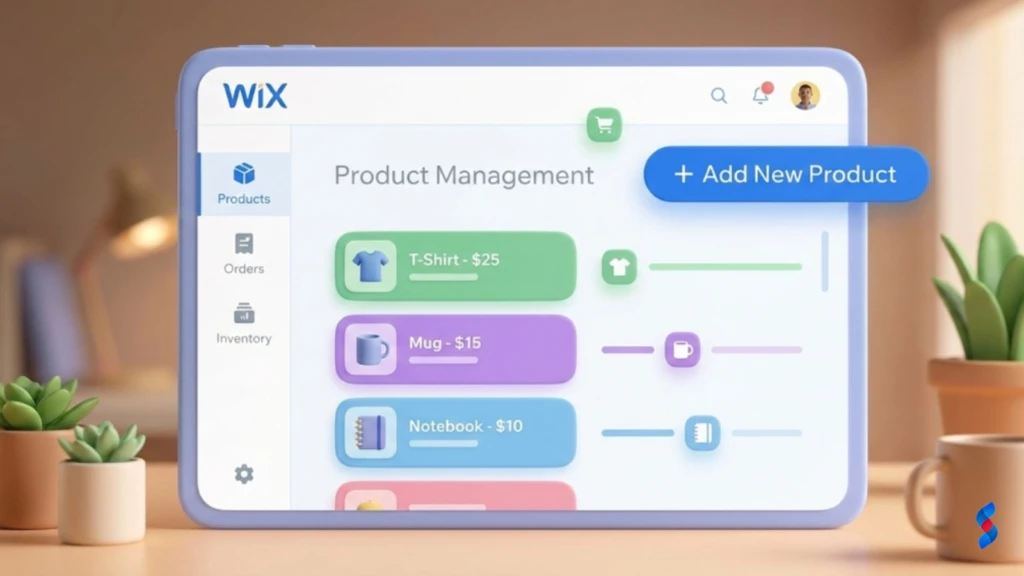
Wix Development Guide: The Amazing Ultimate Guide for 2025
Unlock the full potential of Wix for your business in 2025! This comprehensive Wix development guide explores everything from planning to advanced customization. Discover if Wix is the right choice for your project with our expert insights and actionable tips.
Wix has become a popular choice for individuals and businesses looking to establish an online presence. With its user-friendly interface and a wide range of templates, it offers an accessible way to create a website without extensive coding knowledge. However, to truly harness the power of Wix, especially for more complex projects, a comprehensive Wix development guide is essential. This guide will walk you through everything you need to know about Wix, from understanding its core features to customizing your site with Velo, optimizing it for SEO, and even building an e-commerce store.
Key Takeaways
Wix offers a user-friendly platform suitable for many businesses, but custom development needs require careful consideration.
Velo by Wix enables advanced customization with JavaScript, but understanding its capabilities and limitations is crucial.
Proper planning and SEO optimization are essential for a successful Wix website.
Consider Wix’s pricing structure and long-term scalability before committing to the platform.
Understanding Wix: An Overview 🤔
What is Wix and How Does it Work?
Wix is a cloud-based website builder that simplifies the process of creating and managing websites. It operates on a subscription model, offering various plans with different features and capabilities. Its drag-and-drop interface allows users to easily add and arrange elements on their pages without writing a single line of code. The Wix website builder caters to a broad audience, including small businesses, entrepreneurs, and individuals who need a simple yet effective online presence.
The platform works by providing users with pre-designed templates that can be customized to fit their specific needs. These templates cover a wide range of industries and purposes, from portfolios and blogs to online stores and business websites. Users can then add text, images, videos, and other elements to these templates, adjusting the layout and design to create a unique look and feel.
[IMAGE: Screenshot of the Wix drag-and-drop website editor]
Wix’s Core Features and Functionality
Wix boasts a suite of core features designed to streamline the website creation process. The Wix Editor is the heart of the platform, offering a visual interface for designing and customizing your website. The Wix App Market provides access to a vast library of apps that can extend the functionality of your site, from adding contact forms and social media integrations to implementing e-commerce features and marketing tools.
Wix SEO Wiz is another essential feature, guiding users through the process of optimizing their website for search engines. It provides personalized recommendations for improving your site’s SEO, such as adding meta tags, optimizing content, and building backlinks. Wix ADI (Artificial Design Intelligence) is a unique feature that uses AI to automatically generate a website design based on your answers to a few simple questions. This can be a great option for users who are new to website building and need a quick and easy solution.
For those looking to sell products online, Wix Stores offers a comprehensive set of e-commerce functionalities. This includes features for managing products, processing payments, handling shipping, and tracking inventory. Wix Stores is designed to be easy to use, even for beginners, making it a great option for small businesses and entrepreneurs looking to start selling online.
The Benefits and Limitations of Using Wix
One of the biggest benefits of using Wix is its ease of use. The drag-and-drop interface and pre-designed templates make it simple for anyone to create a professional-looking website, even without any technical skills. Wix also offers a fast deployment time, allowing you to get your website up and running quickly. The affordability of Wix is another major advantage, with various pricing plans to suit different budgets.
However, Wix also has some limitations. One of the main drawbacks is the limited customization options compared to platforms like WordPress. While Velo by Wix allows for some custom coding, it’s not as flexible as a fully custom-built website. SEO can also be a challenge on Wix, although the platform has made significant improvements in recent years.
Another consideration is platform lock-in. Once you build your website on Wix, it can be difficult to migrate it to another platform. This can be a problem if your business grows and you need more advanced features or customization options. Scalability can also be an issue as your business expands, as Wix may not be able to handle the demands of a large, complex website. We’ve seen clients who initially loved the simplicity of Wix find themselves constrained as their businesses grew, requiring a move to a more robust platform.
Planning Your Wix Development Project 📝
Defining Your Website Goals and Objectives
Before you start building your Wix website, it’s important to define your goals and objectives. What do you want to achieve with your website? Are you looking to generate leads, sell products online, or simply build brand awareness? Identifying the purpose of your website is the first step in planning your Wix development project.
Once you know your website’s purpose, you need to set clear, measurable goals. For example, if your goal is to generate leads, you might set a target of increasing your website traffic by 20% and generating 50 new leads per month. If your goal is to sell products online, you might aim to increase your online sales by 15% in the next quarter.
Understanding your target audience is also crucial. Who are you trying to reach with your website? What are their needs and interests? What kind of content will they find valuable? By understanding your audience, you can create a website that resonates with them and helps you achieve your goals.
Choosing the Right Wix Template and Design
Wix offers a vast library of templates to choose from, covering a wide range of industries and purposes. When choosing a template, it’s important to consider its relevance to your brand and target audience. Does the design align with your brand’s aesthetic? Does it appeal to your target audience?
Ensure that the template is mobile-responsive. More and more people are browsing the web on their mobile devices, so it’s essential that your website looks good and functions well on smartphones and tablets. The template should also be visually appealing and easy to navigate. A cluttered or confusing website can turn visitors away, so choose a template that is clean, organized, and user-friendly.
[IMAGE: A showcase of various Wix templates, highlighting their diverse designs]
Sitemap and Content Strategy
A sitemap is a visual representation of your website’s structure and navigation. It outlines the different pages on your site and how they are linked together. Creating a sitemap can help you plan your website’s content and ensure that it is easy for visitors to find what they are looking for.
Your content strategy should outline the type of content you will create, how often you will publish it, and who will be responsible for creating it. This includes blog posts, product descriptions, visuals, and other media. Focus on providing valuable and engaging content for your audience. High-quality content can attract visitors to your website, keep them engaged, and help you achieve your business goals.
Customizing Your Wix Website with Velo 💻
Introduction to Velo by Wix: The Basics
Velo by Wix is a JavaScript-based development platform that allows you to add custom functionality and logic to your Wix website. It provides a powerful set of tools and APIs for building advanced features, such as dynamic pages, custom forms, and integrations with third-party services. Velo is designed for developers and designers who want to take their Wix websites to the next level.
Velo enables you to create more engaging and interactive experiences for your visitors. It allows you to build custom applications directly within the Wix environment, giving you greater control over your website’s functionality. The benefits of using Velo for advanced Wix custom development are numerous, including the ability to create unique features, automate tasks, and integrate your website with other systems.
Velo’s Key Features and Components
Velo offers a range of key features and components that make it a powerful development platform. The Wix APIs provide access to Wix’s core functionality, allowing you to interact with Wix data, manage users, and control website behavior. Data collections are used to store and manage data within your Wix website. These collections can be used to store anything from product information and customer data to blog posts and event details.
Event handling allows you to respond to user interactions, such as button clicks, form submissions, and page loads. This enables you to create dynamic and interactive experiences for your visitors. Velo’s code editor provides a user-friendly interface for writing and debugging your code. It includes features such as syntax highlighting, code completion, and error checking.
It’s important to acknowledge the limitations of Velo. While it offers significant customization options, it’s not a replacement for a fully custom-coded website. Velo has its constraints in terms of performance and scalability. We often advise our clients to carefully evaluate their long-term needs before committing to Velo for complex projects.
Practical Velo Examples and Tutorials
Let’s look at some practical examples of how you can use Velo to customize your Wix website. One common use case is implementing a custom contact form with advanced validation. With Velo, you can create a form that validates user input, prevents spam submissions, and sends confirmation emails. Another example is integrating third-party APIs for enhanced functionality. For instance, you could integrate with a weather API to display real-time weather data on your website or integrate with a social media API to display your latest social media posts.
You can also use Velo to create dynamic content based on user interactions. For example, you could display personalized recommendations based on a user’s past behavior or display different content based on a user’s location. These examples demonstrate the power and flexibility of Velo for customizing your Wix website.
Wix SEO: Optimizing Your Website for Search Engines 🚀
Understanding Wix’s SEO Capabilities
Wix has made significant strides in improving its SEO capabilities in recent years. The platform now offers a range of built-in SEO tools and features, such as the ability to customize meta tags, generate sitemaps, and optimize your website for mobile devices. Wix SEO Wiz provides personalized recommendations for improving your site’s SEO, making it easier for you to rank higher in search engine results.
However, there are still some common SEO challenges associated with Wix websites. One challenge is the platform’s URL structure, which can be less SEO-friendly than that of other platforms. Another challenge is the limited control over server-side configurations. Despite these challenges, it’s possible to achieve good SEO results with Wix by following best practices and using the platform’s built-in tools effectively.
Keyword Research and On-Page Optimization
Keyword research is the foundation of any successful SEO strategy. It involves identifying the keywords that your target audience is using to search for your products or services. You can use various tools, such as Google Keyword Planner, Ahrefs, and SEMrush, to conduct keyword research. Once you have identified your target keywords, you need to incorporate them into your website’s content.
On-page optimization involves optimizing your website’s content and code to improve its ranking in search engine results. This includes optimizing page titles, meta descriptions, heading tags, and image alt tags. Use relevant keywords naturally throughout your content, but avoid keyword stuffing, which can harm your SEO. Focus on creating high-quality, informative content that provides value to your audience.
Off-Page SEO and Link Building Strategies
Off-page SEO refers to activities that you can do outside of your website to improve its ranking in search engine results. One of the most important off-page SEO factors is link building, which involves acquiring backlinks from other reputable websites. Backlinks are like votes of confidence from other websites, telling search engines that your website is a valuable resource.
Promote your content on social media and other platforms to reach a wider audience and attract backlinks. Engage with your audience and build a strong online presence. This can help you establish yourself as an authority in your industry and attract more backlinks to your website.
E-commerce on Wix: Building an Online Store 🛒
Setting Up Your Wix Store
Setting up your Wix e-commerce store involves configuring your store settings, such as payment gateways and shipping options. Wix supports a variety of payment gateways, including PayPal, Stripe, and Square. Choose the payment gateways that are most convenient for your customers and that offer the best rates for your business.
Add products with detailed descriptions, images, and pricing. High-quality product images are essential for attracting customers and showcasing your products. Write clear and concise product descriptions that highlight the benefits of your products and use relevant keywords. Organize your products into categories and collections to make it easy for customers to find what they are looking for.
Tracking your inventory levels is crucial for preventing overselling and ensuring that you can fulfill orders promptly. Wix offers built-in tools for managing your inventory, allowing you to track stock levels, set low-stock alerts, and automatically update inventory when orders are placed. Process orders efficiently and provide excellent customer service. Respond to customer inquiries promptly and resolve any issues quickly and efficiently.
Marketing and Promoting Your Online Store
Run targeted advertising campaigns to reach potential customers. Wix integrates with various advertising platforms, such as Google Ads and Facebook Ads, allowing you to create targeted campaigns that reach your ideal customers. Offer discounts, promotions, and free shipping to incentivize purchases. These tactics can help you attract new customers and increase sales.
Utilize email marketing to build relationships with your customers. Email marketing can be used to send promotional emails, product updates, and other valuable content to your subscribers. Build an email list by offering incentives, such as discounts or free content, in exchange for email addresses.
Wix Pricing Plans and Value Proposition 💰
Exploring Wix’s Different Pricing Tiers
Wix offers a variety of pricing plans to suit different needs and budgets. The plans range from basic website plans to business and e-commerce plans. Each plan offers different features and benefits, so it’s important to compare the options and choose the plan that is best for your needs. The cost implications of using Wix for your business depend on the plan you choose and the add-ons you purchase.
Consider the long-term value and ROI of each plan. A more expensive plan may offer features that can significantly improve your website’s performance and help you achieve your business goals.
Hidden Costs and Considerations
Be aware of potential add-on costs, such as app subscriptions and domain registration. Wix offers a free domain for the first year with some plans, but you will need to pay for domain registration after that. Factor in the cost of hiring a Wix website development expert or designer. While Wix is easy to use, you may need professional help for more complex projects or custom designs.
Understand the limitations of the free plan and its impact on your website. The free plan includes Wix branding on your website and limits your bandwidth and storage. This may not be suitable for businesses that want to project a professional image or that have a lot of content.
Choosing the Right Plan for Your Needs
Assess your website’s requirements and budget. What features do you need? How much can you afford to spend? Select a plan that offers the features and resources you need to succeed. Don’t pay for features that you don’t need, but don’t skimp on essential features that can help you achieve your goals. Consider upgrading your plan as your business grows. As your website traffic increases and your business expands, you may need to upgrade to a more expensive plan to get more bandwidth, storage, and features.
Here is a table summarizing the Wix pricing plans (as of 2024 – please check Wix’s website for the most up-to-date information):
Plan Name
Price (USD/month)
Key Features
Best For
Light
$16
Basic website features, connect your own domain
Small personal websites, blogs
Core
$29
More storage, basic marketing tools
Freelancers, small businesses
Business
$36
E-commerce features, advanced analytics
Growing online stores
Business Elite
$159
Full suite of e-commerce tools, priority support
Large online businesses
Enterprise
Custom Pricing
Custom solutions, dedicated support
Large organizations with specific needs
Wix vs. Other Website Builders: A Comparison 🆚
Wix vs. WordPress
Wix and WordPress are two of the most popular website builders on the market, but they cater to different audiences and offer different features. Wix is known for its ease of use and template-based approach, while WordPress is known for its flexibility and customization options. Wix alternatives such as WordPress offer an open-source platform.
WordPress is a more powerful and flexible platform than Wix, but it also has a steeper learning curve. We’ve seen many clients initially drawn to Wix for its simplicity later switch to WordPress for its advanced customization possibilities. Ultimately, the best choice depends on your technical skills and your website’s specific needs.
Wix vs. Squarespace
Wix and Squarespace are both user-friendly website builders that offer a range of templates and features. However, Wix offers more design flexibility than Squarespace, while Squarespace is known for its minimalist aesthetic. Squarespace’s pricing plans are generally more expensive than Wix’s, but they offer unlimited storage and bandwidth.
Consider the target audience and use cases for each website builder. Wix is a good choice for businesses that want a lot of design control, while Squarespace is a good choice for businesses that want a clean and minimalist website.
Wix vs. Shopify
Wix and Shopify are both popular platforms for building online stores, but they cater to different needs. Wix is a general-purpose website builder that also offers e-commerce features, while Shopify is an e-commerce platform that is specifically designed for selling products online. Shopify offers more advanced e-commerce features than Wix, such as abandoned cart recovery, advanced shipping options, and multi-channel selling.
Consider the specific needs of your online store. If you are primarily focused on selling products online, Shopify is a better choice. If you also need a general-purpose website with e-commerce features, Wix may be a better choice.
Expert Insights and Best Practices for Wix Development ✨
> “Wix provides a fantastic starting point for many businesses, but understanding its limitations is key. Don’t be afraid to leverage Velo for custom solutions, but always prioritize performance and SEO. A well-planned Wix site can be a powerful tool.” – Sarah Khan, Lead Web Developer at SkySol Media
Tips for Optimizing Your Wix Website’s Performance
Optimizing your Wix design for performance is critical for providing a good user experience and improving your SEO. Optimize images and videos to reduce loading times. Large images and videos can slow down your website, so it’s important to compress them without sacrificing quality. Use a content delivery network (CDN) to improve website speed. A CDN stores your website’s content on servers around the world, allowing visitors to access it from the server that is closest to them.
Minimize the use of unnecessary apps and plugins. Too many apps and plugins can slow down your website and create security vulnerabilities. Only install the apps and plugins that you need and keep them updated.
Avoiding Common Wix Development Mistakes
Don’t neglect SEO best practices. SEO is essential for attracting visitors to your website, so it’s important to follow best practices and optimize your site for search engines. Don’t over-customize your website, which can lead to performance issues. While customization is important, too much customization can slow down your website and make it difficult to maintain.
Don’t ignore mobile responsiveness. More and more people are browsing the web on their mobile devices, so it’s essential that your website looks good and functions well on smartphones and tablets.
Future Trends in Wix Development
Explore the potential of AI-powered website design and development. AI is being used to automate various aspects of website design and development, such as generating website layouts, creating content, and optimizing SEO. Keep up with the latest Velo updates and features. Velo is constantly evolving, so it’s important to stay up-to-date on the latest features and best practices.
Consider the impact of emerging technologies on the Wix platform. Emerging technologies, such as virtual reality and augmented reality, are likely to have a significant impact on the Wix platform in the future.
Conclusion
Wix can be a powerful platform for businesses of all sizes, especially when you use a comprehensive Wix development guide to unlock its potential. By understanding its features, limitations, and customization options, you can create a website that meets your specific needs and achieves your business goals. Here at SkySol Media, we’re committed to helping businesses like yours thrive online. We’ve seen firsthand how a well-executed Wix strategy can transform a business’s online presence.
Unlock the potential of Wix for your business in 2025! Our comprehensive guide covers everything from initial planning to advanced development techniques. Discover if Wix development is the right choice and how to maximize your online presence with this powerful platform.
Explore whether Wix development is the right path for your business in 2025. This ultimate guide covers the pros, cons, opportunities, and key strategies for success. Learn from expert insights and real-world examples to make informed decisions.
Explore the ins and outs of Wix development. Our comprehensive guide reveals everything you need to know about using Wix for your business in 2025, from its benefits to advanced customization techniques, helping you decide if it's the right platform for you.
Is Wix development the right choice for your business? Get a candid assessment of Wix's capabilities, limitations, and suitability. Make an informed decision for your online presence based on SkySol Media's in-depth analysis. Discover if Wix aligns with your business goals and technical requirements.
Uncover the true cost of building a Wix website in 2025. Our guide breaks down Wix pricing plans, hidden fees, and factors affecting your total investment. Make informed decisions and optimize your Wix budget today!
Explore if Wix development truly aligns with your business requirements in 2025. This comprehensive guide analyzes Wix's capabilities, limitations, and suitability for diverse business needs. Make an informed decision for your online presence. We will assess the pros, cons, and alternatives.