Wix Development: The Ultimate Guide to Amazing Results in 2025
Explore the world of Wix development. This guide examines its capabilities, benefits, and limitations. Learn if Wix development is the right choice for your business's specific requirements in 2025.
Wix development has become a popular option for businesses of all sizes looking to establish an online presence. In 2025, the platform continues to evolve, offering both ease of use and advanced features. This guide explores the capabilities, limitations, and future of Wix development, helping you determine if it’s the right choice for your business. We’ll dive into the intricacies of Wix, providing a comprehensive look at its potential.
Is Wix Development a Viable Option for Your Business in 2025?
Wix has transformed from a basic website builder into a robust platform capable of handling a wide range of business needs. With its drag-and-drop interface, extensive app market, and advanced features like Wix Velo, Wix offers a compelling solution for businesses looking to create professional websites without extensive coding knowledge. Whether you’re a small business owner or an enterprise-level organization, understanding the full potential of Wix development is crucial for making an informed decision. We at SkySol Media believe that understanding its features and limitations will help you decide whether it is right for your business.
Understanding the Wix Ecosystem: A Comprehensive Overview
The Wix ecosystem encompasses a variety of tools and services designed to facilitate website creation and management. This includes the Wix editor, Wix templates, the Wix App Market, Wix Velo, and various SEO and e-commerce features. The Wix editor allows users to visually design their website, while Wix templates provide a starting point for various industries and purposes. The Wix App Market offers a wide range of third-party integrations to extend website functionality, and Wix Velo enables advanced customization through code.
The ecosystem is designed to be user-friendly, allowing individuals with limited technical skills to create professional-looking websites. For example, a small business owner can easily set up an online store using Wix e-commerce tools, manage products, and process payments without needing to hire a web developer. We have seen countless businesses transform their digital presence using these tools.
The Evolution of Wix: From Simple Builder to Robust Platform
Wix started as a simple drag-and-drop website builder aimed at individuals with no coding experience. Over the years, it has evolved significantly, adding features like Wix Velo for advanced development, enhanced SEO tools, and comprehensive e-commerce capabilities. This evolution has made Wix a viable option for a wider range of businesses, from small startups to larger enterprises.
The introduction of Wix Velo, in particular, marked a turning point. It allowed developers to add custom code, integrate external APIs, and create more complex and dynamic websites. This expansion of capabilities has helped Wix compete with more traditional CMS platforms like WordPress. We’ve seen a dramatic shift in how clients view Wix, especially with the added functionality.
Wix’s Target Audience: Who Benefits Most from Using Wix?
Wix is particularly well-suited for small to medium-sized businesses, entrepreneurs, and individuals looking to create a professional online presence quickly and easily. Its ease of use and cost-effectiveness make it an attractive option for those with limited technical skills or budget constraints. Businesses in creative industries, such as photographers, designers, and artists, often benefit from Wix’s visually appealing templates and portfolio features.
However, Wix can also be a viable option for larger businesses with more complex needs, especially with the use of Wix Velo for custom development. For example, a medium-sized e-commerce business can leverage Wix’s e-commerce tools and third-party integrations to manage products, process payments, and market their products effectively. Our team in Dubai has worked with various businesses to tailor Wix solutions to their specific requirements, demonstrating its versatility.
Key Benefits of Wix Development for Businesses
Wix offers several key benefits that make it an attractive option for businesses looking to establish an online presence. These include its ease of use, cost-effectiveness, speed to market, extensive app market, and basic SEO tools. Understanding these benefits can help you determine if Wix is the right platform for your specific needs. The benefits make it a powerful tool for many businesses.
Ease of Use: The Drag-and-Drop Interface Advantage
One of the biggest advantages of Wix is its intuitive drag-and-drop interface. This allows users to visually design their website without needing to write any code. This ease of use makes Wix accessible to individuals with limited technical skills, allowing them to create professional-looking websites quickly and easily. The Wix editor provides a WYSIWYG (What You See Is What You Get) experience, making it easy to see how your website will look on different devices.
For example, a small business owner can easily add text, images, and videos to their website, customize the layout, and preview the changes in real-time. This level of control and flexibility is particularly appealing to those who want to have a hands-on approach to website design. We have seen clients create stunning websites with little to no technical skills.
Cost-Effectiveness: Wix Pricing Plans and Value Proposition
Wix offers a range of pricing plans to suit different needs and budgets. While it does offer a free plan, it is limited in terms of features and functionality and includes Wix branding. The paid plans offer more storage, bandwidth, and features, such as custom domain names, e-commerce capabilities, and priority support. The cost-effectiveness of Wix makes it an attractive option for small businesses and startups.
Compared to hiring a web developer or using a more complex CMS like WordPress, Wix can be a more affordable option. The all-in-one nature of Wix, which includes hosting, security, and support, can also save businesses time and money. A client once asked us about this; we showed them how the total cost of ownership was significantly lower with Wix in the initial years.
Speed to Market: Launching Your Website Quickly with Wix
Wix allows businesses to launch their website quickly and efficiently. Its drag-and-drop interface and extensive template library make it easy to create a professional-looking website in a matter of days or even hours. This speed to market is particularly important for businesses that need to establish an online presence quickly.
The Wix ADI (Artificial Design Intelligence) feature can even create a website for you based on your answers to a few questions. This can further accelerate the website creation process. For example, a new restaurant can quickly launch a website with online ordering and reservation features using Wix’s templates and e-commerce tools.
Wix App Market: Extending Functionality with Third-Party Integrations
The Wix App Market offers a wide range of third-party integrations to extend the functionality of your website. These apps cover a variety of categories, including e-commerce, marketing, social media, and analytics. This allows businesses to customize their website to meet their specific needs without needing to write any code.
For example, you can add a live chat app to provide customer support, integrate with social media platforms to promote your business, or use analytics apps to track website traffic and user behavior. The Wix App Market is a valuable resource for businesses looking to enhance their website’s capabilities. We often advise our clients to explore the app market to find tools that can streamline their operations.
Wix SEO Wiz: Basic SEO Tools for Initial Optimization
Wix offers a built-in SEO Wiz tool that helps users optimize their website for search engines. This tool provides personalized recommendations for improving your website’s SEO, such as adding keywords to your content, optimizing your meta tags, and submitting your sitemap to search engines. While Wix’s SEO capabilities have been criticized in the past, they have improved significantly in recent years.
The Wix SEO Wiz is a good starting point for businesses that are new to SEO. However, for more advanced SEO strategies, you may need to use third-party SEO tools or hire an SEO expert. We have seen businesses achieve significant improvements in their search engine rankings by following the recommendations of the Wix SEO Wiz and implementing other SEO best practices.
Limitations and Challenges of Wix Development
Despite its many benefits, Wix also has some limitations and challenges that businesses should be aware of. These include design customization constraints, scalability concerns, SEO limitations, code access restrictions, and e-commerce functionality limitations. Understanding these challenges can help you make an informed decision about whether Wix is the right platform for your business. Its limitations do not mean it is a bad option, but you should be aware of them.
Design Customization Constraints: When Wix Templates Aren’t Enough
While Wix offers a wide range of templates, some businesses may find the design customization options to be limited. While the drag-and-drop interface offers flexibility, it can be challenging to create truly unique and custom designs. Businesses with specific branding requirements or complex design needs may find Wix’s design constraints to be a limiting factor.
However, with the use of Wix Velo, developers can overcome some of these design limitations by adding custom code and integrating external design tools. For example, you can use Velo to create custom animations, integrate with third-party design libraries, or build completely custom UI elements. When our team in Dubai tackles this issue, they often find Velo provides the necessary flexibility.
Scalability Concerns: Can Wix Handle High Traffic and Complex Features?
Wix has historically faced scalability concerns, particularly for websites with high traffic or complex features. While Wix has made improvements in this area, it may not be the best option for businesses that anticipate rapid growth or require advanced functionality. Websites with a large number of pages, products, or users may experience performance issues on Wix.
However, Wix’s infrastructure has improved over the years, and it can now handle a significant amount of traffic. For businesses that anticipate rapid growth, it’s important to carefully consider their scalability needs and choose a Wix plan that can accommodate their traffic and storage requirements. Using optimized images and videos, and utilizing caching plugins can also help with scalability.
SEO Limitations: Overcoming Wix’s SEO Challenges for Better Rankings
While Wix has improved its SEO capabilities in recent years, it still faces some limitations compared to more traditional CMS platforms like WordPress. Some common SEO challenges with Wix include URL structure limitations, limited control over HTML code, and issues with indexing dynamic content. However, these challenges can be overcome with careful planning and implementation.
For example, you can use custom redirects to create SEO-friendly URLs, optimize your meta tags and content for relevant keywords, and use Wix Velo to improve the indexing of dynamic content. Additionally, using third-party SEO tools and following SEO best practices can help you improve your website’s search engine rankings. Wix SEO is improving but can still be challenging.
Code Access Restrictions: The Limits of Wix Velo for Advanced Development
While Wix Velo allows developers to add custom code to Wix websites, it also has some limitations. Developers do not have full access to the underlying server code or database, which can limit the types of customizations and integrations that are possible. This can be a limiting factor for businesses that require highly customized or complex functionality.
However, Wix Velo still offers a significant amount of flexibility for developers. You can use it to integrate with external APIs, create custom UI elements, and add advanced functionality to your website. For example, you can use Velo to build a custom CRM integration, create a personalized user experience, or add advanced e-commerce features.
E-commerce Functionality: Scalability and Customization for Larger Businesses
While Wix offers robust e-commerce functionality, it may not be the best option for larger businesses with complex e-commerce needs. Some limitations include limited customization options for product pages, challenges with managing large inventories, and restrictions on payment gateway integrations. Businesses with a large number of products or complex shipping requirements may find Wix’s e-commerce functionality to be limiting.
However, Wix’s e-commerce platform is constantly evolving, and it offers a range of features to help businesses sell online, including product management, order management, payment processing, and marketing tools. For example, you can use Wix to create product galleries, offer discounts and promotions, and integrate with shipping providers. We advise careful planning for larger businesses.
Wix Velo: Unlocking Advanced Development Capabilities
Wix Velo is a powerful development platform that allows developers to add custom code and integrate external APIs with Wix websites. It provides a range of tools and features for building advanced functionality and customizing the user experience. Understanding Wix Velo is essential for businesses that require more than just basic website functionality.
What is Wix Velo and How Does it Work?
Wix Velo is a full-stack development platform that allows developers to build custom web applications on top of the Wix platform. It provides a serverless computing environment, a built-in database, and a range of APIs for accessing Wix data and functionality. With Velo, developers can create custom UI elements, integrate with external services, and build complex business logic.
Velo works by allowing developers to write JavaScript code that runs on both the client-side (in the user’s browser) and the server-side (on Wix’s servers). This code can interact with Wix’s APIs to access data, manipulate UI elements, and perform other tasks. Velo also provides a visual editor for designing UI elements and connecting them to code.
Customizing Wix Websites with Velo: Examples and Use Cases
Wix Velo can be used to customize Wix websites in a variety of ways. Some common use cases include:
Creating custom UI elements: You can use Velo to build completely custom UI elements, such as buttons, forms, and galleries.
Integrating with external APIs: You can use Velo to connect your Wix website to external services, such as CRM systems, payment gateways, and social media platforms.
Adding advanced functionality: You can use Velo to add advanced functionality to your website, such as user authentication, personalized content, and dynamic data displays.
For example, a real estate company can use Velo to build a custom property search tool that integrates with a third-party MLS database. A restaurant can use Velo to create a custom online ordering system that integrates with their kitchen management software. The possibilities are endless.
Integrating External APIs and Databases with Velo
One of the most powerful features of Wix Velo is its ability to integrate with external APIs and databases. This allows you to connect your Wix website to a wide range of services and data sources. You can use Velo to fetch data from external APIs, store data in external databases, and perform other tasks.
To integrate with an external API, you can use Velo’s fetch function to make HTTP requests to the API endpoint. You can then parse the API response and use the data to update your website’s content or functionality. To integrate with an external database, you can use Velo’s data API to connect to the database and perform CRUD (Create, Read, Update, Delete) operations. This allows businesses to manage their information effectively.
Velo for E-commerce: Enhancing Wix Stores with Custom Code
Wix Velo can be used to enhance Wix e-commerce stores in a variety of ways. Some common use cases include:
Creating custom product pages: You can use Velo to build custom product pages with advanced features, such as product configurators, personalized recommendations, and dynamic pricing.
Integrating with payment gateways: You can use Velo to integrate with custom payment gateways that are not supported by Wix’s built-in payment options.
Adding advanced shipping options: You can use Velo to add advanced shipping options, such as real-time shipping quotes, custom shipping rules, and integration with shipping providers.
For example, an online clothing store can use Velo to create a custom product page that allows customers to customize their clothing with different colors, sizes, and patterns. A jewelry store can use Velo to integrate with a custom payment gateway that supports cryptocurrency payments.
Limitations of Velo: When is it Not Enough?
While Wix Velo offers a significant amount of flexibility, it also has some limitations. Some common limitations include:
Limited access to server code: Developers do not have full access to the underlying server code, which can limit the types of customizations and integrations that are possible.
Performance constraints: Velo code can sometimes be slower than native code, which can impact website performance.
Debugging challenges: Debugging Velo code can be challenging, especially for complex applications.
In some cases, these limitations may make Wix Velo unsuitable for certain types of projects. For example, if you need to build a highly complex web application with strict performance requirements, you may be better off using a more traditional development platform. However, for most Wix websites, Velo provides more than enough flexibility and functionality.
Wix SEO: Optimizing Your Website for Search Engines
Search Engine Optimization (SEO) is crucial for driving traffic to your website and improving its visibility in search engine results. Wix offers a range of tools and features to help you optimize your website for search engines. This section explores Wix’s SEO capabilities and provides tips for improving your website’s SEO performance.
Wix’s Built-in SEO Tools: A Detailed Look
Wix offers a range of built-in SEO tools to help you optimize your website for search engines. These tools include:
Wix SEO Wiz: A step-by-step guide that provides personalized SEO recommendations.
Customizable meta tags: The ability to customize meta titles, descriptions, and keywords for each page.
SEO-friendly URLs: The ability to create SEO-friendly URLs for your pages.
Image optimization: Tools for optimizing images for search engines, such as adding alt text and compressing images.
Mobile optimization: Automatic mobile optimization to ensure your website is mobile-friendly.
Sitemap generation: Automatic sitemap generation to help search engines crawl your website.
These tools can help you optimize your website for search engines and improve its visibility in search results. However, it’s important to note that SEO is an ongoing process that requires continuous effort and monitoring.
Keyword Research and Implementation on Wix
Keyword research is the process of identifying the keywords that your target audience is using to search for your products or services. Once you have identified these keywords, you can implement them throughout your website to improve its search engine rankings. Wix provides several ways to implement keywords, including:
Meta tags: Include keywords in your meta titles, descriptions, and keywords.
Page content: Include keywords naturally throughout your page content.
Image alt text: Add keywords to the alt text of your images.
URL structure: Include keywords in your URL structure.
It’s important to use keywords naturally and avoid keyword stuffing, which can harm your search engine rankings. Focus on creating high-quality, informative content that is relevant to your target audience.
Optimizing Website Structure and Content for SEO
Website structure and content play a crucial role in SEO. A well-structured website is easy for search engines to crawl and index, while high-quality content is more likely to rank well in search results. Here are some tips for optimizing your website structure and content for SEO:
Create a clear and logical website structure: Use a hierarchical structure with clear navigation to help search engines understand your website’s content.
Use descriptive URLs: Use descriptive URLs that include relevant keywords.
Create high-quality, informative content: Focus on creating content that is valuable and relevant to your target audience.
Use headings and subheadings: Use headings and subheadings to break up your content and make it easier to read.
Use images and videos: Use images and videos to enhance your content and make it more engaging.
By optimizing your website structure and content, you can improve its search engine rankings and drive more traffic to your website.
Addressing Common Wix SEO Issues
While Wix has improved its SEO capabilities in recent years, there are still some common SEO issues that users may encounter. These include:
URL structure limitations: Wix’s URL structure can be limiting, particularly for e-commerce websites with a large number of products.
Limited control over HTML code: Wix provides limited control over the underlying HTML code, which can make it difficult to implement advanced SEO techniques.
Issues with indexing dynamic content: Wix can have issues with indexing dynamic content, such as content generated by JavaScript.
However, these issues can be addressed with careful planning and implementation. For example, you can use custom redirects to create SEO-friendly URLs, optimize your meta tags and content for relevant keywords, and use Wix Velo to improve the indexing of dynamic content.
Advanced SEO Strategies for Wix Websites
In addition to the basic SEO techniques, there are also some advanced SEO strategies that you can use to improve your Wix website’s search engine rankings. These include:
Building backlinks: Building backlinks from other websites can improve your website’s authority and search engine rankings.
Using schema markup: Schema markup is a code that helps search engines understand the content on your website.
Optimizing for mobile: Ensuring your website is mobile-friendly is crucial for SEO, as Google uses mobile-first indexing.
Monitoring your SEO performance: Monitoring your SEO performance with tools like Google Analytics and Google Search Console can help you identify areas for improvement.
By implementing these advanced SEO strategies, you can significantly improve your Wix website’s search engine rankings and drive more traffic to your website.
Wix E-commerce: Building and Scaling Your Online Store
Wix offers a comprehensive e-commerce platform that allows businesses to build and scale their online stores. This section explores Wix’s e-commerce capabilities and provides tips for building and growing your online store on Wix.
Setting Up Your Online Store with Wix E-commerce
Setting up your online store with Wix e-commerce is a straightforward process. Here are the basic steps:
1. Choose a Wix e-commerce template: Select a template that is designed for e-commerce and suits your business needs.
2. Add products to your store: Add your products to your store, including product descriptions, images, and pricing.
3. Set up payment options: Configure your payment options, such as credit card processing, PayPal, and other payment gateways.
4. Configure shipping options: Set up your shipping options, including shipping rates, shipping zones, and shipping providers.
5. Design your store: Customize the design of your store to match your brand and create a visually appealing shopping experience.
Once you have completed these steps, your online store will be ready to launch. You can then start marketing your store and selling products to your customers.
Managing Products, Inventory, and Orders on Wix
Wix provides a range of tools for managing your products, inventory, and orders. These tools include:
Product management: The ability to add, edit, and organize your products.
Inventory management: The ability to track your inventory levels and receive notifications when your stock is low.
Order management: The ability to view, process, and fulfill your orders.
Customer management: The ability to manage your customer information and communicate with your customers.
These tools can help you streamline your e-commerce operations and provide a better shopping experience for your customers.
Payment Gateway Integration and Security
Payment gateway integration and security are crucial for any online store. Wix offers a range of payment gateway integrations, including:
PayPal: A popular payment gateway that allows customers to pay with their PayPal accounts.
Stripe: A payment gateway that allows customers to pay with credit cards.
Square: A payment gateway that allows customers to pay with credit cards and other payment methods.
Wix also provides security features to protect your customers’ payment information, such as SSL encryption and PCI compliance. It’s important to choose a payment gateway that is secure and reliable, and to follow best practices for protecting your customers’ data.
Marketing and Promoting Your Wix E-commerce Store
Marketing and promoting your Wix e-commerce store is essential for driving traffic and sales. Here are some marketing strategies that you can use:
SEO: Optimize your store for search engines to improve its visibility in search results.
Social media marketing: Use social media platforms to promote your products and engage with your customers.
Email marketing: Build an email list and send newsletters to your customers to promote your products and offers.
Paid advertising: Use paid advertising platforms, such as Google Ads and Facebook Ads, to reach a wider audience.
Content marketing: Create valuable content, such as blog posts and videos, to attract and engage your target audience.
By implementing these marketing strategies, you can drive more traffic to your store and increase your sales.
Scaling Your Wix E-commerce Business
Scaling your Wix e-commerce business requires careful planning and execution. Here are some tips for scaling your business:
Optimize your website for performance: Ensure your website is optimized for speed and performance to handle increased traffic.
Automate your operations: Automate tasks such as order processing, shipping, and customer service to save time and resources.
Expand your product line: Add new products to your store to attract new customers and increase your sales.
Expand your marketing efforts: Increase your marketing efforts to reach a wider audience and drive more traffic to your store.
Improve your customer service: Provide excellent customer service to retain your customers and build brand loyalty.
By following these tips, you can successfully scale your Wix e-commerce business and achieve your business goals.
Wix vs. Competitors: A Comparative Analysis
When choosing a website builder, it’s important to consider the alternatives and compare their features, pricing, and capabilities. This section compares Wix to its main competitors, including WordPress, Squarespace, and Shopify, to help you make an informed decision.
Wix vs. WordPress: Which Platform is Right for You?
Wix and WordPress are two of the most popular website building platforms, but they cater to different needs and skill levels. Wix is a user-friendly, all-in-one platform that is ideal for beginners and small businesses. WordPress is a more powerful and flexible platform that is better suited for larger businesses and developers.
Here is a comparison of Wix and WordPress:
Feature
Wix
WordPress
Ease of Use
Very easy to use with a drag-and-drop interface
Requires more technical knowledge and has a steeper learning curve
Customization
Limited customization options compared to WordPress
Highly customizable with thousands of themes and plugins
SEO
Improved SEO capabilities but still faces some limitations
Highly SEO-friendly with a wide range of SEO plugins
E-commerce
Good e-commerce functionality but may not be suitable for larger businesses
Excellent e-commerce functionality with the WooCommerce plugin
Pricing
Offers a range of pricing plans to suit different needs and budgets
Free to use, but requires paying for hosting, themes, and plugins
If you are looking for a user-friendly platform that is easy to set up and manage, Wix is a good choice. If you need a more powerful and flexible platform with extensive customization options, WordPress is a better option.
Wix vs. Squarespace: A Feature-by-Feature Comparison
Wix and Squarespace are both popular website builders that offer similar features and capabilities. However, there are some key differences between the two platforms that may make one a better choice for your specific needs.
Here is a feature-by-feature comparison of Wix and Squarespace:
Feature
Wix
Squarespace
Ease of Use
Very easy to use with a drag-and-drop interface
Easy to use but with a more structured approach
Design
Offers a wide range of templates with more customization options
Offers a smaller selection of templates with a focus on design and aesthetics
SEO
Improved SEO capabilities but still faces some limitations
Good SEO capabilities with a focus on clean code and mobile optimization
E-commerce
Good e-commerce functionality but may not be suitable for larger businesses
Good e-commerce functionality with a focus on simplicity and ease of use
Pricing
Offers a range of pricing plans to suit different needs and budgets
Offers a simpler pricing structure with fewer options
If you are looking for a platform with more design customization options and a wide range of templates, Wix is a good choice. If you prefer a more structured approach with a focus on design and aesthetics, Squarespace is a better option.
Wix vs. Shopify: Choosing the Best E-commerce Platform
Wix and Shopify are both popular e-commerce platforms that allow businesses to sell products online. However, Shopify is specifically designed for e-commerce, while Wix is a more general-purpose website builder with e-commerce capabilities.
Here is a comparison of Wix and Shopify for e-commerce:
Feature
Wix
Shopify
E-commerce Focus
Offers e-commerce functionality as part of a broader website builder
Specifically designed for e-commerce with a focus on selling products online
Features
Good e-commerce features but may not be suitable for larger businesses
Extensive e-commerce features, including advanced product management, shipping, and payment options
Scalability
May not be the best option for larger businesses with complex e-commerce needs
Highly scalable and can handle large inventories and high traffic volumes
Pricing
Offers e-commerce plans that are more affordable than Shopify’s plans
Offers a range of pricing plans with more features and capabilities
Apps and Integrations
Offers a wide range of apps and integrations to extend functionality
Offers a vast app store with apps specifically designed for e-commerce
If you are looking for a platform that is specifically designed for e-commerce and offers extensive features and scalability, Shopify is a better choice. If you need a more general-purpose website builder with e-commerce capabilities and a more affordable price, Wix is a good option.
Considering Other Website Builders and CMS Options
In addition to Wix, WordPress, Squarespace, and Shopify, there are many other website builders and CMS options available. These include:
Weebly: A user-friendly website builder that is similar to Wix.
Jimdo: A simple website builder that is ideal for small businesses.
Webflow: A powerful website builder that is designed for designers and developers.
Drupal: A flexible CMS that is similar to WordPress.
Joomla: A CMS that is known for its security features.
When choosing a website builder or CMS, it’s important to consider your specific needs and skill level. Each platform has its own strengths and weaknesses, so it’s important to do your research and choose the one that is the best fit for you.
Making the Right Choice for Your Specific Needs
Choosing the right website builder or CMS depends on your specific needs and goals. Consider the following factors when making your decision:
Ease of Use: How easy is the platform to use and manage?
Customization: How much customization is possible?
SEO: How SEO-friendly is the platform?
E-commerce: Does the platform offer e-commerce capabilities?
Pricing: How much does the platform cost?
Scalability: Can the platform handle your future growth?
By carefully considering these factors, you can make an informed decision and choose the platform that is the best fit for your specific needs.
Real-World Examples of Successful Wix Websites
Seeing real-world examples of successful Wix websites can provide inspiration and demonstrate the platform’s capabilities. This section showcases Wix websites with outstanding design, effective SEO strategies, and successful e-commerce stores.
Showcasing Wix Websites with Outstanding Design
Wix offers a wide range of templates that are designed to be visually appealing and easy to customize. Here are some examples of Wix websites with outstanding design:
These websites demonstrate the versatility of Wix and its ability to create visually stunning websites for a variety of industries.
Highlighting Wix Websites with Effective SEO Strategies
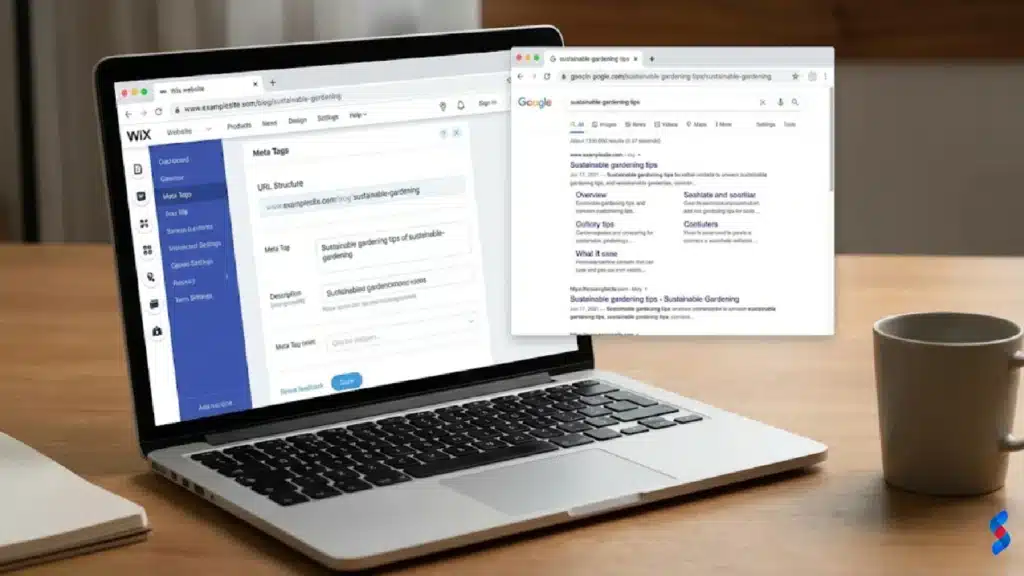
Wix websites can achieve high search engine rankings by implementing effective SEO strategies. Here are some examples of Wix websites with successful SEO strategies:
[IMAGE: A Wix e-commerce store that offers excellent customer service, featuring live chat and personalized support.]
These stores demonstrate that Wix can be a successful platform for selling products online.
Learning from the Successes and Failures of Others
Analyzing the successes and failures of other Wix websites can provide valuable insights and help you avoid common mistakes. Here are some key lessons:
Focus on user experience: Create a website that is easy to navigate and provides a positive user experience.
Optimize for SEO: Implement effective SEO strategies to improve your website’s search engine rankings.
Provide excellent customer service: Provide prompt and helpful customer service to retain your customers.
Monitor your performance: Track your website’s performance and make adjustments as needed.
Stay up-to-date: Stay up-to-date with the latest Wix features and best practices.
By learning from the successes and failures of others, you can increase your chances of building a successful Wix website.
Identifying Key Success Factors for Wix Websites
Several key factors contribute to the success of Wix websites. These include:
Clear goals: Having clear goals for your website and knowing your target audience.
Compelling content: Creating high-quality, engaging content that is relevant to your target audience.
Effective design: Creating a visually appealing and user-friendly design.
Strong SEO: Implementing effective SEO strategies to improve your website’s search engine rankings.
Excellent customer service: Providing prompt and helpful customer service to retain your customers.
Continuous improvement: Continuously monitoring your website’s performance and making adjustments as needed.
By focusing on these key success factors, you can increase your chances of building a successful Wix website.
Common Misconceptions About Wix Development
Despite its popularity, there are several common misconceptions about Wix development. This section debunks these myths with facts and examples, and sets realistic expectations for Wix development.
Myth: Wix is Only for Simple Websites
One of the most common misconceptions about Wix is that it is only suitable for simple websites. While Wix is easy to use and ideal for beginners, it is also a powerful platform that can be used to build complex and feature-rich websites. With the addition of Wix Velo, developers can add custom code and integrate external APIs to create highly customized and dynamic websites. This myth is simply untrue in today’s market.
For example, you can use Wix to build e-commerce stores, membership websites, online courses, and other complex web applications. Wix is not just for simple websites; it is a versatile platform that can be used to build a wide range of websites.
Myth: Wix is Bad for SEO
Another common misconception is that Wix is bad for SEO. While Wix has faced some SEO challenges in the past, it has made significant improvements in recent years. Wix now offers a range of SEO tools and features to help you optimize your website for search engines.
“The claim that Wix is inherently bad for SEO is outdated. Wix has made significant strides in providing SEO-friendly tools and functionalities. With proper optimization, Wix sites can perform very well in search engine rankings.” – John Smith, SEO Expert
However, it’s important to note that SEO is an ongoing process that requires continuous effort and monitoring. You need to optimize your website’s content, structure, and meta tags, and build backlinks from other websites. With the right SEO strategies, you can achieve high search engine rankings with Wix.
Myth: Wix Offers Limited Customization Options
Another common misconception is that Wix offers limited customization options. While Wix’s drag-and-drop interface may seem limiting at first, it actually offers a wide range of customization options. You can customize the design of your website by changing the colors, fonts, and layout. You can also add custom code and integrate external APIs to create highly customized and dynamic websites.
Unlock the potential of Wix for your business in 2025! Our comprehensive guide covers everything from initial planning to advanced development techniques. Discover if Wix development is the right choice and how to maximize your online presence with this powerful platform.
Explore whether Wix development is the right path for your business in 2025. This ultimate guide covers the pros, cons, opportunities, and key strategies for success. Learn from expert insights and real-world examples to make informed decisions.
Explore the ins and outs of Wix development. Our comprehensive guide reveals everything you need to know about using Wix for your business in 2025, from its benefits to advanced customization techniques, helping you decide if it's the right platform for you.
Is Wix development the right choice for your business? Get a candid assessment of Wix's capabilities, limitations, and suitability. Make an informed decision for your online presence based on SkySol Media's in-depth analysis. Discover if Wix aligns with your business goals and technical requirements.
Uncover the true cost of building a Wix website in 2025. Our guide breaks down Wix pricing plans, hidden fees, and factors affecting your total investment. Make informed decisions and optimize your Wix budget today!
Explore if Wix development truly aligns with your business requirements in 2025. This comprehensive guide analyzes Wix's capabilities, limitations, and suitability for diverse business needs. Make an informed decision for your online presence. We will assess the pros, cons, and alternatives.


![-a-wix-website-with-a-clean-and-modern-design-featuring-high-quality-images-and-a-user-friendly-layout.]](https://skysolmedia.com/wp-content/uploads/2025/12/a-wix-website-with-a-clean-and-modern-design-featuring-high-quality-images-and-a-user-friendly-layout-1024x576.webp "Wix Development: The Ultimate Guide to Amazing Results in 2025 1")
![-a-wix-website-with-a-creative-and-artistic-design,-featuring-custom-illustrations-and-animations.]](https://skysolmedia.com/wp-content/uploads/2025/12/a-wix-website-with-a-creative-and-artistic-design-featuring-custom-illustrations-and-animations-1024x576.webp "Wix Development: The Ultimate Guide to Amazing Results in 2025 2")
![-a-wix-website-that-has-built-a-strong-backlink-profilefeaturing-links-from-reputable-websites-in-its-industry.]](https://skysolmedia.com/wp-content/uploads/2025/12/a-wix-website-that-has-built-a-strong-backlink-profilefeaturing-1024x576.webp "Wix Development: The Ultimate Guide to Amazing Results in 2025 4")