
Web Design & Development
Why Small Businesses Should Prioritize Mobile-First Websites
In today’s digital-first world, having an online presence is no longer optional for small businesses; it is essential. As we move further into 2025, one...

The world of web design is constantly evolving, and the latest revolution is here: AI web design. Remember the days of painfully slow dial-up connections and websites that looked like they were built in the stone age? Today, we stand on the cusp of a new era, one where artificial intelligence web design is not just a buzzword but a tangible tool transforming how websites are conceived, built, and experienced. This ultimate guide will explore every facet of AI web design, from its definition and benefits to practical applications and future trends.
It’s hard to believe how far we’ve come. Early websites were rudimentary, built with basic HTML and agonizingly slow to load. Images were heavily compressed, and interactive elements were a novelty. The evolution from those primitive days to the complex, dynamic websites of today has been remarkable. We’ve seen the rise of CSS, JavaScript, powerful frameworks, and responsive design principles, but artificial intelligence web design marks the next significant leap. This isn’t just about incremental improvements; it’s a paradigm shift.
I recall a specific project where we were tasked with creating a highly personalized e-commerce experience. The client wanted to dynamically adjust the website’s layout and content based on individual user behavior. Manually implementing such a system would have been incredibly time-consuming and complex. That’s when the potential of AI truly “clicked” for me. We began experimenting with machine learning algorithms to analyze user data and automatically optimize the website. At first, there was skepticism. Could AI really understand user preferences and create engaging designs? The answer, surprisingly, was yes. This experience shifted our perspective from viewing AI as a threat to seeing it as a powerful collaborator. The automated web design capabilities were truly impressive.
AI web design refers to the use of artificial intelligence technologies to assist in or automate various aspects of the web design process. It’s not about robots taking over entirely; instead, AI serves as a powerful tool that augments human creativity and efficiency. It’s about leveraging machine learning, natural language processing, and other AI techniques to streamline workflows, personalize user experiences, and create more effective websites. This means AI-powered web development is changing the game.
AI has a broad range of applications in web design. Here are a few key examples:
Here’s a table illustrating how these AI applications work:
| AI Application | Description | Benefits |
|---|---|---|
| Layout Generation | AI algorithms create optimal website layouts based on design principles and user data. | Improved user experience, higher engagement rates, faster prototyping. |
| Image Optimization | AI automatically compresses images without losing quality. | Faster loading speeds, improved SEO, better user experience. |
| Content Creation | AI tools generate website copy, blog posts, and marketing materials. | Faster content creation, improved content quality, increased efficiency. |
| Personalized User Experiences | AI delivers tailored content and design elements based on user data. | Higher engagement rates, increased conversion rates, improved customer satisfaction. |
| SEO Optimization | AI analyzes website content and structure to identify areas for improvement. | Higher search engine rankings, increased organic traffic, improved brand visibility. |
One of the most significant advantages of AI web design is the ability to drastically reduce web design and development time. Tasks that used to take days or weeks can now be accomplished in hours or even minutes. AI-powered tools can automate repetitive processes, generate code, and optimize designs much faster than humans.
For example, we worked with a client who needed to launch a new product landing page in just a few days. Using AI-powered layout generation tools, we were able to create multiple design options within hours, allowing the client to quickly choose their favorite and launch the page on time. This speed advantage is invaluable for businesses that need to rapidly prototype, test new ideas, and stay ahead of the competition. Web design automation significantly speeds up the process.
AI web design can also significantly lower costs. By automating tasks and increasing efficiency, AI reduces the need for manual labor and minimizes the risk of errors. This translates into lower development costs, faster turnaround times, and a better return on investment. The cost-effectiveness of AI web design makes it an attractive option for businesses of all sizes. Web design automation can lead to significant savings.
AI’s ability to analyze vast amounts of user data allows for unprecedented levels of personalization. Websites can now adapt in real-time to individual user preferences, delivering tailored content, layouts, and recommendations. This creates a more engaging and relevant experience for each user, leading to higher conversion rates and improved customer satisfaction. AI for user experience is now a real possibility.
“AI is not just a tool; it’s a partner that empowers web designers to create more personalized, efficient, and impactful online experiences.” – Sarah Jones, Lead Designer at Web Innovations Inc.
The market is flooded with AI web design tools, each offering unique features and capabilities. Choosing the right tools can be overwhelming, but here are a few recommendations, categorized by function:
Layouti: An AI-powered layout generator that creates responsive designs based on your specifications.
Adobe Sensei: Adobe’s AI engine offers layout suggestions and automated design adjustments within its Creative Suite.
Jasper.ai: An AI writing assistant that can generate website copy, blog posts, and marketing materials.
Rytr: Another AI writing tool that offers a range of content generation features.
TinyPNG: A popular tool that uses AI to compress images without sacrificing quality.
ImageOptim: A free tool that offers a range of image optimization options.
Wix ADI: An AI-powered website builder that automatically creates a website based on your answers to a few questions.
Jimdo Dolphin: Another AI website builder that simplifies the website creation process.
When selecting AI design tools, consider your specific needs, budget, and technical expertise. Start with free trials or demos to test out different tools and see which ones work best for you. The best AI web design software is the one that meets your specific needs.
Let’s walk through a simple example of using an AI tool to create a landing page. We’ll use Wix ADI, an AI-powered website builder.
⚙️ First, sign up for a Wix account and select the “ADI” option when starting a new project. This will launch the AI-powered website builder.
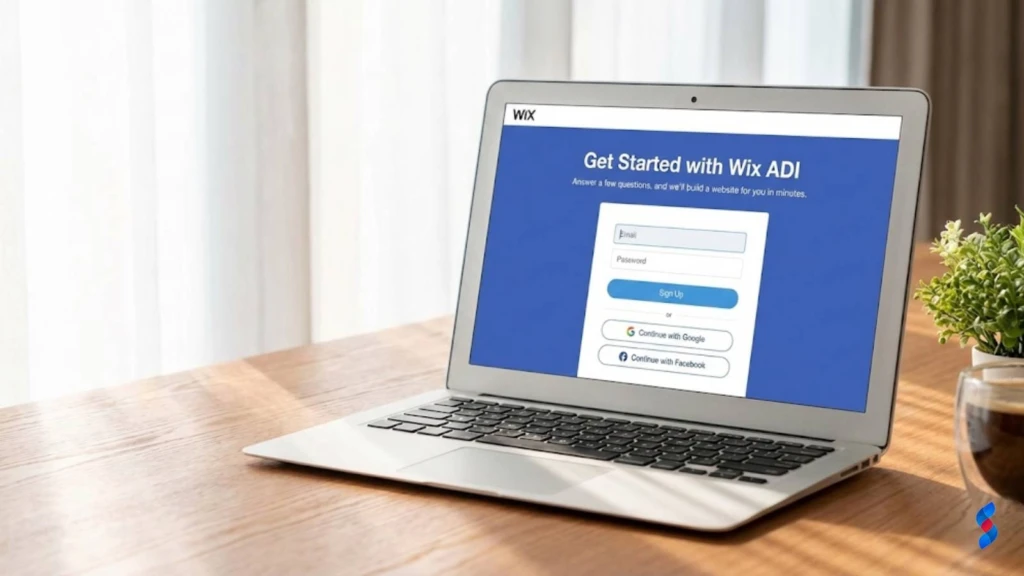
✅ Wix ADI will ask you a series of questions about your business, such as your industry, target audience, and desired website features. Answer these questions as accurately as possible.
[IMAGE: Wix ADI questionnaire]
💡 Based on your answers, Wix ADI will generate several design themes for your landing page. Browse through the options and select the one that best matches your brand and style. We once had a user who got stuck on choosing the right theme. The trick is to focus on the overall layout and color scheme, as you can always customize the content later.

⚙️ Once you’ve selected a theme, you can customize the content, images, and layout of your landing page. Wix ADI provides a user-friendly interface for making these changes. Don’t be afraid to experiment and try different options.
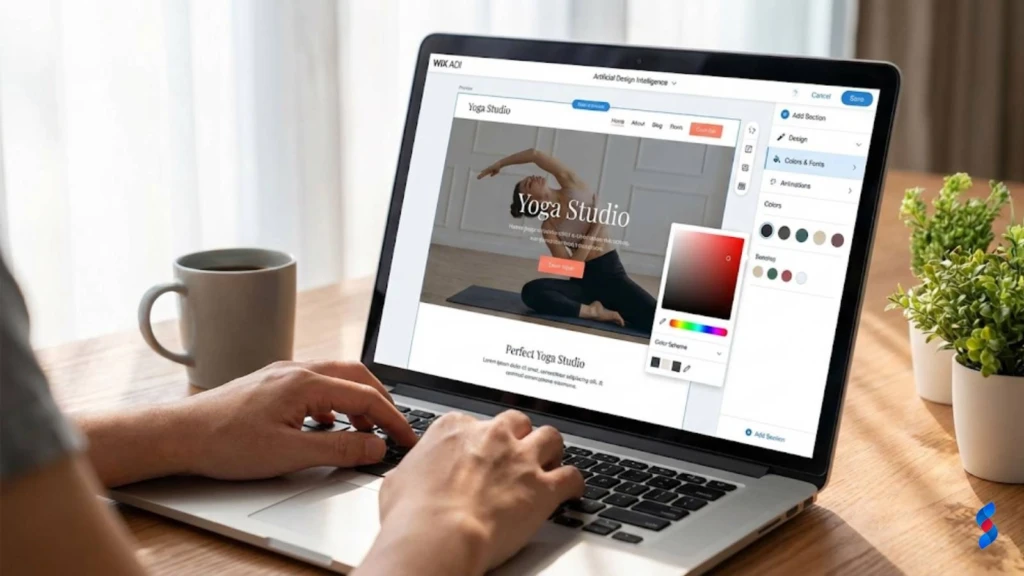
✅ When you’re satisfied with your landing page, click the “Publish” button to make it live. Wix ADI will automatically optimize your website for mobile devices and search engines.
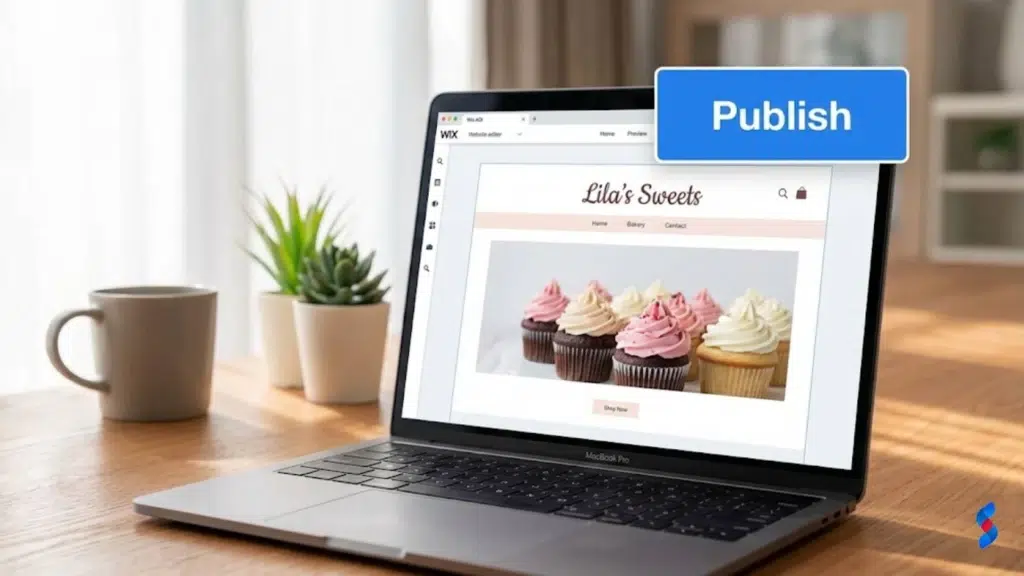
This simple example demonstrates how AI can streamline the website creation process and empower anyone to create a professional-looking landing page in minutes.
One of the most common criticisms of AI web design is that it lacks creativity. Some argue that AI-generated designs are generic and uninspired. However, this is a misconception. While AI can automate tasks and generate design options, it’s still up to the human designer to provide creative direction and add the “human touch.” AI should be seen as a tool that enhances creativity, not replaces it. The truth is that generative AI web design can actually inspire creativity.
Using AI to collect and analyze user data raises important ethical concerns. It’s crucial to ensure that data is collected and used responsibly, with transparency and user consent. Websites should have clear privacy policies that explain how user data is being used. Compliance with data privacy regulations, such as GDPR and CCPA, is essential. Machine learning web design requires careful attention to data privacy.
While AI can be a powerful tool, it’s important not to become too dependent on it. Neglecting fundamental design principles and relying solely on AI-generated designs can lead to lackluster results. Human creativity, strategic thinking, and attention to detail are still essential for creating truly effective websites. It’s crucial to strike a balance between AI assistance and human expertise.
The future of AI web design is bright. We can expect to see even more advanced personalization capabilities, predictive analytics, and automated workflows. AI will likely play an increasingly important role in user experience design, helping designers create truly immersive and engaging online experiences. The future of AI in web design is about empowering designers.
To thrive in an AI-driven environment, web designers will need to develop new skills. Adaptability, creativity, and strategic thinking will be more important than ever. Designers will need to be able to work collaboratively with AI tools, providing creative direction and ensuring that designs align with business goals. A strong understanding of user experience principles and data privacy regulations will also be essential.
A leading e-commerce company used AI to personalize its website content and design based on individual user behavior. By analyzing user browsing history, purchase patterns, and demographic data, the company was able to deliver tailored product recommendations, promotions, and website layouts. As a result, conversion rates increased by 25%, and customer satisfaction scores improved significantly.
A web development team used AI to automate repetitive tasks, such as code generation, testing, and deployment. This allowed the team to focus on more strategic and creative aspects of the project, resulting in a 40% reduction in development time and a 30% reduction in costs. The AI-powered automation also improved code quality and reduced the risk of errors.
This guide has explored the transformative potential of AI web design. We’ve covered its definition, benefits, practical applications, common challenges, and future trends. By embracing AI tools and developing the necessary skills, you can create more efficient, personalized, and engaging online experiences. Artificial intelligence web design is the future, and we at SkySol Media are here to help you navigate it.
Q: What is AI web design?
A: AI web design refers to the use of artificial intelligence technologies to assist in or automate various aspects of the web design process, such as layout generation, content creation, and personalization.
Q: How can AI benefit web design?
A: AI can reduce development time and costs, personalize user experiences, improve website engagement, and enhance search engine optimization.
Q: What are some common AI web design tools?
A: Some popular tools include Layouti, Jasper.ai, TinyPNG, Wix ADI, and Jimdo Dolphin.
Q: Is AI going to replace web designers?
A: No, AI is not intended to replace web designers. Instead, it serves as a powerful tool that augments human creativity and efficiency, allowing designers to focus on more strategic and creative tasks.
Q: What skills will web designers need in the future?
A: Web designers will need adaptability, creativity, strategic thinking, and a strong understanding of user experience principles and data privacy regulations.
Q: How can I ensure data privacy when using AI in web design?
A: Implement clear privacy policies, obtain user consent, and comply with data privacy regulations such as GDPR and CCPA.
Q: What are the ethical considerations of using AI in web design?
A: Ethical considerations include data privacy, algorithmic bias, and the potential for job displacement. It’s important to use AI responsibly and ethically.
Q: Can AI really improve website conversions?
A: Yes, AI can significantly improve website conversions by personalizing user experiences and delivering tailored content.
Q: What is the future of AI in web design?
A: The future of AI in web design includes more advanced personalization capabilities, predictive analytics, and automated workflows.
Q: Where can I learn more about AI web design?
A: You can find more information online through blogs, articles, online courses, and industry events. Contacting SkySol Media for a consultation is another great option!

Why Small Businesses Should Prioritize Mobile-First Websites

The Future of WordPress Development in 2025

Web Development Meets Marketing: The SkySol Media Advantage

How to Make Your WordPress Site Lightning Fast in 2025-26

How Custom Plugin Development Can Solve Your Unique Business Problems

The Ultimate WordPress Speed Optimization Checklist for 2025-26