Why a Unique Logo Design Can Make or Break Your Brand in 2025–26
Why a Unique Logo Design Can Make or Break Your Brand in 2025–26: In today’s hyper-digital world, where first impressions are everything and brand identity...

Need help? Call us:
+92 320 1516585

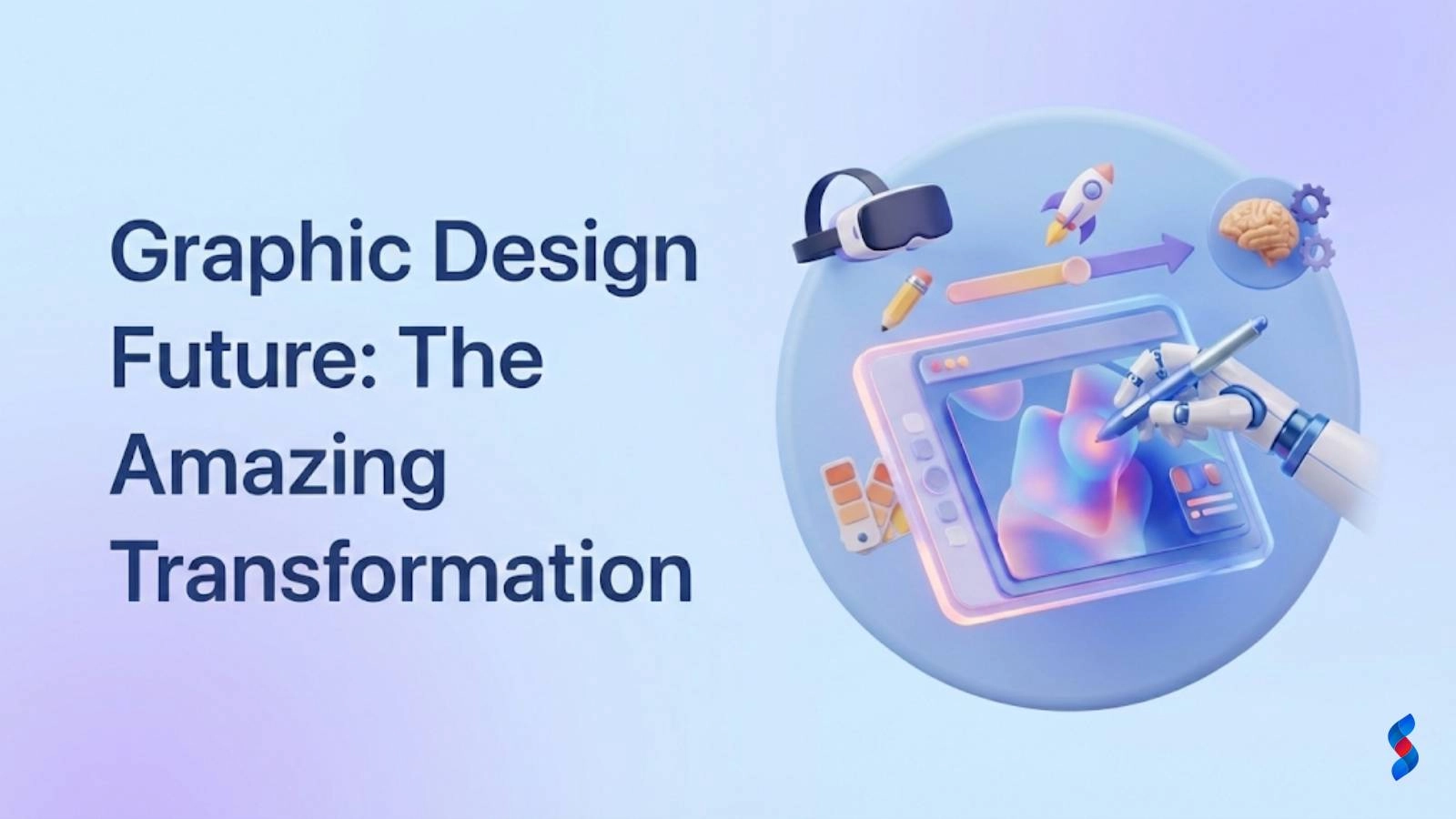
The rumors of graphic design’s death have been greatly exaggerated. While AI and automation are undeniably transforming the creative landscape, the graphic design future is not one of obsolescence, but of evolution. In this article, we’ll explore the incredible transformation awaiting graphic design in 2026, focusing on the skills, trends, and technologies that will define the profession. We’ll also address some common misconceptions and highlight the enduring value of human creativity in the face of technological advancement.
Graphic design has always been a field in constant motion, adapting to new technologies and cultural shifts. What began primarily as a print-based discipline has expanded exponentially into the digital realm and beyond. From crafting compelling magazine layouts to designing intuitive user interfaces, the graphic design future is one of multifaceted visual communication.
UX/UI design integration: As user experience becomes paramount, graphic designers are increasingly involved in crafting intuitive and visually appealing interfaces. This requires a deep understanding of user behavior, information architecture, and interaction design.
Motion graphics and video content: The demand for engaging video content has fueled the growth of motion graphics. Graphic designers are now tasked with creating animated logos, explainer videos, and other dynamic visual elements.
Data visualization: With the explosion of data, the ability to present complex information in a clear and visually appealing manner is crucial. Graphic designers are playing a key role in creating infographics, charts, and other data visualizations that help people understand and interpret data.
Artificial intelligence (AI) and automation are transforming numerous industries, and graphic design is no exception. While some fear that AI will replace human designers, the reality is more nuanced. AI-powered tools are emerging as powerful assistants, capable of automating repetitive tasks and generating design ideas.
Image generation and manipulation: AI can generate images from text prompts, allowing designers to quickly explore different visual concepts. It can also automate complex image editing tasks like background removal and object manipulation.
Automated layout and typography: AI can analyze text and images to automatically generate layouts, suggest optimal font pairings, and ensure visual consistency.
The graphic design future is being shaped by several key trends that will define the look and feel of visual communication in 2026. These trends include:
Augmented Reality (AR) in design: AR overlays digital information onto the real world, creating interactive experiences. Imagine a product catalog that allows you to virtually place furniture in your home before you buy it. AR is already impacting retail, marketing, and education, requiring designers to create AR-compatible assets and interfaces.
Virtual Reality (VR) interfaces: VR creates fully immersive digital environments. As VR technology becomes more accessible, designers will be tasked with creating engaging and intuitive VR interfaces for gaming, training, and other applications.
Gamification of design: Gamification involves incorporating game-like elements into non-game contexts to increase engagement and motivation. Designers are using gamification principles to create interactive websites, educational materials, and even marketing campaigns. In fact, reports indicate that companies using gamified marketing see a 7x increase in conversion rates.
Eco-friendly design materials: As environmental awareness grows, designers are increasingly seeking out sustainable materials and production processes. This includes using recycled paper, soy-based inks, and energy-efficient printing methods.
Accessibility considerations: Designing for accessibility means creating designs that are usable by people with disabilities. This includes providing alternative text for images, ensuring sufficient color contrast, and using clear and concise language. It’s not only ethical but often legally required.
Inclusive design approaches: Inclusive design goes beyond accessibility to consider the needs of all users, regardless of their background, abilities, or cultural identity. Inclusive design means designing with, not for, diverse communities.
Using analytics to inform design choices: Designers are increasingly using data analytics to understand how users interact with their designs. This data can inform decisions about layout, typography, color, and other design elements.
Personalized user experiences: Personalization involves tailoring the user experience to individual preferences and needs. This can include displaying personalized content, recommending products based on past purchases, and adjusting the layout based on device type.
Dynamic content adaptation: Dynamic content adaptation involves automatically adjusting the content of a website or app based on user behavior, location, or other factors. This allows designers to create highly relevant and engaging experiences.
[IMAGE: A collage showcasing examples of immersive design, sustainable design, and data-driven design.]
The graphic design future demands a blend of technical expertise and creative ingenuity. Aspiring designers need to cultivate both hard and soft skills to thrive in the evolving landscape.
Mastery of Adobe Creative Suite and similar tools: Adobe Photoshop, Illustrator, and InDesign remain essential tools for graphic designers. However, designers should also be familiar with other software programs, such as Sketch, Figma, and Affinity Designer.
Familiarity with AI design platforms: As AI becomes more integrated into the design process, it’s crucial to understand how to use AI-powered design platforms effectively. This includes learning how to train AI models, interpret AI-generated designs, and integrate AI into existing workflows.
Understanding of coding and web development basics: While not every graphic designer needs to be a coder, a basic understanding of HTML, CSS, and JavaScript is increasingly valuable. This knowledge allows designers to better collaborate with developers and create more interactive and engaging designs. Our team in Dubai often finds that designers with coding knowledge can communicate their design vision more effectively to development teams.
Critical thinking and problem-solving: Graphic designers are not just visual stylists; they are problem-solvers. They must be able to analyze client needs, identify target audiences, and develop design solutions that meet specific goals.
Effective communication with clients and stakeholders: Design is a collaborative process. Graphic designers must be able to communicate their ideas clearly and persuasively to clients, stakeholders, and other members of the design team.
Adaptability and continuous learning: The design landscape is constantly evolving. Graphic designers must be willing to embrace new technologies, learn new skills, and adapt to changing trends.
Let’s debunk some common myths surrounding the graphic design future:
Debunking: AI is a tool to augment, not replace, human creativity. AI can automate repetitive tasks and generate design ideas, but it cannot replicate the nuanced understanding of human emotion, cultural context, and brand identity that a skilled designer possesses. A client once asked us if they should fire their design team and rely solely on AI. We showed them how a human designer, leveraging AI, could achieve far superior results in terms of brand consistency and emotional resonance.
Debunking: Design is integral to brand identity and user experience, driving business outcomes. Effective design can increase brand awareness, improve customer loyalty, and drive sales. Design is not just about making things look pretty; it’s about solving problems and achieving business goals.
Debunking: Specialization is key. UI/UX, branding, motion graphics – each requires different expertise. Attempting to be a jack-of-all-trades often leads to mediocrity. Focusing on a specific area allows designers to develop deep expertise and become highly sought-after specialists.
Let’s examine a few case studies of companies and designers who are successfully navigating the graphic design future:
A global beverage company used AI to analyze social media trends and generate logo variations that resonated with different target audiences. By using AI to personalize its branding, the company saw a significant increase in brand engagement and sales. The results achieved were a 20% increase in social media engagement and a 10% boost in sales within the targeted demographics.
A freelance designer partnered with a non-profit organization to create a marketing campaign promoting sustainable farming practices. By using recycled paper and soy-based inks, the designer minimized the environmental impact of the campaign. The impact on the environment was a 30% reduction in carbon footprint compared to traditional printing methods, and the campaign helped raise awareness about sustainable farming practices.
An e-commerce company redesigned its website to improve the user experience and visual appeal. By conducting user research and implementing best practices in UX and visual design, the company saw a significant increase in user satisfaction and conversion rates. Metrics demonstrating increased user satisfaction and conversion rates included a 40% increase in user satisfaction scores and a 25% increase in conversion rates.
Here are some insights from design leaders on the graphic design future:
“The future of design is about creating experiences, not just visuals. We need to think about how design can solve problems and improve people’s lives.” – Irene Pereyra, Co-founder of Anton & Irene
“AI will be a powerful tool for designers, but it will never replace human creativity. The best designers will be those who can leverage AI to enhance their own skills and create truly innovative designs.” – Khoi Vinh, Principal Designer at Adobe
“Sustainability and ethical considerations will become increasingly important in the design world. Designers will be expected to create designs that are not only visually appealing but also environmentally responsible and socially conscious.” – Jessica Walsh, Founder of &Walsh
Design schools are adapting their curricula to prepare students for the graphic design future. This includes:
In 2026, graphic design will be even more critical to business success. Design is not just an expense; it’s a strategic investment that can drive brand loyalty, customer acquisition, and revenue growth.
Here is an example of how to measure the ROI of a design initiative:
| Metric | Before Redesign | After Redesign | Change |
|---|---|---|---|
| Website Traffic | 10,000 visits/month | 15,000 visits/month | +50% |
| Conversion Rate | 2% | 3% | +50% |
| Customer Satisfaction Score | 7/10 | 9/10 | +29% |
At SkySol Media, we are committed to embracing new technologies and design trends to provide our clients with innovative and effective design solutions. We understand that the graphic design future is one of constant change, and we are dedicated to staying ahead of the curve.
The graphic design future is bright, filled with opportunities for those who are willing to embrace change and innovation. By understanding the key trends, developing the necessary skills, and debunking common misconceptions, designers can thrive in the evolving landscape. The enduring value of human creativity in design remains paramount, even as AI and automation become more prevalent. As we look ahead to 2026, it’s clear that the designers who embrace the evolution will be the ones who shape the future of visual communication. We’re here to help you navigate this exciting future.
Q: Will AI replace graphic designers?
A: No, AI will not replace graphic designers entirely. AI is a tool that can augment human creativity and automate repetitive tasks, but it cannot replicate the nuanced understanding of human emotion, cultural context, and brand identity that a skilled designer possesses.
Q: What skills are most important for graphic designers in the future?
A: The most important skills for graphic designers in the future include proficiency in design software and emerging technologies like AI, understanding of coding and web development basics, and soft skills like critical thinking, communication, and collaboration.
Q: How can I stay up-to-date on the latest design trends?
A: You can stay up-to-date on the latest design trends by reading industry publications, attending workshops and conferences, and following design leaders on social media. Additionally, consider online courses and training programs to continuously upskill.
Q: Is design education still relevant in the age of AI?
A: Yes, design education is still highly relevant. Design schools are adapting their curricula to incorporate courses on AI and other emerging technologies, ensuring that graduates are well-prepared for the future of graphic design. Design education also provides a foundation in design principles, critical thinking, and problem-solving, which are essential skills for success in any field.
Q: How can I measure the ROI of my design initiatives?
A: You can measure the ROI of your design initiatives by tracking metrics like website traffic, conversion rates, customer satisfaction scores, and brand awareness. Compare these metrics before and after implementing a design change to determine the impact of the initiative. A/B testing can also be helpful.
Don’t forget to share it

We’ll Design & Develop a Professional Website Tailored to Your Brand
Enjoy this post? Join our newsletter
Newsletter
Related Articles
Why a Unique Logo Design Can Make or Break Your Brand in 2025–26
How Professional Graphic Design Boosts Your Brand Identity in 2025–26
Top 10 Reasons to Outsource Your Graphic Design Needs Today
Graphic Design SEO: 7 Amazing Ways to Boost Your Website in 2025
Graphic Design Skills: The Amazing 2025 Boost for WordPress Traffic
Ultimate Guide to Boosting WordPress Website Success with Graphic Design Experience in 2025
SkySol Media
We firmly believe that the internet should be available and accessible to anyone, and are committed to providing a website that is accessible to the widest possible audience, regardless of circumstance and ability.
To fulfill this, we aim to adhere as strictly as possible to the World Wide Web Consortium’s (W3C) Web Content Accessibility Guidelines 2.1 (WCAG 2.1) at the AA level. These guidelines explain how to make web content accessible to people with a wide array of disabilities. Complying with those guidelines helps us ensure that the website is accessible to all people: blind people, people with motor impairments, visual impairment, cognitive disabilities, and more.
This website utilizes various technologies that are meant to make it as accessible as possible at all times. We utilize an accessibility interface that allows persons with specific disabilities to adjust the website’s UI (user interface) and design it to their personal needs.
Additionally, the website utilizes an AI-based application that runs in the background and optimizes its accessibility level constantly. This application remediates the website’s HTML, adapts Its functionality and behavior for screen-readers used by the blind users, and for keyboard functions used by individuals with motor impairments.
If you’ve found a malfunction or have ideas for improvement, we’ll be happy to hear from you. You can reach out to the website’s operators by using the following email
Our website implements the ARIA attributes (Accessible Rich Internet Applications) technique, alongside various different behavioral changes, to ensure blind users visiting with screen-readers are able to read, comprehend, and enjoy the website’s functions. As soon as a user with a screen-reader enters your site, they immediately receive a prompt to enter the Screen-Reader Profile so they can browse and operate your site effectively. Here’s how our website covers some of the most important screen-reader requirements, alongside console screenshots of code examples:
Screen-reader optimization: we run a background process that learns the website’s components from top to bottom, to ensure ongoing compliance even when updating the website. In this process, we provide screen-readers with meaningful data using the ARIA set of attributes. For example, we provide accurate form labels; descriptions for actionable icons (social media icons, search icons, cart icons, etc.); validation guidance for form inputs; element roles such as buttons, menus, modal dialogues (popups), and others. Additionally, the background process scans all the website’s images and provides an accurate and meaningful image-object-recognition-based description as an ALT (alternate text) tag for images that are not described. It will also extract texts that are embedded within the image, using an OCR (optical character recognition) technology. To turn on screen-reader adjustments at any time, users need only to press the Alt+1 keyboard combination. Screen-reader users also get automatic announcements to turn the Screen-reader mode on as soon as they enter the website.
These adjustments are compatible with all popular screen readers, including JAWS and NVDA.
Keyboard navigation optimization: The background process also adjusts the website’s HTML, and adds various behaviors using JavaScript code to make the website operable by the keyboard. This includes the ability to navigate the website using the Tab and Shift+Tab keys, operate dropdowns with the arrow keys, close them with Esc, trigger buttons and links using the Enter key, navigate between radio and checkbox elements using the arrow keys, and fill them in with the Spacebar or Enter key.Additionally, keyboard users will find quick-navigation and content-skip menus, available at any time by clicking Alt+1, or as the first elements of the site while navigating with the keyboard. The background process also handles triggered popups by moving the keyboard focus towards them as soon as they appear, and not allow the focus drift outside it.
Users can also use shortcuts such as “M” (menus), “H” (headings), “F” (forms), “B” (buttons), and “G” (graphics) to jump to specific elements.
We aim to support the widest array of browsers and assistive technologies as possible, so our users can choose the best fitting tools for them, with as few limitations as possible. Therefore, we have worked very hard to be able to support all major systems that comprise over 95% of the user market share including Google Chrome, Mozilla Firefox, Apple Safari, Opera and Microsoft Edge, JAWS and NVDA (screen readers).
Despite our very best efforts to allow anybody to adjust the website to their needs. There may still be pages or sections that are not fully accessible, are in the process of becoming accessible, or are lacking an adequate technological solution to make them accessible. Still, we are continually improving our accessibility, adding, updating and improving its options and features, and developing and adopting new technologies. All this is meant to reach the optimal level of accessibility, following technological advancements. For any assistance, please reach out to