Why a Unique Logo Design Can Make or Break Your Brand in 2025–26
Why a Unique Logo Design Can Make or Break Your Brand in 2025–26: In today’s hyper-digital world, where first impressions are everything and brand identity...

Need help? Call us:
+92 320 1516585

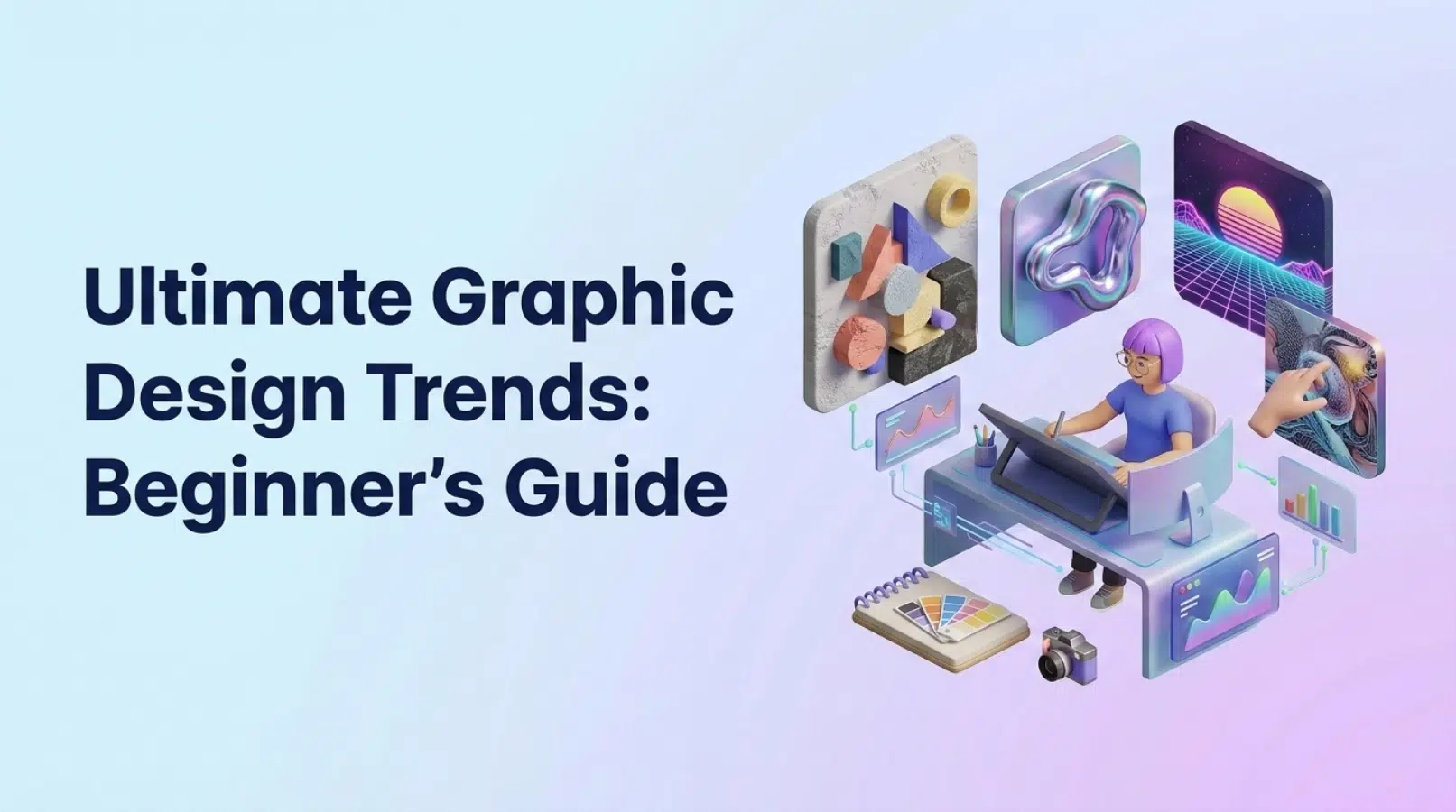
The world of graphic design is constantly evolving, with new techniques, styles, and technologies emerging every year. Staying updated with the latest graphic design trends is crucial for any designer, especially those just starting out. This beginner’s guide to graphic design trends in 2026 will help you understand the key visual directions and how to implement them in your projects.
✅ Graphic design is a dynamic field, shaped by cultural shifts, technological advancements, and evolving consumer preferences. What was considered cutting-edge last year might feel outdated today. This rapid evolution requires designers to be adaptable and constantly learning. By staying informed about new design trends, you can ensure your work remains fresh, relevant, and competitive. We find that a proactive approach to learning keeps our team at SkySol Media at the forefront.
💡 Understanding and incorporating current graphic design trends offers numerous benefits. It helps you create designs that resonate with your target audience, making your message more effective. It also keeps your skills sharp and demonstrates your commitment to innovation. Furthermore, familiarity with current trends enables you to identify emerging patterns and predict future directions in the field. For many of our clients here in Lahore, we’ve seen that following trends boosts brand recognition and engagement.
➡️ This guide focuses on graphic design trends that are accessible to beginners. We’ll break down each trend into easy-to-understand concepts and provide actionable tips for implementation. The goal is to empower you to experiment with new techniques and styles without feeling overwhelmed. We believe that every designer, regardless of experience level, can benefit from exploring and incorporating these trends into their work. The immediate takeaways are designed to provide instant gratification and practical application.
✅ Bold typography goes beyond simply using a heavier font weight. It involves pushing the boundaries of typeface design, exploring unique letterforms, unconventional arrangements, and unexpected combinations. This trend is gaining popularity because it commands attention and conveys a sense of confidence and modernity. Bold fonts are a powerful way to make a statement and create a visual hierarchy. We often see this with our clients in the fashion industry.
💡 Consider the use of oversized, all-caps headlines that dominate the entire layout. Explore distorted or fragmented letterforms that add a touch of edginess. Try layering different typefaces with contrasting weights and styles to create visual interest. Many designers are also experimenting with variable fonts, which allow for dynamic adjustments to weight, width, and other parameters. Remember that legibility is key, even with experimental typography.
➡️ When selecting a bold font, consider the overall tone and message of your design. A strong, geometric sans-serif might be suitable for a tech company, while a playful, hand-drawn typeface could be perfect for a children’s brand. Pay attention to the font’s kerning and leading to ensure readability. Experiment with different font pairings to find combinations that complement each other. We always recommend testing your typography on different devices and screen sizes to ensure optimal rendering.
Use a bold font for a headline on a poster, social media post, or website.
✅ The graphic design industry is moving away from generic, homogenous imagery towards more inclusive and authentic representation. This means showcasing people of different ethnicities, genders, sexual orientations, abilities, and body types. This trend reflects a growing awareness of the importance of diversity and inclusion in all aspects of life. We’ve found at SkySol that diverse imagery resonates with audiences who value authenticity and representation.
💡 Consumers are increasingly skeptical of overly polished and staged imagery. They crave genuine, relatable content that reflects the realities of everyday life. Authentic visuals tell stories and create emotional connections with viewers. They show that your brand understands and values its diverse customer base. We always advise our clients to showcase real people in real-life situations, rather than relying on stereotypical representations.
➡️ There are numerous stock photo and illustration platforms that specialize in diverse and inclusive content. Look for collections that feature underrepresented groups and celebrate individuality. Consider using user-generated content or commissioning custom illustrations that accurately reflect your brand’s values and audience. We often work with local photographers and illustrators to create unique and authentic visuals for our clients. It is important to ensure that any images used are high-quality and relevant to your brand.
On your website or social media, use an image of a diverse group of people instead of a generic stock photo.
✅ Muted color palettes, characterized by soft, desaturated hues, are gaining popularity in graphic design. These palettes create a sense of calm, sophistication, and understated elegance. They are easy on the eyes and provide a versatile backdrop for other design elements. This trend reflects a desire for simplicity and tranquility in an increasingly chaotic world. We’ve observed that muted tones work well in UI design and branding.
💡 While muted palettes offer a sense of tranquility, they can sometimes feel a bit bland on their own. Adding strategic pops of bright, vibrant colors can create visual interest and draw attention to key elements. Use contrasting colors to highlight calls to action, emphasize important information, or add a touch of personality to your design. We often recommend using complementary colors to create a balanced and harmonious effect.
➡️ Start by selecting a few core colors that you like. Then, desaturate them by reducing their intensity and adding a touch of gray or white. Experiment with different shades and tints to create a range of muted tones. Use a color palette generator tool to help you refine your selection and ensure color harmony. Remember to test your palette on different devices and screen sizes to ensure consistent rendering.
Design a simple website mockup using a muted color palette with a single pop of color.
✅ 3D elements and textures are adding depth, realism, and visual interest to graphic design. From subtle shadows and gradients to complex 3D models and animations, this trend is transforming the way we experience visual content. 3D design is becoming increasingly accessible thanks to advancements in software and hardware. This is one of the visual trends we are most excited about.
💡 You don’t need to be a 3D modeling expert to incorporate this trend into your designs. Start with simple techniques like adding subtle shadows and highlights to create a sense of depth. Use pre-made 3D icons and illustrations to enhance your layouts. Experiment with textures like wood, metal, or fabric to add a tactile feel to your designs. Remember to use 3D elements sparingly to avoid overwhelming the viewer.
➡️ There are numerous websites that offer free 3D models, icons, and textures that you can use in your projects. Search for resources that are compatible with your design software and that fit your brand’s aesthetic. Be sure to check the licensing terms before using any free assets to ensure that you are complying with the usage restrictions. For our design team, platforms like Sketchfab and TurboSquid are valuable resources.
Design a social media graphic using a 3D icon to draw attention to a specific message.
✅ Nostalgia is a powerful force in graphic design. The retro revival trend taps into our collective memories of the 70s and 90s, bringing back iconic styles, colors, and patterns from these eras. This trend resonates with audiences who grew up in these decades, as well as younger generations who are discovering these styles for the first time. We find that retro design is often used to evoke feelings of comfort and familiarity.
💡 70s design is characterized by warm earth tones, psychedelic patterns, and groovy typography. 90s design features bold geometric shapes, neon colors, and grunge textures. Both eras embrace a sense of playfulness and experimentation. Consider incorporating elements like lava lamps, smiley faces, and pixelated graphics into your designs. It is important to blend these elements with modern design principles to create a fresh and relevant look.
➡️ Avoid simply replicating retro designs verbatim. Instead, try incorporating subtle retro elements into your modern layouts. Use a 70s-inspired color palette with a contemporary typeface. Combine 90s geometric shapes with a minimalist layout. Experiment with different combinations to find a balance between nostalgia and innovation. We always advise our clients to add their unique twist to retro designs to make them their own.
Design a poster using neon colors, geometric shapes, and pixelated fonts reminiscent of the 90s.
✅ In an age of information overload, minimalism and simplicity are becoming increasingly valued in graphic design. Clean layouts, ample white space, and a limited color palette can create a sense of calm and clarity. This trend focuses on conveying the essential message without unnecessary distractions. Minimalism is not just a style, but a philosophy that emphasizes functionality and purpose.
💡 Minimalist design is guided by principles like “less is more” and “form follows function.” It emphasizes clean lines, simple shapes, and a limited color palette. White space is used strategically to create visual breathing room and draw attention to key elements. Typography is carefully chosen to ensure readability and clarity. The overall goal is to create a design that is both aesthetically pleasing and highly functional.
➡️ Take a look at your existing designs and identify elements that are unnecessary or distracting. Remove clutter, simplify your color palette, and reduce the number of fonts you are using. Focus on conveying the essential message in the most direct and concise way possible. We always recommend getting feedback from others to ensure that your simplified designs are still effective and engaging.
Simplify an existing logo design by reducing the number of elements and using a clean, minimalist typeface.
✅ Data visualization and infographics are essential tools for communicating complex information in a clear and engaging way. Visual representations of data can help viewers understand trends, patterns, and relationships more easily than they would by reading text or looking at numbers. This trend is particularly relevant in today’s data-driven world, where information is constantly bombarding us from all directions. Effective data visualization is critical for communication.
💡 When designing infographics, focus on creating a clear visual hierarchy and using data to tell a compelling story. Use charts, graphs, and icons to represent data in a visually appealing way. Keep the text concise and easy to understand. Choose a color palette that is both aesthetically pleasing and functional. Remember to cite your sources and ensure that your data is accurate and up-to-date.
➡️ There are numerous websites that offer free infographic templates that you can customize with your own data and branding. These templates can save you time and effort and provide a starting point for your design. Be sure to choose a template that is appropriate for the type of data you are presenting and that aligns with your brand’s aesthetic. Customize the template to make it your own and add your unique touch.
Create a simple infographic summarizing key statistics about a topic you are passionate about.
✅ Motion graphics and animated logos are becoming increasingly popular in graphic design. Motion adds visual interest and can capture the viewer’s attention more effectively than static images. Animated logos can help to create a memorable brand identity and communicate your brand’s personality. This trend is driven by the increasing prevalence of video content on the web and social media.
💡 You don’t need to be a professional animator to create simple motion graphics. Start with basic techniques like animating text, adding subtle transitions, or creating looping animations. Use software like Adobe After Effects or free online tools like Canva to create your animations. Experiment with different styles and techniques to find what works best for your brand. We’ve found that simple animations can have a big impact on engagement.
➡️ Animate your logo using free online tools to create a dynamic and engaging brand identity. These tools often provide templates and tutorials to help you get started. Experiment with different animation styles, such as fade-ins, slide-ins, or rotation effects. Make sure that your animation is consistent with your brand’s aesthetic and that it conveys the right message.
Create a simple animation of a static logo using an online animation tool.
✅ Geometric shapes and patterns are a versatile and timeless trend in graphic design. They can be used to create a wide range of visual effects, from simple and minimalist to bold and complex. Geometric designs can add structure, balance, and visual interest to your layouts. This trend is influenced by movements like Bauhaus and Art Deco. They are commonly seen among design styles.
💡 Use geometric shapes to create visual hierarchy and guide the viewer’s eye. Incorporate geometric patterns into backgrounds, borders, or accents. Experiment with different combinations of shapes, colors, and sizes to create unique and dynamic designs. Remember to balance geometric elements with other design elements to create a cohesive and harmonious composition.
➡️ Create seamless geometric patterns using design software like Adobe Illustrator or free online tools. Start by creating a single tile of your pattern and then repeat it to fill the desired area. Experiment with different shapes, colors, and arrangements to create a variety of patterns. Use these patterns as backgrounds, textures, or accents in your designs.
Create a background for a website or social media post using geometric shapes and patterns.
✅ Artificial intelligence (AI) is transforming the graphic design landscape by automating tasks, generating design ideas, and enhancing creativity. AI-powered design tools can help designers work more efficiently and effectively. This trend is still in its early stages, but it has the potential to revolutionize the way we approach graphic design. It helps to generate some design styles that were previously unconsidered.
💡 There are several beginner-friendly AI design tools available that can help you with tasks like image generation, logo design, and layout creation. These tools use algorithms to generate design options based on your input. Experiment with different AI tools to find the ones that best suit your needs and workflow. Remember that AI tools are not a replacement for human creativity, but rather a tool to enhance and augment your design skills.
➡️ Experiment with AI-powered image generation tools to create unique and original visuals for your designs. These tools allow you to generate images based on text prompts, style preferences, and other parameters. Use AI-generated images as inspiration for your designs or incorporate them directly into your layouts. Be sure to review the licensing terms before using any AI-generated images.
Use an AI tool to create a design concept for a poster or website based on a specific text prompt.
✅ We’ve covered a wide range of graphic design trends in 2026, from bold typography and inclusive imagery to 3D elements and AI-assisted design. Each of these trends offers unique opportunities to enhance your designs and connect with your audience. Remember that the key is to experiment, innovate, and find your own voice as a designer. Staying ahead of visual trends is crucial for success.
💡 As a beginner designer, it’s important to embrace change and continuously learn new skills and techniques. Don’t be afraid to experiment with different styles and trends. Seek feedback from other designers and learn from your mistakes. The graphic design industry is constantly evolving, so it’s important to stay curious and keep learning.
We at SkySol Media encourage you to implement some of these graphic design trends into your workflow to improve the quality and visual appeal of your designs. By staying adaptable, designers can remain competitive and create innovative work that resonates with audiences. We’re confident these trends can help you create designs that stand out.
Q: How often do graphic design trends change?
A: Graphic design trends evolve continuously, with significant shifts often occurring annually. However, some trends may have a longer lifespan, while others might be fleeting. Monitoring industry publications, design blogs, and social media platforms can help you stay informed about the latest changes.
Q: Is it necessary to follow every graphic design trend?
A: No, it’s not necessary or even advisable to follow every trend blindly. It’s more important to understand the underlying principles and adapt trends that align with your brand’s identity and target audience. Authenticity and relevance are key.
Q: Where can I find inspiration for graphic design projects?
A: Inspiration can be found in various places, including design blogs, online portfolios, social media platforms (like Pinterest and Instagram), museums, art galleries, and even everyday life. Pay attention to the world around you and be open to new ideas.
Q: What are the essential skills for a graphic designer?
A: Essential skills for a graphic designer include a strong understanding of design principles (like typography, color theory, and layout), proficiency in design software (like Adobe Photoshop, Illustrator, and InDesign), communication skills, and the ability to think creatively and solve problems.
Q: How can I improve my graphic design skills?
A: Practice regularly, experiment with different styles and techniques, seek feedback from other designers, take online courses or workshops, and stay updated with the latest trends and technologies. Continuous learning is key to improving your skills.
Q: What is the role of branding in graphic design?
A: Branding plays a crucial role in graphic design. Graphic designers are often responsible for creating visual identities that represent a brand’s values, personality, and message. This includes designing logos, color palettes, typography, and other visual elements that contribute to a cohesive brand image.
Q: How can I stay updated with the latest graphic design software and tools?
A: Follow design blogs, subscribe to newsletters, attend webinars, and join online communities to stay updated with the latest graphic design software and tools. Many software companies also offer tutorials and resources to help you learn their products.
Don’t forget to share it

We’ll Design & Develop a Professional Website Tailored to Your Brand
Enjoy this post? Join our newsletter
Newsletter
Related Articles
Why a Unique Logo Design Can Make or Break Your Brand in 2025–26
How Professional Graphic Design Boosts Your Brand Identity in 2025–26
Top 10 Reasons to Outsource Your Graphic Design Needs Today
Graphic Design SEO: 7 Amazing Ways to Boost Your Website in 2025
Graphic Design Skills: The Amazing 2025 Boost for WordPress Traffic
Ultimate Guide to Boosting WordPress Website Success with Graphic Design Experience in 2025
SkySol Media
We firmly believe that the internet should be available and accessible to anyone, and are committed to providing a website that is accessible to the widest possible audience, regardless of circumstance and ability.
To fulfill this, we aim to adhere as strictly as possible to the World Wide Web Consortium’s (W3C) Web Content Accessibility Guidelines 2.1 (WCAG 2.1) at the AA level. These guidelines explain how to make web content accessible to people with a wide array of disabilities. Complying with those guidelines helps us ensure that the website is accessible to all people: blind people, people with motor impairments, visual impairment, cognitive disabilities, and more.
This website utilizes various technologies that are meant to make it as accessible as possible at all times. We utilize an accessibility interface that allows persons with specific disabilities to adjust the website’s UI (user interface) and design it to their personal needs.
Additionally, the website utilizes an AI-based application that runs in the background and optimizes its accessibility level constantly. This application remediates the website’s HTML, adapts Its functionality and behavior for screen-readers used by the blind users, and for keyboard functions used by individuals with motor impairments.
If you’ve found a malfunction or have ideas for improvement, we’ll be happy to hear from you. You can reach out to the website’s operators by using the following email
Our website implements the ARIA attributes (Accessible Rich Internet Applications) technique, alongside various different behavioral changes, to ensure blind users visiting with screen-readers are able to read, comprehend, and enjoy the website’s functions. As soon as a user with a screen-reader enters your site, they immediately receive a prompt to enter the Screen-Reader Profile so they can browse and operate your site effectively. Here’s how our website covers some of the most important screen-reader requirements, alongside console screenshots of code examples:
Screen-reader optimization: we run a background process that learns the website’s components from top to bottom, to ensure ongoing compliance even when updating the website. In this process, we provide screen-readers with meaningful data using the ARIA set of attributes. For example, we provide accurate form labels; descriptions for actionable icons (social media icons, search icons, cart icons, etc.); validation guidance for form inputs; element roles such as buttons, menus, modal dialogues (popups), and others. Additionally, the background process scans all the website’s images and provides an accurate and meaningful image-object-recognition-based description as an ALT (alternate text) tag for images that are not described. It will also extract texts that are embedded within the image, using an OCR (optical character recognition) technology. To turn on screen-reader adjustments at any time, users need only to press the Alt+1 keyboard combination. Screen-reader users also get automatic announcements to turn the Screen-reader mode on as soon as they enter the website.
These adjustments are compatible with all popular screen readers, including JAWS and NVDA.
Keyboard navigation optimization: The background process also adjusts the website’s HTML, and adds various behaviors using JavaScript code to make the website operable by the keyboard. This includes the ability to navigate the website using the Tab and Shift+Tab keys, operate dropdowns with the arrow keys, close them with Esc, trigger buttons and links using the Enter key, navigate between radio and checkbox elements using the arrow keys, and fill them in with the Spacebar or Enter key.Additionally, keyboard users will find quick-navigation and content-skip menus, available at any time by clicking Alt+1, or as the first elements of the site while navigating with the keyboard. The background process also handles triggered popups by moving the keyboard focus towards them as soon as they appear, and not allow the focus drift outside it.
Users can also use shortcuts such as “M” (menus), “H” (headings), “F” (forms), “B” (buttons), and “G” (graphics) to jump to specific elements.
We aim to support the widest array of browsers and assistive technologies as possible, so our users can choose the best fitting tools for them, with as few limitations as possible. Therefore, we have worked very hard to be able to support all major systems that comprise over 95% of the user market share including Google Chrome, Mozilla Firefox, Apple Safari, Opera and Microsoft Edge, JAWS and NVDA (screen readers).
Despite our very best efforts to allow anybody to adjust the website to their needs. There may still be pages or sections that are not fully accessible, are in the process of becoming accessible, or are lacking an adequate technological solution to make them accessible. Still, we are continually improving our accessibility, adding, updating and improving its options and features, and developing and adopting new technologies. All this is meant to reach the optimal level of accessibility, following technological advancements. For any assistance, please reach out to