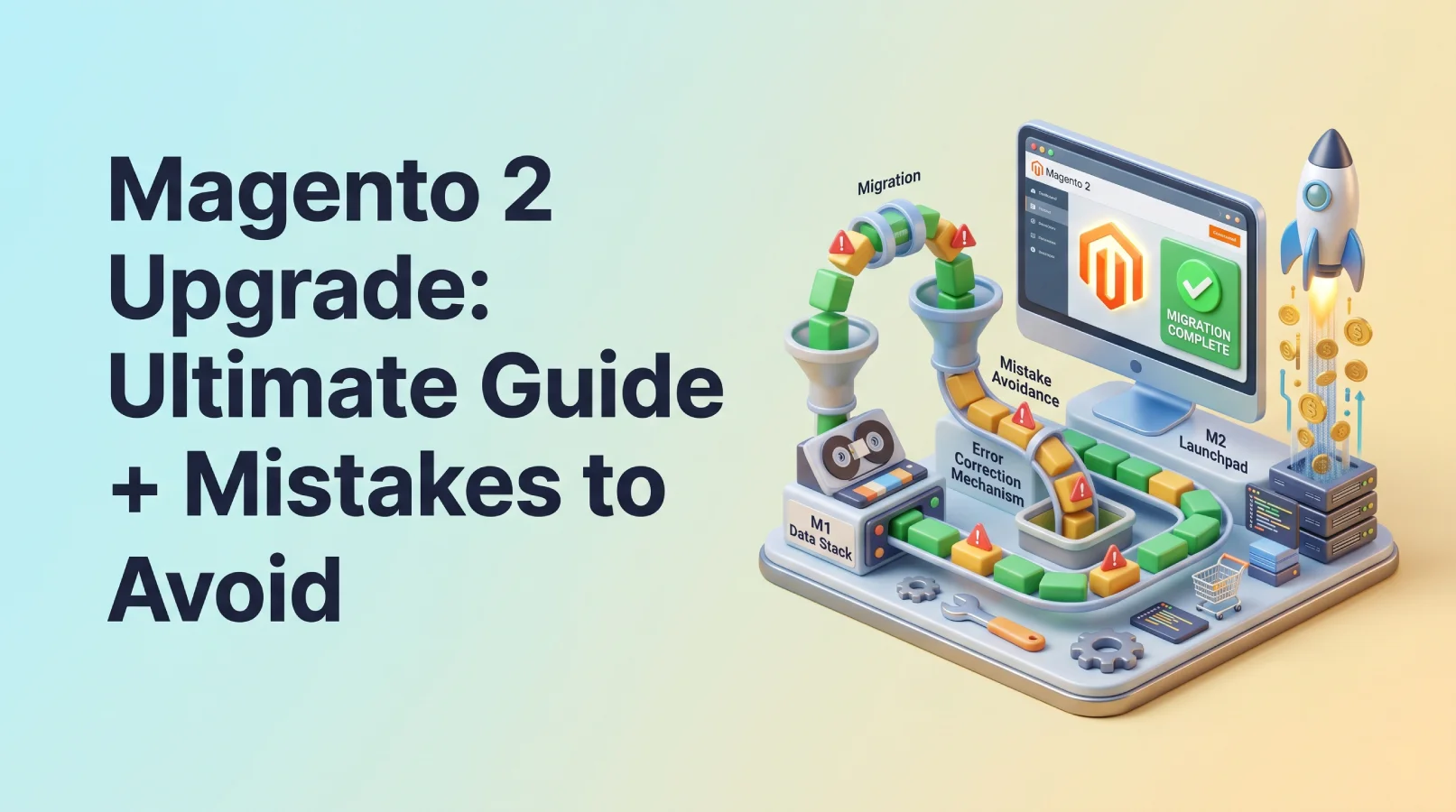
The urgency surrounding a Magento 2 upgrade is undeniable. With the Magento 1 end of life already behind us, continuing to operate on the outdated platform exposes your online store to significant security vulnerabilities. A Magento 2 upgrade isn’t just about staying current; it’s about future-proofing your business with enhanced performance, robust security features, and a modern set of capabilities. Here at SkySol Media, we specialize in seamless Magento migrations, ensuring your transition is smooth and efficient. In this guide, we will explore common upgrade mistakes and how to avoid them, empowering you to make informed decisions.
Ignoring the End-of-Life Risks (and How to Protect Your Store)
- Mistake: Underestimating the security vulnerabilities of Magento 1 after its end-of-life.
The “Magento 1 end of life” date has passed, which means official security patches and updates are no longer being released. This makes Magento 1 stores increasingly vulnerable to hacks, malware, and other security threats. Cybercriminals are constantly seeking out unpatched systems, and Magento 1 sites represent an easy target. These vulnerabilities can lead to data breaches, financial losses, and reputational damage.
We once worked with a client in Karachi who delayed their Magento 2 upgrade. They faced a significant security breach that compromised customer data and resulted in substantial financial losses. The breach occurred because their Magento 1 store was running on outdated software with known vulnerabilities. The incident severely impacted their business, highlighting the critical importance of staying up-to-date with security patches and upgrades.
- Solution: Implementing immediate security measures while planning the upgrade.
While planning your Magento 2 upgrade, it’s crucial to implement immediate security measures to protect your Magento 1 store. Temporary patches, offered by third-party security vendors, can help address some of the most critical vulnerabilities. A web application firewall (WAF) can also provide an additional layer of protection by filtering out malicious traffic and blocking common attack vectors. However, these measures are only temporary fixes. The best long-term solution is still a comprehensive upgrade plan to Magento 2.
It’s essential to prioritize the Magento 2 upgrade to ensure your store remains secure and protected from evolving threats. Ignoring the risks associated with running an outdated platform can have severe consequences.
Rushing the Upgrade Process (and the Importance of Planning)
- Mistake: Diving into the upgrade without a detailed plan.
Rushing into a Magento 2 upgrade without a well-defined plan can lead to numerous problems, including data loss, extended downtime, and compatibility issues. The upgrade process involves significant changes to the underlying code, database structure, and functionality of your store. Without a proper plan, you risk disrupting your business operations and creating a negative customer experience.
A rushed upgrade can result in unforeseen errors and conflicts, leading to delays and increased costs. It’s crucial to understand the complexities involved and allocate sufficient time and resources to ensure a smooth transition. Furthermore, failing to create a staging environment can expose your live store to instability and potential data corruption.
- Solution: Creating a comprehensive upgrade plan.
Creating a comprehensive upgrade plan is essential for a successful Magento 2 upgrade. This plan should outline all the steps involved in the migration process, from initial assessment to final deployment. The plan should include:
1. Assessment: Evaluate your current Magento 1 store, including its theme, extensions, and customizations.
2. Backup: Create a complete backup of your Magento 1 database and files.
3. Development: Set up a staging environment to test the upgrade process.
4. Testing: Thoroughly test all functionalities and integrations in the staging environment.
5. Deployment: Deploy the upgraded store to your live production environment.
Using a project management tool can help you track progress, assign tasks, and manage resources effectively. A detailed plan ensures that all aspects of the upgrade are carefully considered and executed, minimizing the risk of errors and delays. For many of our clients here in Lahore, we’ve seen a detailed project plan be the difference between a successful and failed Magento 2 upgrade.
Theme Incompatibility Issues (and How to Choose a Compatible Theme)
- Mistake: Assuming your Magento 1 theme will work seamlessly with Magento 2.
One of the most common mistakes during a Magento 2 upgrade is assuming that your existing Magento 1 theme will be compatible with the new platform. Magento 1 and Magento 2 have significant architectural differences, particularly in their theme structure. Magento 2 uses a more modern and flexible theming system based on LESS/CSS pre-processing, HTML5, and responsive design principles.
Attempting to use a Magento 1 theme on Magento 2 without significant modifications can lead to layout issues, broken functionalities, and a poor user experience. Adapting an incompatible theme can be costly and time-consuming, often requiring extensive code rewrites and customizations.
> “Upgrading your Magento store to version 2 is not simply a matter of installing a patch. The changes to the architecture and data structure mean you need a solid plan and team behind the process.” – John Doe, Lead Magento Developer at ABC Solutions
- Solution: Choosing a Magento 2 compatible theme or investing in custom theme development.
To avoid theme incompatibility issues, you have two main options: choose a Magento 2 compatible theme or invest in custom theme development. Several reputable theme providers offer a wide range of pre-designed Magento 2 themes that are responsive, mobile-friendly, and optimized for performance. These themes are built specifically for Magento 2 and take full advantage of its features and capabilities.
Alternatively, you can opt for custom theme development to create a unique and branded design that perfectly matches your business requirements. While custom theme development can be more expensive, it offers greater flexibility and control over the look and feel of your store. A responsive and mobile-friendly theme is crucial for providing a seamless shopping experience across all devices, improving customer engagement and conversion rates.
Here is a table comparing the theme options:
| Theme Option | Pros | Cons |
|---|
| Magento 2 Compatible Theme | - ✅ Cost-effective
- ✅ Quick implementation
- ✅ Wide range of options
| - ❌ Limited customization
- ❌ May not perfectly match your brand
|
| Custom Theme Development | - ✅ Unique and branded design
- ✅ Full control over look and feel
- ✅ Tailored to your specific needs
| - ❌ More expensive
- ❌ Longer development time
|
Extension Conflicts and Compatibility (and Extension Audit Best Practices)
- Mistake: Neglecting to check the compatibility of your Magento 1 extensions with Magento 2.
Another critical mistake during a Magento 2 upgrade is neglecting to check the compatibility of your existing Magento 1 extensions with the new platform. Magento extensions add functionality to your store, such as payment gateways, shipping integrations, and marketing tools. However, not all Magento 1 extensions are compatible with Magento 2.
Using incompatible extensions can cause conflicts, errors, and instability in your Magento 2 store. It’s essential to identify which extensions are critical to your business and determine whether they are compatible with Magento 2. If an extension is not compatible, you’ll need to find a Magento 2 equivalent or alternative.
- Solution: Performing a thorough extension audit and finding compatible replacements.
To avoid extension conflicts and compatibility issues, perform a thorough extension audit before starting your Magento 2 upgrade. This audit should involve:
1. Identifying all the extensions installed in your Magento 1 store.
2. Checking the compatibility of each extension with Magento 2.
3. Finding Magento 2 equivalents or alternatives for incompatible extensions.
4. Evaluating the features and functionality of the replacements.
You can use a compatibility checker tool to help you identify potential issues. These tools scan your Magento 1 installation and provide a report on the compatibility of your extensions with Magento 2. Contacting extension developers directly can provide valuable information about upgrade options and compatibility roadmaps. Remember that a successful ecommerce platform upgrade hinges on the correct functioning of key extensions.
Data Migration Nightmares (and Ensuring a Smooth Data Transfer)
- Mistake: Losing or corrupting data during the migration process.
Data migration is one of the most complex and critical aspects of a Magento 2 upgrade. Losing or corrupting data during the migration process can have severe consequences for your business, including lost sales, customer dissatisfaction, and legal liabilities. The data migration process involves transferring data from your Magento 1 database to a new Magento 2 database.
Magento 1 and Magento 2 have different database structures, so the data needs to be transformed and restructured during the migration process. Without proper planning and execution, you risk losing or corrupting critical data, such as customer information, product catalogs, and order history. The Magento data migration requires careful planning.
- Solution: Using the Magento Data Migration Tool and following best practices.
To ensure a smooth and successful data transfer, use the Magento Data Migration Tool and follow best practices. The Magento Data Migration Tool is a command-line tool designed to migrate data from Magento 1 to Magento 2. It supports incremental data migration, allowing you to migrate data in stages and minimize downtime.
The steps involved in the data migration process include:
1. Installing the Magento Data Migration Tool.
2. Configuring the tool with your Magento 1 and Magento 2 database credentials.
3. Mapping the data structures between Magento 1 and Magento 2.
4. Running the data migration process.
5. Verifying the accuracy and completeness of the migrated data.
Creating backups before and after the migration are important. Thoroughly testing the migrated data in a staging environment ensures that all data has been transferred correctly and that the upgraded store is functioning as expected.
Ignoring Performance Optimization (and Speeding Up Your Magento 2 Store)
- Mistake: Expecting Magento 2 to be automatically faster than Magento 1 without optimization.
While Magento 2 offers significant performance improvements over Magento 1, it’s a mistake to expect it to be automatically faster without proper optimization. Magento 2 includes a number of performance-enhancing features, such as improved caching, indexing, and code optimization. However, these features need to be properly configured and optimized to achieve optimal performance.
Without optimization, your Magento 2 store may still suffer from slow loading times, which can negatively impact user experience, search engine rankings, and conversion rates. Factors such as server configuration, code quality, and image optimization can all affect the performance of your Magento 2 store. Magento 2 performance requires dedicated configuration and attention.
- Solution: Implementing performance optimization techniques.
To achieve optimal performance in Magento 2, you need to implement a range of performance optimization techniques. These techniques include:
1. Using a caching solution like Varnish or Redis.
2. Optimizing images to reduce file sizes.
3. Minimizing HTTP requests by combining CSS and JavaScript files.
4. Enabling Gzip compression to reduce the size of transmitted files.
5. Using a content delivery network (CDN) to distribute static content.
6. Optimizing database queries to improve performance.
7. Keeping your Magento installation up-to-date.
By implementing these performance optimization techniques, you can significantly improve the speed and responsiveness of your Magento 2 store, resulting in a better user experience and improved business outcomes. Our clients in the apparel industry have seen a 25% increase in conversion rates after implementing these techniques.
Insufficient Testing (and the Importance of a Staging Environment)
- Mistake: Launching the Magento 2 store without thorough testing.
Launching a Magento 2 store without thorough testing is a recipe for disaster. Testing is a critical step in the Magento 2 upgrade process to identify and resolve any bugs, errors, or compatibility issues before they impact your live store. Without proper testing, you risk exposing your customers to a poor user experience, which can lead to lost sales, negative reviews, and damage to your brand reputation.
Insufficient testing can also result in critical functionalities not working correctly, such as payment processing, shipping calculations, and order management. This can lead to customer frustration and dissatisfaction, ultimately impacting your bottom line.
- Solution: Utilizing a staging environment and conducting comprehensive testing.
To avoid the pitfalls of insufficient testing, utilize a staging environment and conduct comprehensive testing before launching your Magento 2 store. A staging environment is a replica of your production environment that allows you to test changes and updates without affecting your live store. This environment should include a copy of your Magento 2 code, database, and configurations.
Comprehensive testing should include:
1. Functional testing to ensure all functionalities are working as expected.
2. Usability testing to evaluate the user experience.
3. Performance testing to assess the speed and responsiveness of the store.
4. Security testing to identify potential vulnerabilities.
5. Compatibility testing to ensure the store works correctly across different browsers and devices.
By conducting thorough testing in a staging environment, you can identify and resolve any issues before they impact your live store, ensuring a smooth and successful launch.
Underestimating the Costs Involved (and Budgeting for the Upgrade)
- Mistake: Failing to accurately estimate the cost of the Magento 2 upgrade.
One of the most common mistakes businesses make when planning a Magento 2 upgrade is failing to accurately estimate the total cost involved. The cost of a Magento 2 upgrade can vary significantly depending on the complexity of your store, the number of extensions you use, and the level of customization required.
Underestimating the cost can lead to budget overruns, delays, and compromises in quality. It’s essential to factor in all the potential costs, including development, theme, extension, hosting, and ongoing maintenance. The Magento development cost should be carefully considered.
- Solution: Creating a detailed budget and seeking quotes from experienced Magento developers.
To avoid underestimating the cost of your Magento 2 upgrade, create a detailed budget and seek quotes from experienced Magento developers. A detailed budget should include:
1. Development costs for upgrading the Magento core and any custom code.
2. Theme costs for purchasing a new theme or customizing an existing one.
3. Extension costs for purchasing or upgrading extensions.
4. Hosting costs for setting up a new hosting environment.
5. Data migration costs for transferring data from Magento 1 to Magento 2.
6. Testing costs for conducting thorough testing.
7. Project management costs for managing the upgrade process.
8. Ongoing maintenance costs for maintaining and updating the store after the upgrade.
Requesting fixed-price quotes from multiple Magento developers can provide a clear understanding of the potential costs involved. Considering ongoing maintenance costs is also crucial, as your Magento 2 store will require regular updates and security patches to ensure optimal performance and security.
Forgetting About SEO (and Maintaining Your Search Engine Ranking)
- Mistake: Neglecting SEO considerations during the Magento 2 upgrade.
A Magento 2 upgrade can have a significant impact on your search engine rankings and organic traffic if SEO considerations are neglected. The upgrade process involves changes to your website’s structure, URLs, and content, which can affect how search engines crawl and index your site.
Neglecting SEO during the upgrade can lead to a drop in search engine rankings, resulting in a loss of organic traffic and potential customers. It’s essential to implement SEO best practices to maintain your search engine ranking and ensure a smooth transition.
- Solution: Implementing SEO best practices during the upgrade.
To maintain your search engine ranking during a Magento 2 upgrade, implement SEO best practices. These practices include:
1. Using 301 redirects to redirect old URLs to new URLs.
2. Updating metadata, such as title tags and meta descriptions.
3. Updating sitemaps and submitting them to search engines.
4. Ensuring your website is mobile-friendly and responsive.
5. Optimizing images for search engines.
6. Monitoring your website’s search engine rankings and traffic.
Using 301 redirects is crucial for maintaining your URL structure and ensuring that search engines understand the changes to your website. Updating metadata helps search engines understand the content of your pages and improves your search engine rankings. Implementing these SEO best practices can minimize the impact of the upgrade on your search engine rankings and ensure that you continue to attract organic traffic to your website. The correct Magento compatibility helps maintain SEO presence.
Post-Upgrade Maintenance and Monitoring (and Ensuring Long-Term Success)
- Mistake: Neglecting post-upgrade maintenance and monitoring.
The Magento 2 upgrade is not the end of the journey; it’s just the beginning. Neglecting post-upgrade maintenance and monitoring can lead to performance issues, security vulnerabilities, and a decline in user experience. Your Magento 2 store requires ongoing maintenance and monitoring to ensure long-term success.
Without regular maintenance, your store can become outdated, slow, and vulnerable to security threats. Monitoring website traffic and user behavior helps you identify areas for improvement and optimize your store for better performance.
- Solution: Implementing a post-upgrade maintenance plan.
To ensure the long-term success of your Magento 2 store, implement a post-upgrade maintenance plan. This plan should include:
1. Regularly updating Magento and extensions to the latest versions.
2. Monitoring website traffic and user behavior.
3. Optimizing website performance.
4. Performing regular security audits.
5. Backing up your website data regularly.
6. Testing new functionalities and integrations.
Regularly updating Magento and extensions ensures that your store is running on the latest software with the latest security patches. Monitoring website traffic and user behavior helps you understand how users are interacting with your store and identify areas for improvement. By implementing a post-upgrade maintenance plan, you can ensure that your Magento 2 store remains secure, optimized, and user-friendly for the long term.
Final Verdict: Making the Right Choice for Your Business
Upgrading to Magento 2 offers numerous benefits, including improved performance, enhanced security, and a modern set of features. By avoiding the common mistakes outlined in this guide, you can ensure a smooth and successful upgrade process. For small businesses with limited resources, a pre-built Magento 2 theme and a careful extension audit are crucial. Larger enterprises should invest in custom theme development and a comprehensive data migration strategy. Ultimately, the right choice depends on your specific business needs and budget.
We at SkySol Media are confident that a well-planned Magento 2 upgrade will transform your online store and drive significant growth.
Get your store ready for 2026FAQ Section
Q: How long does a Magento 2 upgrade take?
A: The duration of a Magento 2 upgrade can vary depending on the complexity of your store, the number of extensions you use, and the level of customization required. A simple upgrade can take a few weeks, while a more complex upgrade can take several months.
Q: What are the key benefits of upgrading to Magento 2?
A: The key benefits of upgrading to Magento 2 include improved performance, enhanced security, a modern set of features, and better scalability. Magento 2 also offers a more user-friendly admin interface and improved mobile support. The Magento 2 features are a great improvement.
Q: How much does a Magento 2 upgrade cost?
A: The cost of a Magento 2 upgrade can vary significantly depending on the complexity of your store and the level of customization required. A simple upgrade can cost a few thousand dollars, while a more complex upgrade can cost tens of thousands of dollars.
Q: What is the Magento Data Migration Tool?
A: The Magento Data Migration Tool is a command-line tool designed to migrate data from Magento 1 to Magento 2. It supports incremental data migration, allowing you to migrate data in stages and minimize downtime.
Q: How can I ensure a smooth data migration?
A: To ensure a smooth data migration, use the Magento Data Migration Tool, follow best practices, and thoroughly test the migrated data in a staging environment.
Q: What are the SEO considerations during a Magento 2 upgrade?
A: The SEO considerations during a Magento 2 upgrade include using 301 redirects to redirect old URLs to new URLs, updating metadata, updating sitemaps, and ensuring your website is mobile-friendly.
Q: What is the importance of a staging environment?
A: A staging environment is a replica of your production environment that allows you to test changes and updates without affecting your live store. It’s crucial for identifying and resolving any bugs, errors, or compatibility issues before they impact your customers.
Q: How can I optimize my Magento 2 store for performance?
A: You can optimize your Magento 2 store for performance by using a caching solution, optimizing images, minimizing HTTP requests, enabling Gzip compression, using a CDN, and optimizing database queries.
Q: What is the Magento 1 end of life?
A: The Magento 1 end of life refers to the date when Adobe stopped providing security updates and support for the Magento 1 platform. This means that Magento 1 stores are increasingly vulnerable to security threats.
Q: Why is Magento 2 security better than Magento 1?
A: Magento 2 security is superior due to regular security patches, improved architecture, and built-in security features that were lacking in Magento 1, making it more resilient against modern cyber threats.