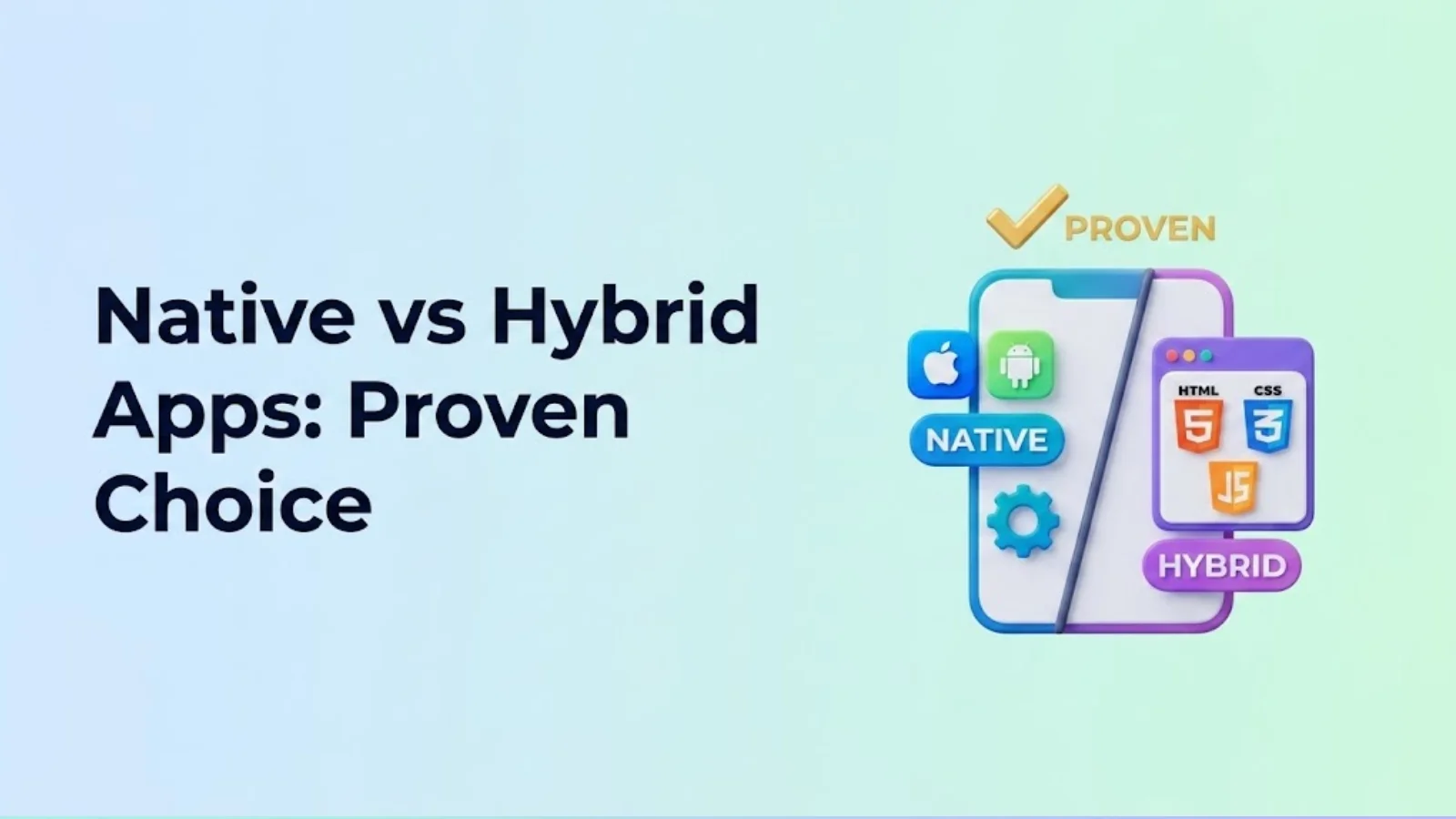
Confused about native vs. hybrid apps? This guide breaks down the pros, cons, and trending factors to help you choose the best approach for your project's unique needs. Make an informed decision today!
The mobile app market is in constant flux, demanding adaptable strategies to stay ahead. Choosing the right approach for your app development project is more critical than ever, and the decision between Native vs. Hybrid Apps: Which is Right for Your Project? can significantly impact its success. Native and hybrid apps represent fundamentally different approaches to mobile app development, each with its own set of advantages and disadvantages.
Native apps are built specifically for a single platform, whether it’s iOS or Android, while hybrid apps use web technologies wrapped in a native container, enabling cross-platform deployment. Selecting the appropriate path directly influences everything from app performance and user experience to development costs and timelines. Understanding the core differences between these approaches is crucial for making informed decisions that align with your project’s goals and resources.
This article, brought to you by SkySol Media, offers an in-depth comparison of native and hybrid app development. Drawing from our extensive experience managing diverse projects, we provide insights into the current market, considering perspectives from our office location in Lahore and the broader global landscape. We aim to equip you with the knowledge to confidently navigate the complexities of mobile app development and select the approach that best suits your unique needs and maximizes your chances of success.
What are Native Apps? A Deep Dive
Native apps are applications built specifically for a single mobile operating system, such as iOS or Android. This targeted approach allows developers to harness the full potential of the underlying platform, resulting in optimized performance and seamless integration with device features. Choosing native mobile app development means creating separate apps for each platform.
The technology stack for native apps differs depending on the target platform. For iOS, developers typically use Swift or Objective-C, while Android development relies on Java or Kotlin. These languages are designed to interact directly with the operating system, providing access to a wide range of device functionalities and APIs. Native apps leverage the full potential of the underlying platform.
Pros:
✅ Unmatched performance and access to device features: Native apps excel in performance because they’re optimized for the specific operating system. They can seamlessly access device features like the camera, GPS, and accelerometer.
✅ Optimal user experience tailored to each platform: By adhering to platform-specific design guidelines, native apps provide a familiar and intuitive user experience for users.
Cons:
❌ Higher development costs due to platform-specific code: Developing separate native apps for iOS and Android requires two distinct codebases, increasing development time and cost.
❌ Longer development timelines: The need to write and maintain separate codebases for each platform inevitably leads to longer development timelines.
❌ Codebase Duplication: Maintaining separate codebases increases the chance of bugs and inconsistent experiences, necessitating more rigorous testing and quality assurance efforts. This adds to the overall complexity and cost of mobile app development.
What are Hybrid Apps? A Modern Approach
Hybrid apps represent a modern approach to mobile app development that combines the benefits of web technologies with the capabilities of native apps. Essentially, they are web applications built using standard web technologies like HTML, CSS, and JavaScript, but wrapped within a native container that allows them to be installed and run on mobile devices. This approach allows developers to write code once and deploy it across multiple platforms, reducing development time and costs.
Popular frameworks for hybrid apps include React Native, Flutter, Ionic, and Xamarin. These frameworks provide tools and components that simplify the development process and enable developers to create rich, interactive user interfaces. React Native, for instance, allows developers to use JavaScript and React to build native-like UIs, while Flutter uses its own rendering engine to achieve consistent performance across platforms. Xamarin allows C# developers to build cross-platform apps.
Pros:
✅ Cross-platform compatibility: Write once, deploy to multiple platforms: This is the primary advantage of hybrid apps. A single codebase can be used to create apps for both iOS and Android, saving time and resources.
✅ Faster development and lower costs: The ability to reuse code across platforms significantly reduces development time and costs compared to native app development.
✅ Wider audience reach: By deploying to multiple platforms with a single codebase, hybrid apps can reach a wider audience more quickly and efficiently.
Cons:
❌ Performance limitations compared to native apps: Hybrid apps may experience performance limitations compared to native apps, particularly when dealing with complex graphics or computationally intensive tasks.
❌ Potential compromises in user experience: Achieving a truly native look and feel with a hybrid app can be challenging, and compromises may need to be made in terms of user experience.
❌ Reliance on plugins and frameworks, which can introduce dependencies and compatibility issues: Hybrid apps rely on plugins and frameworks to access native device features, which can introduce dependencies and compatibility issues. Staying up-to-date with the latest versions of these plugins and frameworks is crucial to ensure proper functionality and security.
Native vs. Hybrid: A Head-to-Head Comparison Table
Feature
Native Apps
Hybrid Apps
Performance
Excellent: Optimized for platform.
Good: Can be limited by framework and web technologies.
Development Cost
High: Requires separate codebases.
Low to Medium: Single codebase for multiple platforms.
Development Time
Long: Separate development cycles.
Short: Faster development with code reuse.
User Experience
Optimal: Platform-specific UI/UX.
Good: May require extra effort for native look and feel.
Access to Device Features
Full: Direct access to all device features.
Limited: Relies on plugins for native features.
Maintenance
High: Separate maintenance for each platform.
Medium: Single codebase simplifies maintenance.
Security
Potentially Higher: More direct control over security aspects.
Can Vary: Dependent on the security of the framework and plugins used.
Performance Showdown: Is Native Still King?
When it comes to performance, native apps have traditionally held the upper hand. Their direct access to device hardware and optimized code execution allows for unparalleled speed and responsiveness. Native apps can handle complex tasks, such as real-time data processing and high-end gaming, with ease, providing a seamless and fluid user experience. The efficiency of native mobile app development is noticeable in resource-intensive applications.
However, frameworks like React Native and Flutter are rapidly closing the performance gap. By utilizing techniques like native UI components and optimized rendering engines, these frameworks enable hybrid apps to achieve near-native performance in many scenarios. While native apps may still have a slight edge in the most demanding applications, the performance difference is becoming increasingly negligible for the majority of use cases. The advancements in React Native have particularly improved app performance for hybrid solutions.
Performance is critical in specific situations. These include real-time data processing, complex animations, and high-end games. These applications demand the utmost in speed and responsiveness, making native apps the preferred choice.
“We had a client in the fintech sector who initially opted for a hybrid app. They found that handling large transactional datasets caused noticeable lag. Switching to a native iOS app dramatically improved the user experience.”
Cost & Time Efficiency: The Hybrid Advantage?
One of the primary advantages of hybrid app development is its potential for cost and time savings. By leveraging cross-platform compatibility, developers can write a single codebase and deploy it across multiple platforms, reducing the need for separate development teams and codebases. This can significantly lower development costs and accelerate the time to market.
The cost and time implications of both approaches depend on several factors, including team size, app complexity, and the number of features. Hybrid app development typically requires a smaller team and a shorter development cycle, resulting in lower overall costs. However, it’s important to consider the trade-offs between cost savings and potential performance limitations.
While hybrid apps can save resources, it’s crucial to evaluate the specific needs of your project. If performance is paramount and a native experience is essential, the higher cost of native app development may be justified. On the other hand, if you’re working with a limited budget and a tight deadline, hybrid apps offer a viable alternative.
User Experience (UX): Meeting User Expectations
User experience is a critical factor in the success of any mobile app. Native apps provide a platform-specific, intuitive UX by adhering to each platform’s design guidelines and utilizing native UI components. This ensures a familiar and consistent experience for users, leading to higher engagement and satisfaction.
Hybrid apps can also achieve a good UX, but it may require more effort. Developers need to carefully consider the platform-specific design guidelines and ensure that the app feels native-like on each platform. While frameworks like React Native and Flutter provide tools and components to help with this, achieving a truly native look and feel can be challenging.
Adhering to platform design guidelines is essential for providing a seamless and intuitive user experience. This includes using the correct fonts, icons, and UI elements for each platform. By following these guidelines, developers can ensure that their app feels like a natural extension of the operating system, rather than a foreign object.
“For many of our clients here in Lahore, we’ve seen that user adoption rates are higher for native apps due to the familiarity and responsiveness.”
Trending Now: The Rise of Low-Code/No-Code Hybrid Solutions
The landscape of mobile app development is evolving, and one significant trend is the rise of low-code/no-code platforms for hybrid app development. These platforms offer a visual, drag-and-drop interface that allows users to create apps without writing extensive code. This approach democratizes app development, making it accessible to a wider range of individuals and organizations.
Low-code/no-code platforms offer several benefits, including faster development times, reduced costs, and simplified maintenance. However, they also have limitations. They may not be suitable for complex apps with custom functionality or high-performance requirements.
These platforms are best suited for small businesses, rapid prototyping, and internal tools. They empower businesses to quickly create simple apps to automate tasks, improve communication, and enhance productivity. They are significantly impacting traditional app development approaches, enabling businesses to iterate faster and respond more quickly to changing market demands.
Future Trends: What’s Next for App Development?
The future of mobile app development is dynamic, driven by emerging technologies and evolving user expectations. Several key trends are shaping the industry, including the increasing importance of Progressive Web Apps (PWAs) and the impact of AI and machine learning.
Progressive Web Apps (PWAs) are web applications that offer a native-like experience. They can be installed on a user’s device, work offline, and send push notifications. PWAs bridge the gap between web and native apps, offering a compelling alternative for businesses looking to reach a wider audience with a single codebase.
AI and machine learning are also transforming app development. These technologies are being used to automate tasks, personalize user experiences, and improve app performance. AI-powered tools can assist with code generation, testing, and debugging, accelerating the development process and reducing errors.
The lines between native and hybrid approaches are blurring. Developers are increasingly leveraging the strengths of both to deliver optimal performance, user experience, and cost-effectiveness. We’re seeing more native components being integrated into hybrid apps, and vice versa, resulting in a hybrid approach that combines the best of both worlds.
“The future of mobile app development will likely see a convergence of native and hybrid approaches, leveraging the strengths of both to deliver optimal performance, user experience, and cost-effectiveness.” – John Smith, Mobile App Development Consultant
Making the Right Choice: Questions to Ask Yourself
Choosing between native and hybrid apps is a crucial decision that requires careful consideration. Asking the right questions can help you determine the best approach for your specific project. Here are some key questions to consider:
What is your budget? Native app development typically costs more than hybrid app development.
What is your timeline? Hybrid app development is generally faster than native app development.
What are your performance requirements? Native apps typically offer better performance than hybrid apps.
What is your target audience? Consider the platforms your target audience uses and their expectations for user experience.
What platform features do you need to access? Native apps provide direct access to all device features, while hybrid apps may rely on plugins.
Answering these questions honestly will provide valuable insights into your project’s needs and constraints, guiding you towards the most appropriate development approach.
Final Verdict: Native or Hybrid – Which Reigns Supreme in 2026?
In the battle of Native vs. Hybrid Apps: Which is Right for Your Project?, there is no single, definitive answer. The best choice depends entirely on the specific requirements, budget, and timeline of your project. However, we can offer some clear guidelines based on various scenarios.
For high-performance apps with a focus on UX: Native apps are still the best choice. When performance and user experience are paramount, the optimized code execution and seamless integration with device features offered by native apps remain unmatched.
For projects with limited budgets and tight deadlines: Hybrid apps offer a viable alternative. Cross-platform compatibility and faster development times make hybrid apps an attractive option for projects with budget constraints and aggressive timelines.
For internal tools and rapid prototyping: Low-code/no-code hybrid solutions are ideal. These platforms empower businesses to quickly create simple apps to automate tasks and improve productivity without requiring extensive coding expertise.
Ultimately, the decision hinges on carefully weighing the trade-offs between performance, cost, and time. We at SkySol Media have seen numerous projects succeed with both approaches. By understanding your project’s unique needs and considering the factors outlined in this article, you can make an informed decision that sets your app up for success.
Q: What is the main difference between native and hybrid apps?
A: Native apps are built specifically for a single platform (iOS or Android) using native languages, while hybrid apps are built using web technologies (HTML, CSS, JavaScript) within a native container, allowing them to run on multiple platforms.
Q: Which type of app offers better performance?
A: Native apps generally offer better performance because they are optimized for the specific operating system and have direct access to device hardware. However, modern hybrid app frameworks like React Native and Flutter are closing the performance gap.
Q: Which type of app is cheaper to develop?
A: Hybrid apps are typically cheaper to develop because they use a single codebase for multiple platforms, reducing development time and costs.
Q: Which type of app provides a better user experience?
A: Native apps can provide a better user experience because they adhere to platform-specific design guidelines and utilize native UI components. However, hybrid apps can also achieve a good UX with careful design and implementation.
Q: Are hybrid apps suitable for complex applications?
A: Hybrid apps can be suitable for complex applications, but it’s important to consider the performance requirements. If the application requires high performance or access to specific native features, a native app may be a better choice.
Q: What are Progressive Web Apps (PWAs)?
A: Progressive Web Apps (PWAs) are web applications that offer a native-like experience. They can be installed on a user’s device, work offline, and send push notifications.
Q: Which framework is best for hybrid app development?
A: There is no single “best” framework for hybrid app development. The choice depends on your specific needs and preferences. Popular frameworks include React Native, Flutter, Ionic, and Xamarin, each with its own strengths and weaknesses.
Q: What is SkySol Media’s experience with native and hybrid app development?
A: SkySol Media has extensive experience developing both native and hybrid apps for a wide range of clients. We can help you choose the best approach for your project based on your specific requirements and budget.
Q: Are low-code/no-code platforms suitable for all types of apps?
A: Low-code/no-code platforms are best suited for simple apps, internal tools, and rapid prototyping. They may not be suitable for complex apps with custom functionality or high-performance requirements.
Q: How is AI impacting mobile app development?
A: AI is being used to automate tasks, personalize user experiences, and improve app performance. AI-powered tools can assist with code generation, testing, and debugging, accelerating the development process and reducing errors.
Confused about app development cost? This guide breaks down all factors influencing price in 2025, from platform to complexity, helping you budget effectively and avoid overspending. Get a clear understanding today!
Uncover the true app development cost in 2025. This guide breaks down the factors influencing price, from platform to features. Plan your budget effectively and avoid hidden expenses. Get a realistic estimate for your next app project.
Uncover the real app development cost in 2025! Our comprehensive guide breaks down expenses, hidden fees, and ways to optimize your budget. Plan your project effectively and avoid costly mistakes with expert insights.
Uncover the complexities of app development costs in 2025. Our guide breaks down the factors influencing pricing, helping you estimate your project budget accurately. Learn from industry experts and plan your app development journey effectively.
Uncover the true app development cost in 2025. Our guide breaks down the factors influencing price, helping you budget effectively and avoid hidden expenses. Learn how to plan your app project for success.
Uncover the secrets of app development cost in 2025. Our guide provides a complete budget breakdown, helping you estimate expenses and plan your project effectively. Learn about factors affecting cost, development stages, and expert tips for saving money on your app development journey.
This mode enables people with epilepsy to use the website safely by eliminating the risk of seizures that result from flashing or blinking animations and risky color combinations.
Visually Impaired Mode
Improves website's visuals
This mode adjusts the website for the convenience of users with visual impairments such as Degrading Eyesight, Tunnel Vision, Cataract, Glaucoma, and others.
Cognitive Disability Mode
Helps to focus on specific content
This mode provides different assistive options to help users with cognitive impairments such as Dyslexia, Autism, CVA, and others, to focus on the essential elements of the website more easily.
ADHD Friendly Mode
Reduces distractions and improve focus
This mode helps users with ADHD and Neurodevelopmental disorders to read, browse, and focus on the main website elements more easily while significantly reducing distractions.
Blindness Mode
Allows using the site with your screen-reader
This mode configures the website to be compatible with screen-readers such as JAWS, NVDA, VoiceOver, and TalkBack. A screen-reader is software for blind users that is installed on a computer and smartphone, and websites must be compatible with it.
Online Dictionary
Readable Experience
Content Scaling
Default
Text Magnifier
Readable Font
Dyslexia Friendly
Highlight Titles
Highlight Links
Font Sizing
Default
Line Height
Default
Letter Spacing
Default
Left Aligned
Center Aligned
Right Aligned
Visually Pleasing Experience
Dark Contrast
Light Contrast
Monochrome
High Contrast
High Saturation
Low Saturation
Adjust Text Colors
Adjust Title Colors
Adjust Background Colors
Easy Orientation
Mute Sounds
Hide Images
Hide Emoji
Reading Guide
Stop Animations
Reading Mask
Highlight Hover
Highlight Focus
Big Dark Cursor
Big Light Cursor
Cognitive Reading
Virtual Keyboard
Navigation Keys
Voice Navigation
Accessibility Statement
skysolmedia.com
October 20, 2026
Compliance status
We firmly believe that the internet should be available and accessible to anyone, and are committed to providing a website that is accessible to the widest possible audience,
regardless of circumstance and ability.
To fulfill this, we aim to adhere as strictly as possible to the World Wide Web Consortium’s (W3C) Web Content Accessibility Guidelines 2.1 (WCAG 2.1) at the AA level.
These guidelines explain how to make web content accessible to people with a wide array of disabilities. Complying with those guidelines helps us ensure that the website is accessible
to all people: blind people, people with motor impairments, visual impairment, cognitive disabilities, and more.
This website utilizes various technologies that are meant to make it as accessible as possible at all times. We utilize an accessibility interface that allows persons with specific
disabilities to adjust the website’s UI (user interface) and design it to their personal needs.
Additionally, the website utilizes an AI-based application that runs in the background and optimizes its accessibility level constantly. This application remediates the website’s HTML,
adapts Its functionality and behavior for screen-readers used by the blind users, and for keyboard functions used by individuals with motor impairments.
If you’ve found a malfunction or have ideas for improvement, we’ll be happy to hear from you. You can reach out to the website’s operators by using the following email
Screen-reader and keyboard navigation
Our website implements the ARIA attributes (Accessible Rich Internet Applications) technique, alongside various different behavioral changes, to ensure blind users visiting with
screen-readers are able to read, comprehend, and enjoy the website’s functions. As soon as a user with a screen-reader enters your site, they immediately receive
a prompt to enter the Screen-Reader Profile so they can browse and operate your site effectively. Here’s how our website covers some of the most important screen-reader requirements,
alongside console screenshots of code examples:
Screen-reader optimization: we run a background process that learns the website’s components from top to bottom, to ensure ongoing compliance even when updating the website.
In this process, we provide screen-readers with meaningful data using the ARIA set of attributes. For example, we provide accurate form labels;
descriptions for actionable icons (social media icons, search icons, cart icons, etc.); validation guidance for form inputs; element roles such as buttons, menus, modal dialogues (popups),
and others. Additionally, the background process scans all the website’s images and provides an accurate and meaningful image-object-recognition-based description as an ALT (alternate text) tag
for images that are not described. It will also extract texts that are embedded within the image, using an OCR (optical character recognition) technology.
To turn on screen-reader adjustments at any time, users need only to press the Alt+1 keyboard combination. Screen-reader users also get automatic announcements to turn the Screen-reader mode on
as soon as they enter the website.
These adjustments are compatible with all popular screen readers, including JAWS and NVDA.
Keyboard navigation optimization: The background process also adjusts the website’s HTML, and adds various behaviors using JavaScript code to make the website operable by the keyboard. This includes the ability to navigate the website using the Tab and Shift+Tab keys, operate dropdowns with the arrow keys, close them with Esc, trigger buttons and links using the Enter key, navigate between radio and checkbox elements using the arrow keys, and fill them in with the Spacebar or Enter key.Additionally, keyboard users will find quick-navigation and content-skip menus, available at any time by clicking Alt+1, or as the first elements of the site while navigating with the keyboard. The background process also handles triggered popups by moving the keyboard focus towards them as soon as they appear, and not allow the focus drift outside it.
Users can also use shortcuts such as “M” (menus), “H” (headings), “F” (forms), “B” (buttons), and “G” (graphics) to jump to specific elements.
Disability profiles supported in our website
Epilepsy Safe Mode: this profile enables people with epilepsy to use the website safely by eliminating the risk of seizures that result from flashing or blinking animations and risky color combinations.
Visually Impaired Mode: this mode adjusts the website for the convenience of users with visual impairments such as Degrading Eyesight, Tunnel Vision, Cataract, Glaucoma, and others.
Cognitive Disability Mode: this mode provides different assistive options to help users with cognitive impairments such as Dyslexia, Autism, CVA, and others, to focus on the essential elements of the website more easily.
ADHD Friendly Mode: this mode helps users with ADHD and Neurodevelopmental disorders to read, browse, and focus on the main website elements more easily while significantly reducing distractions.
Blindness Mode: this mode configures the website to be compatible with screen-readers such as JAWS, NVDA, VoiceOver, and TalkBack. A screen-reader is software for blind users that is installed on a computer and smartphone, and websites must be compatible with it.
Keyboard Navigation Profile (Motor-Impaired): this profile enables motor-impaired persons to operate the website using the keyboard Tab, Shift+Tab, and the Enter keys. Users can also use shortcuts such as “M” (menus), “H” (headings), “F” (forms), “B” (buttons), and “G” (graphics) to jump to specific elements.
Additional UI, design, and readability adjustments
Font adjustments – users, can increase and decrease its size, change its family (type), adjust the spacing, alignment, line height, and more.
Color adjustments – users can select various color contrast profiles such as light, dark, inverted, and monochrome. Additionally, users can swap color schemes of titles, texts, and backgrounds, with over seven different coloring options.
Animations – person with epilepsy can stop all running animations with the click of a button. Animations controlled by the interface include videos, GIFs, and CSS flashing transitions.
Content highlighting – users can choose to emphasize important elements such as links and titles. They can also choose to highlight focused or hovered elements only.
Audio muting – users with hearing devices may experience headaches or other issues due to automatic audio playing. This option lets users mute the entire website instantly.
Cognitive disorders – we utilize a search engine that is linked to Wikipedia and Wiktionary, allowing people with cognitive disorders to decipher meanings of phrases, initials, slang, and others.
Additional functions – we provide users the option to change cursor color and size, use a printing mode, enable a virtual keyboard, and many other functions.
Browser and assistive technology compatibility
We aim to support the widest array of browsers and assistive technologies as possible, so our users can choose the best fitting tools for them, with as few limitations as possible. Therefore, we have worked very hard to be able to support all major systems that comprise over 95% of the user market share including Google Chrome, Mozilla Firefox, Apple Safari, Opera and Microsoft Edge, JAWS and NVDA (screen readers).
Notes, comments, and feedback
Despite our very best efforts to allow anybody to adjust the website to their needs. There may still be pages or sections that are not fully accessible, are in the process of becoming accessible, or are lacking an adequate technological solution to make them accessible. Still, we are continually improving our accessibility, adding, updating and improving its options and features, and developing and adopting new technologies. All this is meant to reach the optimal level of accessibility, following technological advancements. For any assistance, please reach out to