Webflow Web Design: The Amazing Ultimate Guide for 2025
Explore if Webflow web design is the right choice for your project in 2025. Our comprehensive guide covers its benefits, limitations, costs, and more. Make an informed decision and build stunning, responsive websites with ease. Discover if Webflow is your perfect fit!
Webflow web design is revolutionizing how websites are built, offering a powerful blend of design freedom and no-code functionality. This guide will explore the ins and outs of Webflow, its strengths, limitations, and how it stacks up against traditional platforms like WordPress. Whether you’re a seasoned designer or a business owner looking to create a stunning website, this comprehensive resource will provide you with the knowledge you need to make informed decisions about Webflow.
Key Takeaways: Webflow for Your Project
Webflow offers visual web design, empowering designers without coding.
It balances design freedom with robust CMS and eCommerce capabilities.
Webflow’s pricing can be complex, varying based on site type and traffic.
While powerful, Webflow might not suit every project’s needs or budget.
Consider your technical skills and project scope when deciding.
What is Webflow and Why is it Gaining Popularity? ✨
Webflow is a visual website builder that allows you to design, build, and launch responsive websites without writing any code. This no-code website builder platform has gained immense popularity in recent years due to its intuitive interface, powerful features, and the ability to create truly custom designs. Unlike traditional website builders that often restrict design freedom, Webflow gives you pixel-perfect control over every element of your website.
Webflow’s Core Functionality: A Visual Approach
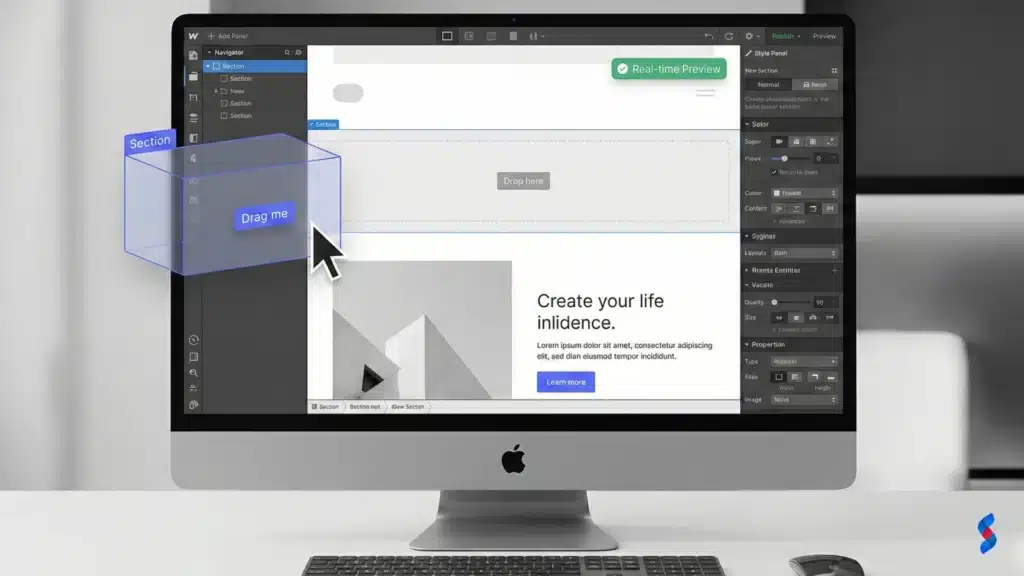
Webflow’s core functionality revolves around its visual editor, which allows you to drag and drop elements onto a canvas and style them using a familiar CSS-like interface.
Drag-and-drop interface for designing responsive websites: Webflow’s drag-and-drop interface makes it easy to add elements, arrange them, and customize their appearance. You can visually construct your website layout without writing any code.
Real-time preview of designs across different devices: Webflow allows you to preview your designs on different devices (desktop, tablet, and mobile) in real-time. This ensures that your website looks great on all screens and provides a seamless user experience.
No-code platform eliminating the need for traditional coding: Webflow eliminates the need for traditional coding by providing a visual interface for designing and building websites. You can create complex layouts, animations, and interactions without writing a single line of code.
Reasons for Webflow’s Rising Popularity
Several factors contribute to Webflow’s rising popularity among designers, developers, and businesses. The appeal of visual website builder platforms is constantly increasing.
Empowering designers with control over the entire website creation process: Webflow empowers designers by giving them complete control over the entire website creation process. They can design, build, and launch websites without relying on developers or dealing with code.
Rapid prototyping and website deployment: Webflow allows for rapid prototyping and website deployment. You can quickly create and iterate on designs, and launch your website with just a few clicks.
Growing community and extensive resources: Webflow has a large and active community of users who share knowledge, resources, and templates. Webflow University offers extensive tutorials and courses to help you learn the platform.
Excellent design freedom without compromising site performance: Webflow strikes a balance between design freedom and site performance. You can create visually stunning websites that load quickly and perform well.
Client Example: A Design Agency’s Success
We once worked with a design agency here in Lahore that was struggling to keep up with client demands. They were spending a lot of time coding websites from scratch, which was slowing them down and limiting their ability to take on new projects.
Case study of a design agency using Webflow to build client websites 50% faster: After switching to Webflow, the agency was able to build client websites 50% faster. The visual editor allowed them to quickly create designs and iterate on them based on client feedback.
Increased client satisfaction due to faster turnaround times and greater design control: The agency’s clients were also more satisfied with the results. They appreciated the faster turnaround times and the greater design control that Webflow provided. In our experience with clients, increased efficiency translates to customer satisfaction.
The Core Benefits of Using Webflow for Web Design 🚀
Using Webflow for web design provides a multitude of benefits, impacting everything from design freedom to SEO performance. Let’s dive into the most significant advantages.
Design Freedom and Flexibility
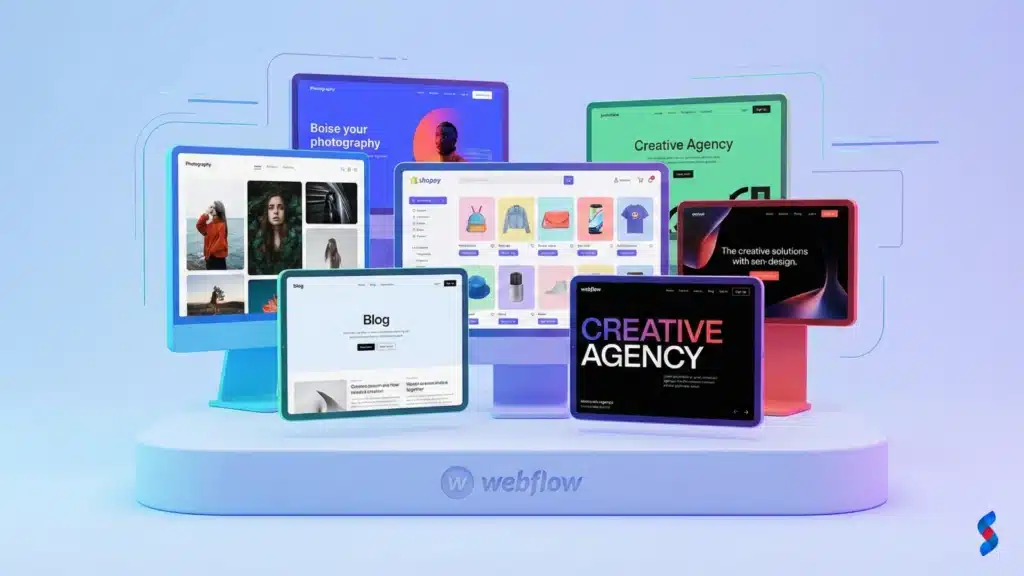
Webflow’s design freedom and flexibility are unparalleled. You can create virtually any design you can imagine, without being constrained by templates or pre-built components.
Pixel-perfect control over design elements: Webflow gives you pixel-perfect control over every design element, allowing you to fine-tune the appearance of your website to your exact specifications. We often help businesses get the exact look they need.
Advanced animation and interaction capabilities: Webflow’s animation and interaction capabilities are among the best in the industry. You can create stunning animations and interactive elements that engage your visitors and enhance their user experience.
Customizable CSS grid and flexbox layouts: Webflow allows you to use CSS grid and flexbox layouts to create complex and responsive layouts. You have complete control over the structure and arrangement of your website’s content.
Webflow’s CMS and e-commerce capabilities are robust and versatile, making it a great choice for businesses that need to manage dynamic content or sell products online.
Built-in content management system (CMS) for dynamic content: Webflow’s built-in CMS allows you to easily manage dynamic content, such as blog posts, articles, and product listings. You can create custom content types and fields to suit your specific needs.
E-commerce functionality for selling products and services: Webflow’s e-commerce functionality allows you to sell products and services online. You can create product pages, manage inventory, process payments, and handle shipping.
Easy integration with third-party tools and services: Webflow integrates seamlessly with a wide range of third-party tools and services, such as Google Analytics, Zapier, and Mailchimp. This allows you to extend the functionality of your website and automate tasks.
SEO-Friendliness and Performance
Webflow prioritizes SEO-friendliness and performance, ensuring that your website is easily discoverable by search engines and provides a great user experience. We’ve consistently seen that speed translates into better search engine rankings.
Clean, semantic code for better search engine optimization (SEO): Webflow automatically generates clean and semantic HTML code, which makes it easier for search engines to crawl and index your website.
Fast loading speeds and optimized performance: Webflow’s platform is optimized for speed and performance, ensuring that your website loads quickly and provides a smooth user experience.
Customizable metadata and URL structures: Webflow allows you to customize metadata (such as title tags and meta descriptions) and URL structures, which are important factors for SEO.
Webflow’s Limitations: What You Need to Know ⚠️
While Webflow offers many advantages, it’s essential to be aware of its limitations before committing to the platform. A common mistake we help businesses fix is not fully understanding these limitations upfront.
Learning Curve and Complexity
Webflow has a steeper learning curve than simpler website builders like Wix or Squarespace. It requires an understanding of web design principles and terminology.
Webflow has a steeper learning curve than simpler website builders like Wix or Squarespace: Webflow’s interface can be overwhelming at first, especially for beginners. It takes time and effort to learn the platform and master its features.
Requires understanding of web design principles and terminology: To effectively use Webflow, you need to understand basic web design principles, such as HTML, CSS, and responsive design. You also need to be familiar with web design terminology, such as divs, sections, and classes.
Pricing Structure and Scalability
Webflow’s pricing can be complex and potentially expensive, especially for high-traffic websites. Scalability can also be a concern for large or rapidly growing businesses.
Webflow’s pricing can be complex and potentially expensive, especially for high-traffic websites: Webflow’s pricing is based on a combination of account plans and site plans. The cost can quickly add up, especially if you need to host multiple websites or handle a lot of traffic.
Limited scalability compared to traditional coding solutions: While Webflow can handle a decent amount of traffic, it may not be as scalable as traditional coding solutions. If you anticipate a large or rapid increase in traffic, you may need to consider other options.
Dependence on the Webflow Ecosystem
By using Webflow, you become dependent on its platform and ecosystem. Migrating to other platforms can be challenging if you decide to switch later.
Lock-in to the Webflow platform and its ecosystem: Once you build a website on Webflow, you’re locked into their platform and ecosystem. This can make it difficult to switch to another platform later on.
Migration to other platforms can be challenging: Migrating a website from Webflow to another platform can be a complex and time-consuming process. You may need to hire a developer to help you with the migration.
Webflow Pricing: Understanding the Costs Involved 💰
Understanding Webflow pricing is crucial for budgeting your web design project. The Webflow pricing model includes account plans and site plans.
Account Plans vs. Site Plans
Webflow offers both account plans and site plans, which cater to different needs.
Distinction between account plans for designers/agencies and site plans for individual websites: Account plans are designed for designers and agencies who manage multiple projects and clients. Site plans are for individual websites and are based on traffic, features, and storage.
Account plans for managing multiple projects and clients: Account plans allow you to create and manage multiple projects and clients from a single dashboard. They also offer collaboration features and white-labeling options.
Site plans based on traffic, features, and storage: Site plans are based on the traffic, features, and storage that your website requires. They range from basic plans for small websites to enterprise plans for large, high-traffic websites.
E-commerce Plans and Transaction Fees
If you plan to sell products or services online, you’ll need to consider Webflow’s e-commerce plans and transaction fees.
Additional costs for e-commerce functionality: Webflow’s e-commerce functionality comes with additional costs, including a monthly fee and transaction fees.
Transaction fees vary depending on the plan: The transaction fees vary depending on the plan you choose. Higher-tier plans have lower transaction fees.
Hidden Costs and Considerations
In addition to the listed prices, there are some hidden costs and considerations to keep in mind when budgeting for Webflow.
Cost of third-party integrations and apps: Some third-party integrations and apps may come with their own costs, which you’ll need to factor into your budget.
Potential need for professional Webflow developers for complex projects: For complex projects, you may need to hire professional Webflow developers, which can add to the overall cost.
Domain registration and hosting costs: You’ll also need to factor in the cost of domain registration and hosting, which are separate from Webflow’s plans.
[IMAGE: A table comparing the different Webflow plans, highlighting their features, pricing, and transaction fees.]
Here is an example of a pricing table in HTML:
Plan
Monthly Price
Features
Transaction Fees (E-commerce)
Basic
$14
CMS, Custom Domain
2%
CMS
$23
Basic + More CMS Features
2%
Business
$39
CMS + Marketing Features
2%
E-commerce Standard
$29
E-commerce Features
2%
E-commerce Plus
$74
Advanced E-commerce
0%
Is Webflow SEO-Friendly? A Deep Dive 🔍
Webflow is generally considered SEO-friendly, but it’s important to understand its features and limitations to optimize your website for search engines.
Automatic SEO Features
Webflow offers several automatic SEO features that can help improve your website’s visibility in search results.
Automatically generates clean and semantic HTML code: Webflow automatically generates clean and semantic HTML code, which makes it easier for search engines to crawl and index your website.
Allows for easy customization of meta titles, descriptions, and alt text: Webflow allows you to easily customize meta titles, descriptions, and alt text, which are important factors for SEO.
Generates XML sitemaps for search engine crawling: Webflow automatically generates XML sitemaps, which help search engines discover and index your website’s content.
Customization Options for Advanced SEO
In addition to the automatic features, Webflow offers several customization options for advanced SEO techniques.
Full control over URL structures and redirects: Webflow gives you full control over URL structures and redirects, which allows you to create SEO-friendly URLs and manage redirects effectively.
Ability to add custom code for advanced SEO techniques: Webflow allows you to add custom code, such as schema markup, for advanced SEO techniques.
Integration with Google Analytics and other SEO tools: Webflow integrates seamlessly with Google Analytics and other SEO tools, which allows you to track your website’s performance and identify areas for improvement.
Potential SEO Challenges and How to Overcome Them
Despite its SEO-friendliness, Webflow can present some SEO challenges. Here’s how to overcome them.
Avoiding common SEO mistakes, such as duplicate content: It’s important to avoid common SEO mistakes, such as duplicate content, keyword stuffing, and broken links.
Optimizing website speed and performance: Website speed and performance are important factors for SEO. You need to optimize your website’s images, code, and hosting to ensure fast loading speeds.
Mobile-friendliness and responsive design considerations: Mobile-friendliness is another important factor for SEO. You need to ensure that your website is responsive and looks great on all devices.
Webflow vs. WordPress: A Detailed Comparison ⚖️
Webflow and WordPress are two popular platforms for building websites, but they cater to different needs and skill levels. A Webflow vs WordPress debate is common.
Design Flexibility and Control
Webflow offers greater design flexibility and control than WordPress.
Webflow’s visual editor vs. WordPress’s theme-based approach: Webflow’s visual editor allows you to create custom designs without coding, while WordPress relies on themes that may limit your design options.
Customization options and design limitations: Webflow offers more customization options and fewer design limitations than WordPress. You can create virtually any design you can imagine with Webflow.
CMS Capabilities and Content Management
WordPress has a more mature and feature-rich CMS than Webflow.
Webflow CMS vs. WordPress CMS: WordPress CMS is more established and has a larger ecosystem of plugins and themes. The Webflow CMS is relatively new but offers strong features for content management.
Ease of use for content creators: WordPress is generally easier to use for content creators, especially those who are not familiar with web design principles.
E-commerce Functionality
WordPress, with plugins like WooCommerce, offers more extensive e-commerce functionality than Webflow.
Webflow’s e-commerce features vs. WordPress plugins like WooCommerce: WordPress plugins like WooCommerce offer a wider range of e-commerce features and integrations than Webflow’s built-in e-commerce functionality.
Transaction fees and payment gateway integrations: WordPress, with WooCommerce, supports a wider range of payment gateways and may have lower transaction fees than Webflow.
SEO and Performance
Both platforms can be SEO-friendly, but Webflow generally offers better performance.
SEO advantages and disadvantages of each platform: Both platforms offer SEO advantages and disadvantages. Webflow generates cleaner code, while WordPress has a larger ecosystem of SEO plugins.
Website speed and performance considerations: Webflow generally offers better website speed and performance than WordPress, especially for complex designs.
Pricing and Maintenance
WordPress can be more affordable than Webflow, but it requires more maintenance.
Cost of Webflow plans vs. WordPress hosting and plugins: Webflow’s plans can be more expensive than WordPress hosting and plugins, especially for high-traffic websites.
Ongoing maintenance and updates: WordPress requires more ongoing maintenance and updates than Webflow. You need to keep the core software, themes, and plugins up to date to ensure security and performance.
Who is Webflow Best Suited For? Identifying the Ideal User 🎯
Webflow is not for everyone. Understanding who it’s best suited for will help you determine if it’s the right platform for your needs.
Designers and Creative Professionals
Webflow is ideal for designers and creative professionals who want full control over the design process.
Empowering designers with full creative control: Webflow empowers designers by giving them complete creative control over the design process. They can create custom designs without relying on developers or dealing with code.
Rapid prototyping and website deployment: Webflow allows for rapid prototyping and website deployment, which is ideal for designers who need to quickly create and iterate on designs.
Small Businesses and Startups
Webflow is a cost-effective solution for small businesses and startups that want to build professional websites without coding.
Building professional websites without coding: Webflow allows small businesses and startups to build professional websites without coding, which can save them time and money.
Cost-effective solution for early-stage businesses: Webflow can be a cost-effective solution for early-stage businesses that are on a tight budget.
E-commerce Businesses
Webflow is suitable for e-commerce businesses that want to sell products and services online.
Selling products and services online: Webflow’s e-commerce functionality allows businesses to sell products and services online.
Managing inventory and processing payments: Webflow allows you to manage inventory and process payments, which are essential for running an e-commerce business.
Agencies and Freelancers
Webflow is a great choice for agencies and freelancers who want to build websites for clients efficiently.
Building websites for clients efficiently: Webflow allows agencies and freelancers to build websites for clients efficiently, which can save them time and money.
Streamlining the design and development process: Webflow streamlines the design and development process, which can help agencies and freelancers deliver projects on time and on budget.
Webflow Alternatives: Exploring Other No-Code Options 💡
If Webflow doesn’t seem like the perfect fit, there are several other no-code options to explore.
Wix and Squarespace
Wix and Squarespace are simpler website builders with drag-and-drop interfaces.
Simpler website builders with drag-and-drop interfaces: Wix and Squarespace offer simpler website builders with drag-and-drop interfaces, which can be easier to use for beginners.
Limited design flexibility compared to Webflow: Wix and Squarespace offer less design flexibility than Webflow. You may be limited by their templates and pre-built components.
Bubble
Bubble is a more advanced no-code platform for building web applications.
More advanced no-code platform for building web applications: Bubble is a more advanced no-code platform that allows you to build web applications with complex functionality.
Steeper learning curve than Webflow: Bubble has a steeper learning curve than Webflow. It requires more technical knowledge and understanding of web development concepts.
Editor X
Editor X is another visual website builder from Wix, offering more design freedom than the standard Wix platform.
Another visual website builder from Wix: Editor X is a visual website builder from Wix that offers more design freedom than the standard Wix platform.
More design freedom than Wix but not as powerful as Webflow: Editor X offers more design freedom than Wix but is not as powerful as Webflow. It may not be suitable for complex designs or advanced functionality.
Getting Started with Webflow: A Step-by-Step Guide 🧭
Ready to dive into Webflow? Here’s a step-by-step guide to get you started.
Setting Up Your Account and Choosing a Plan
The first step is to set up your Webflow account and choose a plan.
Creating a Webflow account: Go to the Webflow website and create an account.
Selecting the right plan for your needs: Choose the plan that best suits your needs based on your budget, traffic, and features.
Exploring the Webflow Interface and Tools
Once you’ve set up your account, take some time to explore the Webflow interface and tools.
Familiarizing yourself with the Webflow Designer: The Webflow Designer is the main interface for building and designing your website.
Learning about the different elements and panels: Learn about the different elements and panels in the Webflow Designer, such as the Navigator, Styles, and Interactions panels.
Building Your First Webflow Website
Now it’s time to build your first Webflow website.
Choosing a template or starting from scratch: You can choose a template or start from scratch. Templates can save you time, but starting from scratch gives you more design freedom.
Adding content and customizing the design: Add content to your website and customize the design using the Webflow Designer.
Connecting your domain and publishing your website: Once you’re happy with your website, connect your domain and publish it to the web.
Best Practices for Webflow Web Design in 2025 🏆
To create effective and successful Webflow websites, follow these best practices.
Responsive Design Principles
Creating websites that look great on all devices is essential in 2025.
Creating websites that look great on all devices: Ensure that your website looks great on all devices, including desktops, tablets, and smartphones.
Using breakpoints and media queries: Use breakpoints and media queries to adjust the layout and design of your website for different screen sizes.
Optimizing for Speed and Performance
Website speed and performance are crucial for user experience and SEO.
Compressing images and optimizing code: Compress images and optimize code to reduce file sizes and improve loading speeds.
Leveraging Webflow’s built-in performance features: Take advantage of Webflow’s built-in performance features, such as lazy loading and image optimization.
Accessibility Considerations
Designing websites that are accessible to everyone is a best practice.
Designing websites that are accessible to everyone: Ensure that your website is accessible to everyone, including people with disabilities.
Following accessibility guidelines and best practices: Follow accessibility guidelines and best practices, such as providing alt text for images and using semantic HTML.
Expert Quote on the Future of Webflow Web Design 💬
> “Webflow is democratizing web design, putting the power of creation back into the hands of designers. As the platform evolves, expect to see even more sophisticated features and integrations that further blur the line between design and development.” – Sarah Patel, Lead Designer at Innovate Design Studio
Conclusion
Webflow web design offers amazing opportunities for businesses of all sizes. By understanding its strengths and limitations, you can determine if it aligns with your project goals. We at SkySol Media believe that in 2025, Webflow will be a very important part of the web design landscape. We’ve seen many businesses thrive using Webflow. Contact us today for a consultation.
Considering Webflow for your next web project? This guide dives deep into Webflow's pros, cons, and ideal use cases. Learn if its visual development platform suits your needs and budget. Make an informed decision for 2025.
Considering Webflow for your next website? This guide dives deep into Webflow website projects, covering benefits, challenges, costs, and if it's the right fit for you. Make an informed decision and ensure a successful Webflow implementation.
Is Webflow the right platform for your next website? This guide explores the pros and cons of choosing Webflow, helping you make an informed decision. Learn about Webflow's capabilities, limitations, and when it's the ideal solution for your web development needs.
Considering Webflow for your next website project? This guide dives deep into Webflow's capabilities, benefits, and potential drawbacks. Learn if Webflow is the right choice for your needs and how to maximize its potential for stunning and effective websites. Discover expert insights to make informed decisions.
Discover if Webflow is the right choice for your next web project. Our comprehensive guide explores its features, benefits, limitations, and provides real-world examples to help you make an informed decision. Learn more about Webflow's capabilities for 2025.
Embarking on a Webflow website project? This guide provides a candid assessment of Webflow's strengths and weaknesses, helping you determine if it's the right platform for your needs. Learn how to maximize your project's success in 2025 with our expert insights.
This mode enables people with epilepsy to use the website safely by eliminating the risk of seizures that result from flashing or blinking animations and risky color combinations.
Visually Impaired Mode
Improves website's visuals
This mode adjusts the website for the convenience of users with visual impairments such as Degrading Eyesight, Tunnel Vision, Cataract, Glaucoma, and others.
Cognitive Disability Mode
Helps to focus on specific content
This mode provides different assistive options to help users with cognitive impairments such as Dyslexia, Autism, CVA, and others, to focus on the essential elements of the website more easily.
ADHD Friendly Mode
Reduces distractions and improve focus
This mode helps users with ADHD and Neurodevelopmental disorders to read, browse, and focus on the main website elements more easily while significantly reducing distractions.
Blindness Mode
Allows using the site with your screen-reader
This mode configures the website to be compatible with screen-readers such as JAWS, NVDA, VoiceOver, and TalkBack. A screen-reader is software for blind users that is installed on a computer and smartphone, and websites must be compatible with it.
Online Dictionary
Readable Experience
Content Scaling
Default
Text Magnifier
Readable Font
Dyslexia Friendly
Highlight Titles
Highlight Links
Font Sizing
Default
Line Height
Default
Letter Spacing
Default
Left Aligned
Center Aligned
Right Aligned
Visually Pleasing Experience
Dark Contrast
Light Contrast
Monochrome
High Contrast
High Saturation
Low Saturation
Adjust Text Colors
Adjust Title Colors
Adjust Background Colors
Easy Orientation
Mute Sounds
Hide Images
Hide Emoji
Reading Guide
Stop Animations
Reading Mask
Highlight Hover
Highlight Focus
Big Dark Cursor
Big Light Cursor
Cognitive Reading
Virtual Keyboard
Navigation Keys
Voice Navigation
Accessibility Statement
skysolmedia.com
November 3, 2026
Compliance status
We firmly believe that the internet should be available and accessible to anyone, and are committed to providing a website that is accessible to the widest possible audience,
regardless of circumstance and ability.
To fulfill this, we aim to adhere as strictly as possible to the World Wide Web Consortium’s (W3C) Web Content Accessibility Guidelines 2.1 (WCAG 2.1) at the AA level.
These guidelines explain how to make web content accessible to people with a wide array of disabilities. Complying with those guidelines helps us ensure that the website is accessible
to all people: blind people, people with motor impairments, visual impairment, cognitive disabilities, and more.
This website utilizes various technologies that are meant to make it as accessible as possible at all times. We utilize an accessibility interface that allows persons with specific
disabilities to adjust the website’s UI (user interface) and design it to their personal needs.
Additionally, the website utilizes an AI-based application that runs in the background and optimizes its accessibility level constantly. This application remediates the website’s HTML,
adapts Its functionality and behavior for screen-readers used by the blind users, and for keyboard functions used by individuals with motor impairments.
If you’ve found a malfunction or have ideas for improvement, we’ll be happy to hear from you. You can reach out to the website’s operators by using the following email
Screen-reader and keyboard navigation
Our website implements the ARIA attributes (Accessible Rich Internet Applications) technique, alongside various different behavioral changes, to ensure blind users visiting with
screen-readers are able to read, comprehend, and enjoy the website’s functions. As soon as a user with a screen-reader enters your site, they immediately receive
a prompt to enter the Screen-Reader Profile so they can browse and operate your site effectively. Here’s how our website covers some of the most important screen-reader requirements,
alongside console screenshots of code examples:
Screen-reader optimization: we run a background process that learns the website’s components from top to bottom, to ensure ongoing compliance even when updating the website.
In this process, we provide screen-readers with meaningful data using the ARIA set of attributes. For example, we provide accurate form labels;
descriptions for actionable icons (social media icons, search icons, cart icons, etc.); validation guidance for form inputs; element roles such as buttons, menus, modal dialogues (popups),
and others. Additionally, the background process scans all the website’s images and provides an accurate and meaningful image-object-recognition-based description as an ALT (alternate text) tag
for images that are not described. It will also extract texts that are embedded within the image, using an OCR (optical character recognition) technology.
To turn on screen-reader adjustments at any time, users need only to press the Alt+1 keyboard combination. Screen-reader users also get automatic announcements to turn the Screen-reader mode on
as soon as they enter the website.
These adjustments are compatible with all popular screen readers, including JAWS and NVDA.
Keyboard navigation optimization: The background process also adjusts the website’s HTML, and adds various behaviors using JavaScript code to make the website operable by the keyboard. This includes the ability to navigate the website using the Tab and Shift+Tab keys, operate dropdowns with the arrow keys, close them with Esc, trigger buttons and links using the Enter key, navigate between radio and checkbox elements using the arrow keys, and fill them in with the Spacebar or Enter key.Additionally, keyboard users will find quick-navigation and content-skip menus, available at any time by clicking Alt+1, or as the first elements of the site while navigating with the keyboard. The background process also handles triggered popups by moving the keyboard focus towards them as soon as they appear, and not allow the focus drift outside it.
Users can also use shortcuts such as “M” (menus), “H” (headings), “F” (forms), “B” (buttons), and “G” (graphics) to jump to specific elements.
Disability profiles supported in our website
Epilepsy Safe Mode: this profile enables people with epilepsy to use the website safely by eliminating the risk of seizures that result from flashing or blinking animations and risky color combinations.
Visually Impaired Mode: this mode adjusts the website for the convenience of users with visual impairments such as Degrading Eyesight, Tunnel Vision, Cataract, Glaucoma, and others.
Cognitive Disability Mode: this mode provides different assistive options to help users with cognitive impairments such as Dyslexia, Autism, CVA, and others, to focus on the essential elements of the website more easily.
ADHD Friendly Mode: this mode helps users with ADHD and Neurodevelopmental disorders to read, browse, and focus on the main website elements more easily while significantly reducing distractions.
Blindness Mode: this mode configures the website to be compatible with screen-readers such as JAWS, NVDA, VoiceOver, and TalkBack. A screen-reader is software for blind users that is installed on a computer and smartphone, and websites must be compatible with it.
Keyboard Navigation Profile (Motor-Impaired): this profile enables motor-impaired persons to operate the website using the keyboard Tab, Shift+Tab, and the Enter keys. Users can also use shortcuts such as “M” (menus), “H” (headings), “F” (forms), “B” (buttons), and “G” (graphics) to jump to specific elements.
Additional UI, design, and readability adjustments
Font adjustments – users, can increase and decrease its size, change its family (type), adjust the spacing, alignment, line height, and more.
Color adjustments – users can select various color contrast profiles such as light, dark, inverted, and monochrome. Additionally, users can swap color schemes of titles, texts, and backgrounds, with over seven different coloring options.
Animations – person with epilepsy can stop all running animations with the click of a button. Animations controlled by the interface include videos, GIFs, and CSS flashing transitions.
Content highlighting – users can choose to emphasize important elements such as links and titles. They can also choose to highlight focused or hovered elements only.
Audio muting – users with hearing devices may experience headaches or other issues due to automatic audio playing. This option lets users mute the entire website instantly.
Cognitive disorders – we utilize a search engine that is linked to Wikipedia and Wiktionary, allowing people with cognitive disorders to decipher meanings of phrases, initials, slang, and others.
Additional functions – we provide users the option to change cursor color and size, use a printing mode, enable a virtual keyboard, and many other functions.
Browser and assistive technology compatibility
We aim to support the widest array of browsers and assistive technologies as possible, so our users can choose the best fitting tools for them, with as few limitations as possible. Therefore, we have worked very hard to be able to support all major systems that comprise over 95% of the user market share including Google Chrome, Mozilla Firefox, Apple Safari, Opera and Microsoft Edge, JAWS and NVDA (screen readers).
Notes, comments, and feedback
Despite our very best efforts to allow anybody to adjust the website to their needs. There may still be pages or sections that are not fully accessible, are in the process of becoming accessible, or are lacking an adequate technological solution to make them accessible. Still, we are continually improving our accessibility, adding, updating and improving its options and features, and developing and adopting new technologies. All this is meant to reach the optimal level of accessibility, following technological advancements. For any assistance, please reach out to