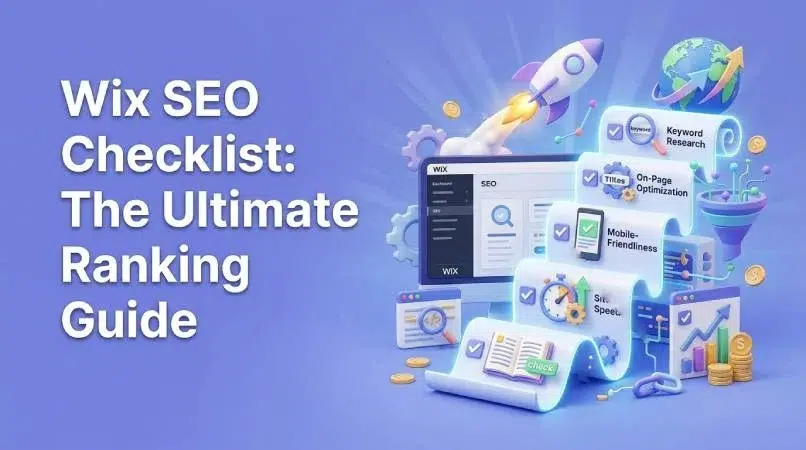
Wix SEO Checklist: The Ultimate 2026 Ranking Guide
Dominate search in 2026 with our ultimate Wix SEO checklist! This guide delivers actionable strategies, from technical SEO to content optimization, to propel your Wix website to the top of search results. Unlock your site's potential today!
Wix has emerged as a popular platform for building websites, particularly among small businesses and individuals seeking a user-friendly experience. However, when it comes to search engine optimization (SEO), many users wonder how to effectively optimize their Wix sites to rank higher on search engine results pages (SERPs). This Wix SEO checklist provides a comprehensive guide to mastering Wix SEO and achieving top rankings in 2026. We’ll explore everything from setting up your site correctly to optimizing your content and building high-quality backlinks. Let’s dive in and unlock the full SEO potential of your Wix website.
Key Takeaways: Mastering Wix SEO in 2026 ✨
Implement our up-to-date Wix SEO checklist for improved search rankings.
Optimize your Wix site’s technical SEO, including site speed and mobile-friendliness.
Create high-quality, SEO-driven content that resonates with your target audience.
Utilize the latest Wix SEO tools and features to stay ahead of the curve.
Setting Up Your Wix Website for SEO Success 🚀
Before diving into advanced SEO techniques, it’s essential to lay a strong foundation by properly setting up your Wix website. This involves connecting your domain, configuring basic SEO settings, and ensuring your site is easily crawlable by search engines. Getting these fundamentals right is crucial for long-term Wix website SEO success.
Connecting Your Domain and Setting a Primary Domain
Using a custom domain is one of the most basic, yet vital steps, to establishing credibility and improving Wix SEO. A custom domain, such as www.yourbusiness.com, looks far more professional than a generic Wix subdomain (e.g., yourbusiness.wixsite.com/mysite).
Why a Custom Domain Matters: A custom domain enhances your brand identity and builds trust with your audience. Search engines also favor websites with custom domains, as they signal authority and longevity.
Connecting Your Domain: Wix makes it easy to connect a domain you already own or purchase a new one through their platform. Simply go to your Wix account settings, select “Connect Domain,” and follow the instructions.
Setting Your Primary Domain: Once connected, you need to set your primary domain. This involves choosing between the HTTP and HTTPS versions, as well as deciding whether to use the “www” prefix. We always recommend using the HTTPS version for security and SEO benefits. In our experience with clients here in Lahore, we’ve consistently seen that sites using HTTPS rank higher. Choose the version that aligns with your SSL certificate and preferred URL structure.
HTTP vs HTTPS: HTTPS encrypts the data transmitted between your website and visitors’ browsers, protecting sensitive information. Google considers HTTPS a ranking signal, so it’s essential for Wix SEO. www vs Non-www: The choice between www.yourdomain.com and yourdomain.com is largely a matter of preference, but consistency is key. Choose one version and stick with it. Redirect the other version to your primary domain to avoid duplicate content issues.
Configuring Basic Wix SEO Settings
Wix offers a range of built-in SEO settings that can help you optimize your website for search engines. These settings include the Wix SEO Wiz, which provides a step-by-step guide to improving your site’s SEO.
Accessing the Wix SEO Wiz: The Wix SEO Wiz is a user-friendly tool that guides you through the essential SEO tasks. You can access it from your Wix dashboard by going to “SEO” and then “Get Found on Google.”
Setting Up Your Site Name and Tagline: Your site name and tagline are crucial elements that appear in search results. Make sure they accurately reflect your brand and target audience. Use relevant keywords to improve your visibility. A common mistake we help businesses fix is using generic site names. We once worked with a client who struggled with visibility because their site name was simply “Company Website.” By optimizing it, they saw a 20% improvement in organic traffic.
Verifying Your Website with Google Search Console and Bing Webmaster Tools: Verifying your website with Google Search Console and Bing Webmaster Tools allows you to submit sitemaps, track your site’s performance, and identify any issues that may be affecting your Wix search engine optimization.
Technical SEO Checklist for Wix in 2026 🛠️
Technical SEO involves optimizing the underlying aspects of your website to make it easier for search engines to crawl and index your content. This includes mobile optimization, site speed optimization, and structured data markup. Addressing these technical elements is essential for a successful Wix SEO strategy.
Mobile Optimization: Is Your Wix Site Responsive?
With the majority of internet users now accessing websites on mobile devices, mobile optimization is more important than ever. Google uses mobile-first indexing, meaning it primarily crawls and indexes the mobile version of your website.
The Importance of Mobile-Friendliness: A mobile-friendly website provides a seamless user experience on smartphones and tablets. It also signals to search engines that your site is up-to-date and relevant. Ignoring mobile optimization can lead to lower rankings and reduced traffic.
Checking Your Site’s Mobile Responsiveness: You can use Google’s Mobile-Friendly Test to check your site’s mobile responsiveness. Simply enter your website URL, and the tool will analyze your site and provide feedback.
Tips for Optimizing Your Wix Site for Mobile Devices:
Use a responsive Wix template that automatically adjusts to different screen sizes. Optimize images for mobile devices to reduce loading times. Use a mobile-friendly menu and navigation. Ensure that your content is easy to read on smaller screens. Test your website on different mobile devices to ensure a consistent user experience.
Site Speed Optimization for Wix
Site speed is a crucial ranking factor. Slow-loading websites frustrate users and can lead to higher bounce rates, negatively impacting your Wix SEO.
Why Site Speed Matters: A fast-loading website provides a better user experience, keeps visitors engaged, and encourages them to explore more pages. Search engines also reward faster websites with higher rankings.
Using Google PageSpeed Insights: Google PageSpeed Insights is a free tool that analyzes your site’s speed and provides recommendations for improvement. Enter your website URL, and the tool will generate a report with specific suggestions.
Strategies to Improve Wix Site Speed:
Optimize Images: Compress images without sacrificing quality to reduce file sizes. Enable Lazy Loading: Lazy loading delays the loading of images until they are visible on the screen, improving initial page load time. Minify Code: Minifying HTML, CSS, and JavaScript files reduces their size, making your website load faster. Use a Content Delivery Network (CDN): A CDN distributes your website’s content across multiple servers, ensuring that visitors can access it quickly from anywhere in the world. Leverage Browser Caching: Browser caching allows visitors’ browsers to store static assets, such as images and CSS files, so they don’t have to be downloaded again on subsequent visits.
Structured Data Markup on Wix
Structured data markup (also known as schema markup) is code that you add to your website to provide search engines with more information about your content. This helps search engines understand the context of your pages and display them more effectively in search results.
Understanding Schema Markup: Schema markup uses a standardized vocabulary to describe different types of content, such as articles, products, events, and recipes.
Benefits for SEO: Implementing schema markup can improve your click-through rates (CTR) by making your search results more visually appealing and informative. It can also help your website rank for rich snippets, which are enhanced search results that provide additional information, such as star ratings or event dates.
Implementing Structured Data on Wix: Wix offers built-in features for adding schema markup to certain types of content, such as products and events. For other types of content, you may need to use custom code or third-party apps.
Content Optimization: The Heart of Your Wix SEO Strategy ❤️
While technical SEO is important, content optimization is the heart of your Wix SEO strategy. Creating high-quality, engaging content that answers user queries is essential for attracting organic traffic and improving your search rankings. This involves keyword research, on-page optimization, and internal linking.
Keyword Research: Finding the Right Terms for Your Audience
Keyword research is the process of identifying the terms that your target audience is searching for. This information is crucial for creating content that resonates with your audience and attracts relevant traffic to your website.
Using Keyword Research Tools: There are many keyword research tools available, such as Google Keyword Planner, Semrush, Ahrefs, and Moz Keyword Explorer. These tools allow you to discover relevant keywords, analyze their search volume, and assess their competition.
Focusing on Long-Tail Keywords: Long-tail keywords are longer, more specific phrases that people use when they are closer to making a purchase. Targeting long-tail keywords can help you attract highly qualified traffic to your website.
Analyzing Competitor Keywords: Analyzing your competitors’ keywords can provide valuable insights into the terms they are targeting and the strategies they are using. This can help you identify opportunities to improve your own Wix SEO.
On-Page Optimization: Optimizing Your Wix Pages for Search
On-page optimization involves optimizing the individual elements of your web pages to improve their search engine rankings. This includes crafting compelling title tags and meta descriptions, optimizing headings, and writing high-quality content.
Crafting Compelling Title Tags and Meta Descriptions: Title tags and meta descriptions are crucial elements that appear in search results. They should be concise, informative, and include relevant keywords.
Title Tags: The title tag is the main headline that appears in search results. It should accurately reflect the content of the page and include your primary keyword. Meta Descriptions: The meta description is a brief summary of the page’s content that appears below the title tag in search results. It should be engaging and encourage users to click on your link.
Optimizing Headings (H1-H6): Headings (H1-H6) help to structure your content and make it easier to read. Use relevant keywords in your headings to improve your Wix SEO.
Writing High-Quality, Engaging Content: High-quality content is the foundation of any successful Wix SEO strategy. Your content should be informative, engaging, and answer your audience’s questions.
Optimizing Images with Alt Text: Alt text (alternative text) is a description of an image that is displayed when the image cannot be loaded. It’s also used by search engines to understand the content of the image.
Internal Linking: Guiding Users and Search Engines
Internal linking is the process of linking to other pages within your website. This helps users navigate your site and allows search engines to discover and index your content.
Creating a Clear Internal Linking Structure: A clear internal linking structure helps users find the information they are looking for and encourages them to explore more pages on your website.
Linking to Relevant Pages: When linking to other pages within your website, make sure the links are relevant to the content on the page.
Using Anchor Text Strategically: Anchor text is the clickable text in a link. Use relevant keywords in your anchor text to improve your Wix SEO.
Leveraging Wix SEO Tools and Features 🧰
Wix offers a variety of built-in Wix SEO tools and features that can help you optimize your website for search engines. These tools include the Wix SEO Wiz, Wix Analytics, and the Wix App Market.
Wix SEO Wiz: A Step-by-Step Guide
The Wix SEO Wiz is a user-friendly tool that provides a step-by-step guide to improving your site’s SEO. It analyzes your website and identifies optimization opportunities.
Identifying Optimization Opportunities: The Wix SEO Wiz identifies areas where your website can be improved, such as title tags, meta descriptions, and keyword usage.
Following the Recommended Steps: The Wix SEO Wiz provides a list of recommended steps to improve your site’s SEO. Follow these steps carefully to maximize your results.
Tracking Your Progress: The Wix SEO Wiz allows you to track your progress and make adjustments as needed.
Wix Analytics: Monitoring Your Website’s Performance
Wix Analytics allows you to track key metrics, such as traffic sources, user behavior, and conversion rates. This data can help you identify areas for improvement and optimize your Wix SEO strategy.
Setting Up Wix Analytics: Setting up Wix Analytics is easy. Simply go to your Wix dashboard, select “Analytics,” and follow the instructions.
Analyzing Traffic Sources: Analyzing your traffic sources can help you understand where your visitors are coming from. This information can help you focus your marketing efforts on the most effective channels.
Identifying Areas for Improvement: By analyzing user behavior and conversion rates, you can identify areas where your website can be improved. For example, if you notice that visitors are leaving a certain page quickly, you may need to improve the content or design of that page.
Wix App Market: SEO Apps to Enhance Your Strategy
The Wix App Market offers a variety of SEO-related apps that can help you with keyword research, link building, technical SEO, and other aspects of your Wix SEO strategy.
Exploring the Wix App Market: Browse the Wix App Market to find apps that can help you with your specific SEO needs.
Choosing the Right Apps: Choose apps that are reputable and have positive reviews.
Integrating Apps into Your Strategy: Integrate these apps into your overall Wix SEO strategy to maximize their effectiveness.
Link Building for Wix Websites in 2026 🔗
Link building is the process of acquiring backlinks from other websites. Backlinks are a crucial ranking factor, as they signal to search engines that your website is authoritative and trustworthy.
Earning High-Quality Backlinks
Earning high-quality backlinks is essential for improving your Wix SEO. This involves creating valuable content, guest blogging, and outreach.
The Importance of Backlinks: Backlinks are like votes of confidence from other websites. The more high-quality backlinks you have, the higher your website will rank in search results.
Strategies for Earning Backlinks:
Creating Valuable Content: Create high-quality, informative content that other websites will want to link to. Guest Blogging: Write guest posts for other websites in your industry.
* Outreach: Reach out to other website owners and ask them to link to your content.
Avoiding Black-Hat Link Building: Avoid black-hat link building techniques, such as buying backlinks or participating in link schemes. These techniques can result in penalties from search engines.
Local SEO for Wix: Targeting Local Customers 📍
If you have a local business, local SEO is essential for attracting customers in your area. This involves claiming and optimizing your Google My Business profile and optimizing your Wix site for local keywords.
Claiming and Optimizing Your Google My Business Profile
Your Google My Business profile is a free listing that appears in Google search results and Google Maps. Claiming and optimizing your profile is crucial for attracting local customers.
Creating Your Profile: Create a Google My Business profile for your business.
Adding Relevant Information: Add relevant information about your business, such as your address, phone number, hours of operation, and website URL.
Encouraging Customer Reviews: Encourage your customers to leave reviews on your Google My Business profile. Positive reviews can help to improve your visibility and attract more customers.
Optimizing Your Wix Site for Local Keywords
Optimizing your Wix site for local keywords involves incorporating those keywords into your website content, title tags, and meta descriptions.
Identifying Local Keywords: Identify the local keywords that your target audience is searching for.
Incorporating Keywords: Incorporate those keywords into your website content, title tags, and meta descriptions.
Building Local Citations: Build local citations by listing your business in online directories, such as Yelp and Yellow Pages.
Monitoring and Maintaining Your Wix SEO 🔍
SEO is an ongoing process. It’s essential to monitor your website’s performance, conduct regular SEO audits, and stay up-to-date with the latest Wix SEO trends.
Regular SEO Audits: Identifying and Fixing Issues
Conducting regular SEO audits allows you to identify technical issues, content gaps, and optimization opportunities.
Using SEO Audit Tools: Use SEO audit tools to streamline the process.
Prioritizing Issues: Prioritize and address the most critical issues first.
Staying Up-to-Date with Wix SEO Trends
Staying up-to-date with the latest Wix SEO trends is essential for maintaining your website’s search rankings.
Following Industry Resources: Follow industry blogs, forums, and social media accounts.
Attending Conferences: Attend SEO conferences and webinars.
> “SEO is not something you do just once. It’s an ongoing process of monitoring, testing, and adapting.” – Neil Patel
Wix SEO: Common Mistakes to Avoid 🚫
Even with the best intentions, it’s easy to make mistakes that can hurt your Wix SEO efforts. Here are some common mistakes to avoid.
Ignoring Mobile Optimization
Ignoring mobile optimization can lead to lower rankings and reduced traffic.
Why it Hurts: A mobile-unfriendly site provides a poor user experience for the majority of internet users.
How to Fix: Ensure your Wix site is fully responsive by using a mobile-friendly template and optimizing your content for mobile devices.
Neglecting Site Speed
Neglecting site speed can increase bounce rates and decrease engagement.
The Impact: Slow loading times frustrate users and can lead to lower search rankings.
Practical Tips: Optimize images, enable lazy loading, and minify code to improve your Wix SEO.
Not Using Keywords Strategically
Failing to use keywords strategically can make it difficult for search engines to understand the content of your pages.
Avoiding Keyword Stuffing: Avoid keyword stuffing and focus on natural language.
Strategic Placement: Use keywords in title tags, meta descriptions, and content, but do so naturally.
Mistake
Impact on Wix SEO
How to Avoid
Ignoring Mobile Optimization
Lower rankings, reduced traffic
Use a responsive template, optimize images
Neglecting Site Speed
Increased bounce rates, decreased engagement
Optimize images, enable lazy loading
Not Using Keywords Strategically
Reduced visibility, difficulty ranking
Focus on natural language, strategic placement
Conclusion
Mastering Wix SEO requires a comprehensive approach that encompasses technical optimization, content creation, link building, and ongoing monitoring. By following this Wix SEO checklist and avoiding common mistakes, you can significantly improve your website’s search rankings and attract more organic traffic. Remember to stay up-to-date with the latest SEO trends and adapt your strategy accordingly. We at SkySol Media are dedicated to helping businesses thrive online. For many of our clients here in Lahore, we’ve seen that implementing these strategies leads to substantial growth. This is not just a checklist, it’s a roadmap to success.
Yes, Wix is good for SEO. While it had some limitations in the past, Wix has made significant improvements to its SEO capabilities in recent years. With the right strategies and tools, you can achieve excellent search rankings with a Wix website.
How do I improve my Wix SEO?
To improve your Wix SEO, follow the steps outlined in this Wix SEO checklist. This includes optimizing your site’s technical SEO, creating high-quality content, building backlinks, and monitoring your website’s performance.
What are the best Wix SEO apps?
Some of the best Wix SEO apps include those that help with keyword research, link building, and technical SEO. Explore the Wix App Market to find apps that meet your specific needs.
How often should I update my Wix SEO?
You should update your Wix SEO regularly, as SEO is an ongoing process. Conduct regular SEO audits, monitor your website’s performance, and stay up-to-date with the latest SEO trends.
Can I hire an SEO expert for my Wix website?
Yes, you can hire an SEO expert for your Wix website. An experienced SEO professional can help you develop and implement a comprehensive SEO strategy to improve your website’s search rankings.
Unlock the potential of Wix for your business in 2025! Our comprehensive guide covers everything from initial planning to advanced development techniques. Discover if Wix development is the right choice and how to maximize your online presence with this powerful platform.
Explore whether Wix development is the right path for your business in 2025. This ultimate guide covers the pros, cons, opportunities, and key strategies for success. Learn from expert insights and real-world examples to make informed decisions.
Explore the ins and outs of Wix development. Our comprehensive guide reveals everything you need to know about using Wix for your business in 2025, from its benefits to advanced customization techniques, helping you decide if it's the right platform for you.
Is Wix development the right choice for your business? Get a candid assessment of Wix's capabilities, limitations, and suitability. Make an informed decision for your online presence based on SkySol Media's in-depth analysis. Discover if Wix aligns with your business goals and technical requirements.
Uncover the true cost of building a Wix website in 2025. Our guide breaks down Wix pricing plans, hidden fees, and factors affecting your total investment. Make informed decisions and optimize your Wix budget today!
Explore if Wix development truly aligns with your business requirements in 2025. This comprehensive guide analyzes Wix's capabilities, limitations, and suitability for diverse business needs. Make an informed decision for your online presence. We will assess the pros, cons, and alternatives.
This mode enables people with epilepsy to use the website safely by eliminating the risk of seizures that result from flashing or blinking animations and risky color combinations.
Visually Impaired Mode
Improves website's visuals
This mode adjusts the website for the convenience of users with visual impairments such as Degrading Eyesight, Tunnel Vision, Cataract, Glaucoma, and others.
Cognitive Disability Mode
Helps to focus on specific content
This mode provides different assistive options to help users with cognitive impairments such as Dyslexia, Autism, CVA, and others, to focus on the essential elements of the website more easily.
ADHD Friendly Mode
Reduces distractions and improve focus
This mode helps users with ADHD and Neurodevelopmental disorders to read, browse, and focus on the main website elements more easily while significantly reducing distractions.
Blindness Mode
Allows using the site with your screen-reader
This mode configures the website to be compatible with screen-readers such as JAWS, NVDA, VoiceOver, and TalkBack. A screen-reader is software for blind users that is installed on a computer and smartphone, and websites must be compatible with it.
Online Dictionary
Readable Experience
Content Scaling
Default
Text Magnifier
Readable Font
Dyslexia Friendly
Highlight Titles
Highlight Links
Font Sizing
Default
Line Height
Default
Letter Spacing
Default
Left Aligned
Center Aligned
Right Aligned
Visually Pleasing Experience
Dark Contrast
Light Contrast
Monochrome
High Contrast
High Saturation
Low Saturation
Adjust Text Colors
Adjust Title Colors
Adjust Background Colors
Easy Orientation
Mute Sounds
Hide Images
Hide Emoji
Reading Guide
Stop Animations
Reading Mask
Highlight Hover
Highlight Focus
Big Dark Cursor
Big Light Cursor
Cognitive Reading
Virtual Keyboard
Navigation Keys
Voice Navigation
Accessibility Statement
skysolmedia.com
November 2, 2026
Compliance status
We firmly believe that the internet should be available and accessible to anyone, and are committed to providing a website that is accessible to the widest possible audience,
regardless of circumstance and ability.
To fulfill this, we aim to adhere as strictly as possible to the World Wide Web Consortium’s (W3C) Web Content Accessibility Guidelines 2.1 (WCAG 2.1) at the AA level.
These guidelines explain how to make web content accessible to people with a wide array of disabilities. Complying with those guidelines helps us ensure that the website is accessible
to all people: blind people, people with motor impairments, visual impairment, cognitive disabilities, and more.
This website utilizes various technologies that are meant to make it as accessible as possible at all times. We utilize an accessibility interface that allows persons with specific
disabilities to adjust the website’s UI (user interface) and design it to their personal needs.
Additionally, the website utilizes an AI-based application that runs in the background and optimizes its accessibility level constantly. This application remediates the website’s HTML,
adapts Its functionality and behavior for screen-readers used by the blind users, and for keyboard functions used by individuals with motor impairments.
If you’ve found a malfunction or have ideas for improvement, we’ll be happy to hear from you. You can reach out to the website’s operators by using the following email
Screen-reader and keyboard navigation
Our website implements the ARIA attributes (Accessible Rich Internet Applications) technique, alongside various different behavioral changes, to ensure blind users visiting with
screen-readers are able to read, comprehend, and enjoy the website’s functions. As soon as a user with a screen-reader enters your site, they immediately receive
a prompt to enter the Screen-Reader Profile so they can browse and operate your site effectively. Here’s how our website covers some of the most important screen-reader requirements,
alongside console screenshots of code examples:
Screen-reader optimization: we run a background process that learns the website’s components from top to bottom, to ensure ongoing compliance even when updating the website.
In this process, we provide screen-readers with meaningful data using the ARIA set of attributes. For example, we provide accurate form labels;
descriptions for actionable icons (social media icons, search icons, cart icons, etc.); validation guidance for form inputs; element roles such as buttons, menus, modal dialogues (popups),
and others. Additionally, the background process scans all the website’s images and provides an accurate and meaningful image-object-recognition-based description as an ALT (alternate text) tag
for images that are not described. It will also extract texts that are embedded within the image, using an OCR (optical character recognition) technology.
To turn on screen-reader adjustments at any time, users need only to press the Alt+1 keyboard combination. Screen-reader users also get automatic announcements to turn the Screen-reader mode on
as soon as they enter the website.
These adjustments are compatible with all popular screen readers, including JAWS and NVDA.
Keyboard navigation optimization: The background process also adjusts the website’s HTML, and adds various behaviors using JavaScript code to make the website operable by the keyboard. This includes the ability to navigate the website using the Tab and Shift+Tab keys, operate dropdowns with the arrow keys, close them with Esc, trigger buttons and links using the Enter key, navigate between radio and checkbox elements using the arrow keys, and fill them in with the Spacebar or Enter key.Additionally, keyboard users will find quick-navigation and content-skip menus, available at any time by clicking Alt+1, or as the first elements of the site while navigating with the keyboard. The background process also handles triggered popups by moving the keyboard focus towards them as soon as they appear, and not allow the focus drift outside it.
Users can also use shortcuts such as “M” (menus), “H” (headings), “F” (forms), “B” (buttons), and “G” (graphics) to jump to specific elements.
Disability profiles supported in our website
Epilepsy Safe Mode: this profile enables people with epilepsy to use the website safely by eliminating the risk of seizures that result from flashing or blinking animations and risky color combinations.
Visually Impaired Mode: this mode adjusts the website for the convenience of users with visual impairments such as Degrading Eyesight, Tunnel Vision, Cataract, Glaucoma, and others.
Cognitive Disability Mode: this mode provides different assistive options to help users with cognitive impairments such as Dyslexia, Autism, CVA, and others, to focus on the essential elements of the website more easily.
ADHD Friendly Mode: this mode helps users with ADHD and Neurodevelopmental disorders to read, browse, and focus on the main website elements more easily while significantly reducing distractions.
Blindness Mode: this mode configures the website to be compatible with screen-readers such as JAWS, NVDA, VoiceOver, and TalkBack. A screen-reader is software for blind users that is installed on a computer and smartphone, and websites must be compatible with it.
Keyboard Navigation Profile (Motor-Impaired): this profile enables motor-impaired persons to operate the website using the keyboard Tab, Shift+Tab, and the Enter keys. Users can also use shortcuts such as “M” (menus), “H” (headings), “F” (forms), “B” (buttons), and “G” (graphics) to jump to specific elements.
Additional UI, design, and readability adjustments
Font adjustments – users, can increase and decrease its size, change its family (type), adjust the spacing, alignment, line height, and more.
Color adjustments – users can select various color contrast profiles such as light, dark, inverted, and monochrome. Additionally, users can swap color schemes of titles, texts, and backgrounds, with over seven different coloring options.
Animations – person with epilepsy can stop all running animations with the click of a button. Animations controlled by the interface include videos, GIFs, and CSS flashing transitions.
Content highlighting – users can choose to emphasize important elements such as links and titles. They can also choose to highlight focused or hovered elements only.
Audio muting – users with hearing devices may experience headaches or other issues due to automatic audio playing. This option lets users mute the entire website instantly.
Cognitive disorders – we utilize a search engine that is linked to Wikipedia and Wiktionary, allowing people with cognitive disorders to decipher meanings of phrases, initials, slang, and others.
Additional functions – we provide users the option to change cursor color and size, use a printing mode, enable a virtual keyboard, and many other functions.
Browser and assistive technology compatibility
We aim to support the widest array of browsers and assistive technologies as possible, so our users can choose the best fitting tools for them, with as few limitations as possible. Therefore, we have worked very hard to be able to support all major systems that comprise over 95% of the user market share including Google Chrome, Mozilla Firefox, Apple Safari, Opera and Microsoft Edge, JAWS and NVDA (screen readers).
Notes, comments, and feedback
Despite our very best efforts to allow anybody to adjust the website to their needs. There may still be pages or sections that are not fully accessible, are in the process of becoming accessible, or are lacking an adequate technological solution to make them accessible. Still, we are continually improving our accessibility, adding, updating and improving its options and features, and developing and adopting new technologies. All this is meant to reach the optimal level of accessibility, following technological advancements. For any assistance, please reach out to