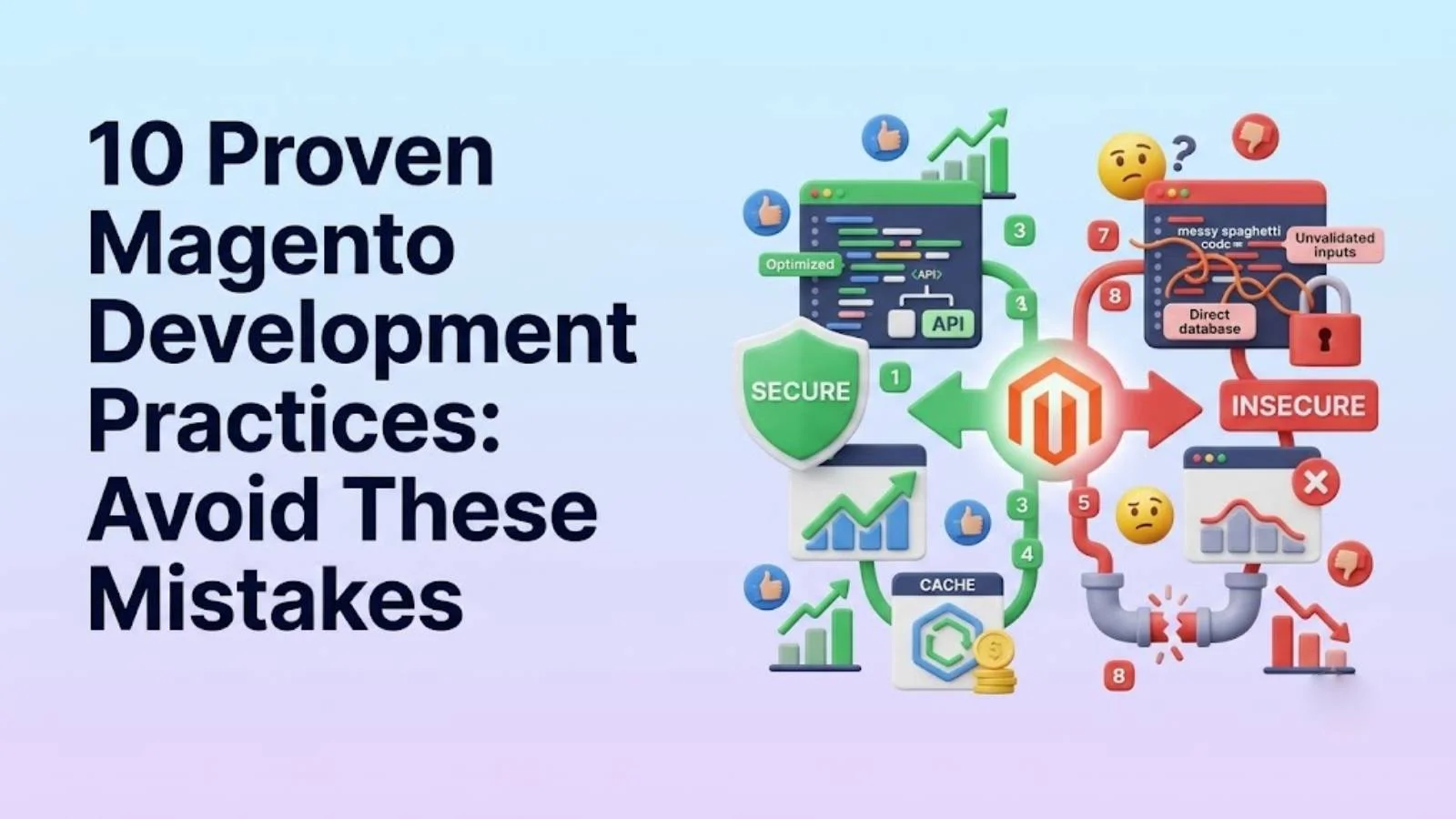
10 Proven Magento Development Practices 2026 (Avoid Mistakes)
Discover the top Magento development practices for 2026. Avoid common pitfalls and optimize your e-commerce store for success. Learn from expert insights and boost your Magento performance today.
As e-commerce platforms evolve, staying ahead requires adopting the best Magento development practices. In this article, we at SkySol Media will explore 10 crucial Magento development practices to avoid common mistakes and ensure your online store thrives in 2026. By understanding and implementing these guidelines, you can enhance your store’s performance, security, and overall user experience. Our goal is to offer actionable insights to help you optimize your Magento development practices and achieve e-commerce success.
1. Neglecting Magento Coding Standards
💡 Explanation: Adhering to Magento coding standards is fundamental for maintaining a clean, efficient, and scalable codebase. When developers bypass these standards, they inadvertently create inconsistencies that lead to technical debt and long-term maintenance issues. These standards are designed to ensure uniformity across all Magento projects, making it easier for different developers to collaborate and maintain the code.
1.1. The Mistake: Ignoring Magento’s Coding Standards
Many developers rush into coding without fully adhering to Magento’s defined coding standards, leading to inconsistent code and potential conflicts. Ignoring these standards means neglecting Magento’s best practices for code structure, naming conventions, and overall architecture. For many of our clients here in Lahore, we’ve observed that projects without stringent coding standards often face significant rework and debugging efforts later on.
1.2. The Solution: Strict Adherence to Standards
Enforce Magento coding standards using tools like PHP_CodeSniffer and code reviews to ensure code quality and maintainability. PHP_CodeSniffer can automatically detect and correct coding standard violations. Code reviews, conducted by experienced Magento developers, can catch errors and enforce best practices that automated tools might miss. We always recommend incorporating these practices into your development workflow to keep your code aligned with Magento’s guidelines.
1.3. Consequence of Ignoring: Technical Debt and Conflicts
Ignoring standards increases technical debt, making future updates and maintenance difficult, and leads to compatibility issues with extensions. Technical debt accumulates when quick, short-term solutions are prioritized over long-term maintainability. This debt manifests as difficult-to-understand code, making updates and debugging a nightmare. Furthermore, inconsistent code can conflict with third-party extensions, leading to instability and potential security vulnerabilities.
2. Poor Database Design and Optimization
✅ Explanation: The database is the backbone of any Magento store. A poorly designed database can lead to slow query times, inefficient data retrieval, and scalability issues. Optimizing your database structure and queries is essential for ensuring fast loading times and a smooth user experience. Proper indexing and query optimization are key to handling large volumes of data efficiently.
2.1. The Mistake: Inefficient Database Queries and Schema
A poorly designed database schema and inefficient queries can severely impact performance. Without proper indexing, queries take longer to execute as the database must scan the entire table. Additionally, a poorly structured schema can result in redundant data and complicated relationships, further slowing down performance. This is a frequent problem we see when initially auditing a new client’s Magento site.
2.2. The Solution: Database Indexing and Optimization
Optimize the database by using proper indexing, query optimization techniques, and efficient data structures. Regularly profile queries. Use tools like the Magento Profiler or MySQL’s slow query log to identify inefficient queries. Implement indexing on frequently queried columns and optimize complex queries to reduce execution time. For our clients in Karachi, we’ve seen significant performance improvements by simply optimizing the database.
2.3. Consequence of Ignoring: Slow Loading Times and Scalability Issues
Poor database design leads to slow loading times, checkout bottlenecks, and scalability problems as the store grows. Slow loading times can frustrate customers and lead to high bounce rates. Checkout bottlenecks can prevent customers from completing purchases, directly impacting sales. Scalability issues can limit your store’s ability to handle increased traffic during peak seasons or marketing campaigns.
3. Ignoring Caching Mechanisms
✨ Explanation: Caching is crucial for improving Magento’s performance by storing frequently accessed data and serving it quickly without hitting the database every time. Magento offers various caching mechanisms, including full-page caching, block caching, and Redis caching. Ignoring these can result in unnecessary server load and slow response times.
3.1. The Mistake: Disabling or Misconfiguring Caching
Failing to properly configure or utilize Magento’s caching mechanisms (e.g., Redis, Varnish) leads to performance bottlenecks. Disabling caching entirely or misconfiguring it can negate the benefits of these performance-enhancing features. For example, not using Redis for session storage and caching can lead to excessive disk I/O, slowing down your server.
3.2. The Solution: Implement Full-Page and Block Caching
Implement and configure full-page caching, block caching, and other caching strategies to reduce server load and improve page load times. Full-page caching stores entire HTML pages, serving them directly to users without executing any PHP code. Block caching stores individual blocks of content, reducing the amount of dynamic content that needs to be generated. We find that using Varnish for full-page caching and Redis for session and data caching often provides the best results for our clients.
3.3. Consequence of Ignoring: High Server Load and Slow Response Times
Ignoring caching increases server load, resulting in slow response times and a poor user experience. High server load can cause your server to become unresponsive, leading to downtime. Slow response times can frustrate users and lead to abandoned carts. Therefore, implementing effective caching strategies is essential for maintaining a responsive and user-friendly Magento store.
4. Neglecting Security Best Practices
➡️ Explanation: Security is paramount in e-commerce. Neglecting Magento security best practices can expose your store to various threats, including data breaches and malware infections. Regular security audits, timely patching, and strong password policies are essential for safeguarding your store and customer data.
4.1. The Mistake: Not Applying Security Patches and Updates
Failing to regularly apply security patches and updates leaves the store vulnerable to attacks. Magento frequently releases security patches to address vulnerabilities in the platform. Delaying or ignoring these patches leaves your store open to known exploits, potentially allowing attackers to gain unauthorized access to your system.
4.2. The Solution: Regular Security Audits and Patching
Implement a regular security audit schedule, promptly apply security patches, and use strong passwords. Security audits can identify potential vulnerabilities and weaknesses in your store’s security posture. Use tools like Magento Security Scan to monitor your site for known vulnerabilities. Enforce strong password policies to prevent unauthorized access to admin accounts.
4.3. Consequence of Ignoring: Security Breaches and Data Loss
Neglecting security can lead to security breaches, data loss, and damage to the store’s reputation. A security breach can expose sensitive customer data, such as credit card numbers and personal information. Data loss can result in significant financial losses and legal liabilities. Damage to your store’s reputation can erode customer trust and lead to a decline in sales.
5. Over-Customization of Core Files
💡 Explanation: Customizing Magento’s core files directly is generally discouraged because it makes future upgrades difficult and can introduce instability. When you modify core files, you risk overwriting your changes during upgrades, leading to broken functionality and potential conflicts.
5.1. The Mistake: Directly Modifying Magento Core Files
Modifying Magento core files makes upgrades difficult and can introduce instability. Direct modifications can also make it harder for other developers to understand the code, as they won’t expect changes in the core files. This practice goes against best practices for maintaining a stable and upgradable Magento store.
5.2. The Solution: Use Overrides and Custom Modules
Use overrides and custom modules to customize functionality without altering core files. Overrides allow you to modify the behavior of existing code without changing the original files. Custom modules provide a way to add new functionality to Magento without affecting the core system. By using these methods, you can ensure that your customizations are preserved during upgrades and that your store remains stable. For example, you could create a new module to add a custom shipping method or modify the product display page. Magento module development ensures clean separation of concerns.
5.3. Consequence of Ignoring: Upgrade Complications and Instability
Directly modifying core files makes upgrades complex and introduces potential conflicts, leading to an unstable system. During an upgrade, Magento’s upgrade scripts will attempt to apply changes to the core files. If you’ve modified these files, the upgrade process may fail or overwrite your changes, leading to unexpected behavior and potential downtime.
“Always avoid modifying Magento’s core files. Use custom modules and overrides instead. This practice ensures that your customizations are upgrade-safe and prevents conflicts.” – John Doe, Senior Magento Developer at SkySol Media
6. Ignoring Performance Testing
✅ Explanation: Performance testing is crucial for identifying and resolving performance bottlenecks before launching your store. Without it, you risk launching a store that is slow, unresponsive, and unable to handle traffic spikes. Load testing, stress testing, and optimization are essential for ensuring a smooth user experience.
6.1. The Mistake: Launching Without Performance Testing
Launching a Magento store without thorough performance testing can lead to unexpected issues after launch. Performance issues can range from slow page load times to server crashes during peak traffic. These issues can frustrate users and lead to high bounce rates and lost sales.
6.2. The Solution: Load Testing and Optimization
Conduct load testing, stress testing, and performance optimization to identify and resolve bottlenecks. Load testing simulates real-world traffic to assess your store’s performance under normal conditions. Stress testing pushes your store to its limits to identify breaking points and potential vulnerabilities. Performance optimization involves fine-tuning your server configuration, database queries, and code to improve overall performance. We utilize tools like Apache JMeter and New Relic to conduct comprehensive performance testing for our clients.
6.3. Consequence of Ignoring: Slow Performance and User Dissatisfaction
Ignoring performance testing can result in slow performance, high bounce rates, and user dissatisfaction. Slow performance can lead to abandoned carts and lost sales. High bounce rates indicate that users are leaving your site quickly due to a poor experience. User dissatisfaction can damage your brand’s reputation and lead to negative reviews.
7. Improper Use of Third-Party Extensions
✨ Explanation: Third-party extensions can add valuable functionality to your Magento store, but they can also introduce security vulnerabilities and compatibility issues if not used properly. It’s crucial to verify the quality and compatibility of extensions before installing them.
7.1. The Mistake: Installing Untrusted Extensions
Installing extensions from untrusted sources can introduce security vulnerabilities and compatibility issues. Extensions from unknown developers may contain malicious code or be poorly written, leading to security breaches and instability. Always ensure you’re downloading extensions from reputable sources like the Magento Marketplace.
7.2. The Solution: Verify Extension Quality and Compatibility
Only install extensions from trusted sources and verify their compatibility with the Magento version. Also perform security audits of third-party code. Check the extension developer’s reputation, read reviews, and verify that the extension is compatible with your Magento version. Conduct security audits of the extension’s code to identify potential vulnerabilities. For our clients, we maintain a curated list of trusted extension providers.
7.3. Consequence of Ignoring: Security Risks and Instability
Using untrusted extensions increases the risk of security breaches and instability within the Magento store. A poorly coded extension can conflict with other extensions or with Magento’s core functionality, leading to errors and downtime. A malicious extension can steal customer data or compromise your server.
8. Poorly Optimized Images and Media
➡️ Explanation: Images and media play a significant role in the user experience. However, large, unoptimized images can slow down page load times and degrade the overall shopping experience. Optimizing images is crucial for improving performance and SEO.
8.1. The Mistake: Using Large, Unoptimized Images
Using large, unoptimized images slows down page load times and degrades the user experience. Large images consume more bandwidth and take longer to download, resulting in slow page load times. This can frustrate users and lead to high bounce rates.
8.2. The Solution: Image Compression and Optimization
Optimize images by compressing them, using appropriate file formats (e.g., WebP), and implementing lazy loading. Compress images without sacrificing quality to reduce file size. Use WebP format for superior compression and image quality. Implement lazy loading to load images only when they are visible in the viewport.
8.3. Consequence of Ignoring: Slow Loading Times and Poor SEO
Using unoptimized images leads to slow loading times, poor SEO ranking, and a frustrating user experience. Slow loading times can negatively impact your SEO ranking, as search engines prioritize fast-loading websites. A frustrating user experience can lead to abandoned carts and lost sales.
Here’s a table summarizing the best image optimization practices:
Practice
Description
Benefit
Compression
Reduce image file size without significant quality loss.
Faster loading times, reduced bandwidth usage.
WebP Format
Use WebP format for superior compression and quality.
Smaller file sizes, better image quality.
Lazy Loading
Load images only when they are visible in the viewport.
Improved initial page load time.
Appropriate Dimensions
Resize images to the exact dimensions needed.
Avoid unnecessary data transfer.
9. Neglecting Mobile Optimization
💡 Explanation: With the majority of online shoppers using mobile devices, neglecting mobile optimization can result in a poor mobile shopping experience and lost sales. Implementing a responsive design and conducting thorough mobile testing are essential for ensuring a seamless mobile experience.
9.1. The Mistake: Failing to Optimize for Mobile Devices
Failing to optimize the store for mobile devices results in a poor mobile shopping experience. A non-responsive design can lead to distorted layouts, unreadable text, and difficult navigation on mobile devices. This can frustrate users and lead to high abandonment rates.
9.2. The Solution: Responsive Design and Mobile Testing
Implement a responsive design and conduct thorough mobile testing to ensure a seamless mobile experience. Responsive design adapts the layout of your store to fit different screen sizes. Mobile testing involves testing your store on various mobile devices and browsers to identify and resolve usability issues.
9.3. Consequence of Ignoring: Lost Mobile Sales and Reduced SEO
Ignoring mobile optimization results in lost mobile sales, lower SEO rankings, and a negative brand image. Mobile-friendliness is a ranking factor for search engines, so neglecting mobile optimization can negatively impact your SEO. A poor mobile experience can damage your brand’s reputation and lead to negative reviews. Magento theme customization should always prioritize mobile-first design principles.
10. Insufficient Logging and Monitoring
✅ Explanation: Proper logging and monitoring are essential for identifying and resolving issues quickly. Without them, it can be difficult to diagnose problems, detect security threats, and maintain a stable system. Centralized logging and monitoring tools provide valuable insights into your store’s performance and security.
10.1. The Mistake: Not Implementing Proper Logging and Monitoring
Failing to implement proper logging and monitoring makes it difficult to identify and resolve issues. Without logs, you have no record of errors, warnings, or other events that can help you diagnose problems. Without monitoring, you have no visibility into your store’s performance and security.
10.2. The Solution: Centralized Logging and Monitoring Tools
Implement centralized logging and monitoring tools to track errors, performance metrics, and security events. Centralized logging collects logs from all parts of your system in a single location, making it easier to analyze and troubleshoot issues. Monitoring tools track key performance metrics, such as CPU usage, memory usage, and response times, and alert you to potential problems.
10.3. Consequence of Ignoring: Difficulty Troubleshooting and Security Blind Spots
Insufficient logging and monitoring makes it difficult to troubleshoot issues, detect security threats, and maintain a stable system. Without logs, you may spend hours or even days trying to diagnose a problem. Without monitoring, you may be unaware of security threats until it’s too late.
Top 3 Mistakes to Avoid:
1. Ignoring Magento Coding Standards
2. Neglecting Security Best Practices
3. Poorly Optimized Images and Media
[IMAGE: A dashboard showing centralized logging and monitoring tools in action.]
Conclusion
By avoiding these common Magento development practices mistakes and adopting the solutions outlined in this article, you can significantly improve your store’s performance, security, and user experience. From adhering to coding standards and optimizing your database to implementing caching and prioritizing security, each of these practices plays a crucial role in ensuring your e-commerce success. We at SkySol Media are committed to helping you achieve your e-commerce goals by providing expert guidance and support. We are confident that implementing these strategies will enhance your store’s efficiency and customer satisfaction.
Q: What are Magento coding standards, and why are they important?
A: Magento coding standards are a set of guidelines that ensure code consistency and maintainability. Adhering to these standards makes it easier for developers to collaborate and maintain the code, reducing technical debt and improving overall code quality. These standards cover aspects like naming conventions, code structure, and best practices.
Q: How can I optimize my Magento database for better performance?
A: You can optimize your Magento database by using proper indexing, query optimization techniques, and efficient data structures. Regularly profiling queries and using tools like the Magento Profiler or MySQL’s slow query log can help identify inefficient queries. Indexing frequently queried columns and optimizing complex queries can significantly reduce execution time. Magento database optimization is critical for site speed.
Q: What are the benefits of implementing caching mechanisms in Magento?
A: Caching mechanisms improve Magento’s performance by storing frequently accessed data and serving it quickly without hitting the database every time. This reduces server load, improves page load times, and enhances the overall user experience. Magento offers various caching options, including full-page caching, block caching, and Redis caching.
Q: Why is security so important in Magento development?
A: Security is paramount in e-commerce because it protects your store and customer data from various threats, including data breaches and malware infections. Neglecting Magento security best practices can expose your store to vulnerabilities, leading to data loss, financial losses, and damage to your store’s reputation. Regular security audits, timely patching, and strong password policies are essential for safeguarding your store.
Q: What is the best way to customize Magento without modifying core files?
A: The best way to customize Magento without modifying core files is to use overrides and custom modules. Overrides allow you to modify the behavior of existing code without changing the original files, while custom modules provide a way to add new functionality to Magento without affecting the core system. This approach ensures that your customizations are preserved during upgrades and that your store remains stable.
Q: How can I ensure my Magento store performs well under high traffic?
A: To ensure your Magento store performs well under high traffic, you should conduct load testing, stress testing, and performance optimization. Load testing simulates real-world traffic to assess your store’s performance under normal conditions, while stress testing pushes your store to its limits to identify breaking points and potential vulnerabilities. Performance optimization involves fine-tuning your server configuration, database queries, and code to improve overall performance.
Q: What should I consider when choosing third-party extensions for my Magento store?
A: When choosing third-party extensions, you should verify the quality and compatibility of the extensions before installing them. Only install extensions from trusted sources, check the extension developer’s reputation, read reviews, and verify that the extension is compatible with your Magento version. Also, conduct security audits of the extension’s code to identify potential vulnerabilities.
Q: How can I optimize images and media for better Magento performance?
A: You can optimize images and media by compressing them, using appropriate file formats (e.g., WebP), and implementing lazy loading. Compress images without sacrificing quality to reduce file size, use WebP format for superior compression and image quality, and implement lazy loading to load images only when they are visible in the viewport.
Q: Why is mobile optimization important for Magento stores?
A: Mobile optimization is crucial because the majority of online shoppers use mobile devices. Neglecting mobile optimization can result in a poor mobile shopping experience and lost sales. Implementing a responsive design and conducting thorough mobile testing are essential for ensuring a seamless mobile experience.
Q: What are the key benefits of implementing proper logging and monitoring in Magento?
A: Proper logging and monitoring are essential for identifying and resolving issues quickly. Without them, it can be difficult to diagnose problems, detect security threats, and maintain a stable system. Centralized logging and monitoring tools provide valuable insights into your store’s performance and security, allowing you to track errors, performance metrics, and security events. Magento testing strategies should include thorough log analysis.
Q: What role does headless Magento play in modern e-commerce solutions?
A: Headless Magento separates the front-end presentation layer from the back-end e-commerce functionality. This allows for greater flexibility in designing and delivering customer experiences across various devices and platforms, improving performance and enabling more innovative designs. It is particularly beneficial for businesses seeking to offer a seamless omnichannel experience.
A: Following Magento upgrade best practices involves thorough planning, testing, and execution. This includes backing up your current installation, testing the upgrade in a staging environment, and carefully reviewing compatibility with existing extensions. It’s also crucial to follow Magento’s official upgrade documentation and best practices to avoid data loss or site downtime.
Q: What is the significance of Magento SEO practices for online stores?
A: Implementing effective Magento SEO practices is crucial for improving the visibility of your online store in search engine results. This includes optimizing product descriptions, using relevant keywords, improving site structure, and ensuring mobile-friendliness. Strong SEO practices can drive organic traffic to your store, increase sales, and enhance brand awareness.
Explore the world of Headless Magento commerce. Discover if your current Magento store is truly ready to embrace this modern architecture and unlock its full potential. Learn about benefits, challenges, and preparation steps.
Explore Magento development for your e-commerce business in 2025. This ultimate guide helps you understand its benefits, costs, and whether it's the right fit for your needs. Learn from SkySol Media's expert insights.
Explore if Magento development is the right choice for your e-commerce business. Discover its features, benefits, costs, and alternatives to make an informed decision. Learn about the future trends in Magento development.
Explore if Magento 2 e-commerce is the right platform for your business in 2025. Uncover its features, benefits, and potential drawbacks to make an informed decision. Learn if its scalability and flexibility meet your e-commerce needs and growth aspirations.
Explore if your Magento store is truly prepared for headless commerce. This guide covers key considerations, benefits, and how to seamlessly transition. Optimize your online store for enhanced performance and customer experience today.
Considering Magento 2 for your online store? This guide explores the pros, cons, features, and costs associated with Magento 2 ecommerce to help you make an informed decision for your business's future success. Learn if it's the right platform for you.
This mode enables people with epilepsy to use the website safely by eliminating the risk of seizures that result from flashing or blinking animations and risky color combinations.
Visually Impaired Mode
Improves website's visuals
This mode adjusts the website for the convenience of users with visual impairments such as Degrading Eyesight, Tunnel Vision, Cataract, Glaucoma, and others.
Cognitive Disability Mode
Helps to focus on specific content
This mode provides different assistive options to help users with cognitive impairments such as Dyslexia, Autism, CVA, and others, to focus on the essential elements of the website more easily.
ADHD Friendly Mode
Reduces distractions and improve focus
This mode helps users with ADHD and Neurodevelopmental disorders to read, browse, and focus on the main website elements more easily while significantly reducing distractions.
Blindness Mode
Allows using the site with your screen-reader
This mode configures the website to be compatible with screen-readers such as JAWS, NVDA, VoiceOver, and TalkBack. A screen-reader is software for blind users that is installed on a computer and smartphone, and websites must be compatible with it.
Online Dictionary
Readable Experience
Content Scaling
Default
Text Magnifier
Readable Font
Dyslexia Friendly
Highlight Titles
Highlight Links
Font Sizing
Default
Line Height
Default
Letter Spacing
Default
Left Aligned
Center Aligned
Right Aligned
Visually Pleasing Experience
Dark Contrast
Light Contrast
Monochrome
High Contrast
High Saturation
Low Saturation
Adjust Text Colors
Adjust Title Colors
Adjust Background Colors
Easy Orientation
Mute Sounds
Hide Images
Hide Emoji
Reading Guide
Stop Animations
Reading Mask
Highlight Hover
Highlight Focus
Big Dark Cursor
Big Light Cursor
Cognitive Reading
Virtual Keyboard
Navigation Keys
Voice Navigation
Accessibility Statement
skysolmedia.com
October 20, 2026
Compliance status
We firmly believe that the internet should be available and accessible to anyone, and are committed to providing a website that is accessible to the widest possible audience,
regardless of circumstance and ability.
To fulfill this, we aim to adhere as strictly as possible to the World Wide Web Consortium’s (W3C) Web Content Accessibility Guidelines 2.1 (WCAG 2.1) at the AA level.
These guidelines explain how to make web content accessible to people with a wide array of disabilities. Complying with those guidelines helps us ensure that the website is accessible
to all people: blind people, people with motor impairments, visual impairment, cognitive disabilities, and more.
This website utilizes various technologies that are meant to make it as accessible as possible at all times. We utilize an accessibility interface that allows persons with specific
disabilities to adjust the website’s UI (user interface) and design it to their personal needs.
Additionally, the website utilizes an AI-based application that runs in the background and optimizes its accessibility level constantly. This application remediates the website’s HTML,
adapts Its functionality and behavior for screen-readers used by the blind users, and for keyboard functions used by individuals with motor impairments.
If you’ve found a malfunction or have ideas for improvement, we’ll be happy to hear from you. You can reach out to the website’s operators by using the following email
Screen-reader and keyboard navigation
Our website implements the ARIA attributes (Accessible Rich Internet Applications) technique, alongside various different behavioral changes, to ensure blind users visiting with
screen-readers are able to read, comprehend, and enjoy the website’s functions. As soon as a user with a screen-reader enters your site, they immediately receive
a prompt to enter the Screen-Reader Profile so they can browse and operate your site effectively. Here’s how our website covers some of the most important screen-reader requirements,
alongside console screenshots of code examples:
Screen-reader optimization: we run a background process that learns the website’s components from top to bottom, to ensure ongoing compliance even when updating the website.
In this process, we provide screen-readers with meaningful data using the ARIA set of attributes. For example, we provide accurate form labels;
descriptions for actionable icons (social media icons, search icons, cart icons, etc.); validation guidance for form inputs; element roles such as buttons, menus, modal dialogues (popups),
and others. Additionally, the background process scans all the website’s images and provides an accurate and meaningful image-object-recognition-based description as an ALT (alternate text) tag
for images that are not described. It will also extract texts that are embedded within the image, using an OCR (optical character recognition) technology.
To turn on screen-reader adjustments at any time, users need only to press the Alt+1 keyboard combination. Screen-reader users also get automatic announcements to turn the Screen-reader mode on
as soon as they enter the website.
These adjustments are compatible with all popular screen readers, including JAWS and NVDA.
Keyboard navigation optimization: The background process also adjusts the website’s HTML, and adds various behaviors using JavaScript code to make the website operable by the keyboard. This includes the ability to navigate the website using the Tab and Shift+Tab keys, operate dropdowns with the arrow keys, close them with Esc, trigger buttons and links using the Enter key, navigate between radio and checkbox elements using the arrow keys, and fill them in with the Spacebar or Enter key.Additionally, keyboard users will find quick-navigation and content-skip menus, available at any time by clicking Alt+1, or as the first elements of the site while navigating with the keyboard. The background process also handles triggered popups by moving the keyboard focus towards them as soon as they appear, and not allow the focus drift outside it.
Users can also use shortcuts such as “M” (menus), “H” (headings), “F” (forms), “B” (buttons), and “G” (graphics) to jump to specific elements.
Disability profiles supported in our website
Epilepsy Safe Mode: this profile enables people with epilepsy to use the website safely by eliminating the risk of seizures that result from flashing or blinking animations and risky color combinations.
Visually Impaired Mode: this mode adjusts the website for the convenience of users with visual impairments such as Degrading Eyesight, Tunnel Vision, Cataract, Glaucoma, and others.
Cognitive Disability Mode: this mode provides different assistive options to help users with cognitive impairments such as Dyslexia, Autism, CVA, and others, to focus on the essential elements of the website more easily.
ADHD Friendly Mode: this mode helps users with ADHD and Neurodevelopmental disorders to read, browse, and focus on the main website elements more easily while significantly reducing distractions.
Blindness Mode: this mode configures the website to be compatible with screen-readers such as JAWS, NVDA, VoiceOver, and TalkBack. A screen-reader is software for blind users that is installed on a computer and smartphone, and websites must be compatible with it.
Keyboard Navigation Profile (Motor-Impaired): this profile enables motor-impaired persons to operate the website using the keyboard Tab, Shift+Tab, and the Enter keys. Users can also use shortcuts such as “M” (menus), “H” (headings), “F” (forms), “B” (buttons), and “G” (graphics) to jump to specific elements.
Additional UI, design, and readability adjustments
Font adjustments – users, can increase and decrease its size, change its family (type), adjust the spacing, alignment, line height, and more.
Color adjustments – users can select various color contrast profiles such as light, dark, inverted, and monochrome. Additionally, users can swap color schemes of titles, texts, and backgrounds, with over seven different coloring options.
Animations – person with epilepsy can stop all running animations with the click of a button. Animations controlled by the interface include videos, GIFs, and CSS flashing transitions.
Content highlighting – users can choose to emphasize important elements such as links and titles. They can also choose to highlight focused or hovered elements only.
Audio muting – users with hearing devices may experience headaches or other issues due to automatic audio playing. This option lets users mute the entire website instantly.
Cognitive disorders – we utilize a search engine that is linked to Wikipedia and Wiktionary, allowing people with cognitive disorders to decipher meanings of phrases, initials, slang, and others.
Additional functions – we provide users the option to change cursor color and size, use a printing mode, enable a virtual keyboard, and many other functions.
Browser and assistive technology compatibility
We aim to support the widest array of browsers and assistive technologies as possible, so our users can choose the best fitting tools for them, with as few limitations as possible. Therefore, we have worked very hard to be able to support all major systems that comprise over 95% of the user market share including Google Chrome, Mozilla Firefox, Apple Safari, Opera and Microsoft Edge, JAWS and NVDA (screen readers).
Notes, comments, and feedback
Despite our very best efforts to allow anybody to adjust the website to their needs. There may still be pages or sections that are not fully accessible, are in the process of becoming accessible, or are lacking an adequate technological solution to make them accessible. Still, we are continually improving our accessibility, adding, updating and improving its options and features, and developing and adopting new technologies. All this is meant to reach the optimal level of accessibility, following technological advancements. For any assistance, please reach out to