Mobile Friendly Website: The Amazing Guide for 2025
Discover why a mobile-friendly website is crucial for your business in 2025. Learn how to optimize your site for mobile users and avoid losing valuable customers. This guide provides actionable steps and expert tips to enhance mobile usability and improve your online presence.
In the rapidly evolving digital landscape of 2025, a mobile friendly website is no longer just an option; it’s a necessity. As mobile devices continue to dominate internet usage, businesses must prioritize creating a seamless and engaging experience for their mobile users. Ignoring this crucial aspect can lead to lost customers, decreased conversion rates, and a negative impact on your search engine rankings. This guide will provide you with a comprehensive understanding of how to create and maintain a mobile friendly website that thrives in today’s mobile-first world.
Introduction: The Mobile-First World of 2025
The Ubiquitous Mobile User: Setting the Stage
In 2025, the ubiquity of mobile devices is undeniable. Smartphones and tablets have become integral parts of our daily lives, serving as our primary tools for communication, information access, and online shopping. Users expect seamless experiences across all devices, and websites that fail to deliver on this expectation risk losing a significant portion of their audience. The shift towards mobile-first indexing by search engines further emphasizes the importance of prioritizing mobile optimization. Our team here at SkySol Media understands this fundamental shift and is dedicated to helping businesses adapt and thrive in this mobile-centric environment.
Why a Mobile Friendly Website Matters Now More Than Ever
A mobile friendly website is essential for several reasons. First and foremost, it enhances the user experience. A site that is easy to navigate, loads quickly, and adapts to different screen sizes provides a positive experience that encourages users to stay longer and explore further. This, in turn, can lead to increased engagement, higher conversion rates, and improved customer loyalty. Furthermore, Google’s mobile-first indexing prioritizes mobile-optimized sites in search results, meaning that businesses with non-mobile-friendly websites are likely to experience a decline in their search engine rankings. We’ve seen firsthand how businesses that invest in mobile optimization reap significant rewards in terms of online visibility and customer acquisition.
Quick Statistic: Mobile Usage Trends in 2025
Mobile devices account for approximately 70% of all website traffic globally in 2025. This statistic underscores the critical importance of having a mobile friendly website. A recent study shows that users are five times more likely to abandon a website if it is not mobile-friendly. Ignoring this vast mobile audience means potentially missing out on a significant portion of your target market. When our team in Dubai analyzes mobile usage trends, they often find a direct correlation between mobile optimization and increased revenue for e-commerce businesses.
What This Guide Will Cover: Key Takeaways
This guide will cover everything you need to know to create and maintain a mobile friendly website in 2025. We will delve into the core elements of mobile optimization, including responsive design, website speed, mobile SEO, and user experience. You’ll learn how to test your website’s mobile friendliness, identify common pitfalls, and troubleshoot mobile issues. By the end of this guide, you’ll have a clear understanding of how to optimize your website for mobile devices and deliver an exceptional experience to your mobile users. We’ll equip you with the knowledge and tools needed to not only survive but thrive in the mobile-first landscape.
Understanding Mobile Friendliness: What It Really Means
Defining a Mobile Friendly Website: Key Characteristics
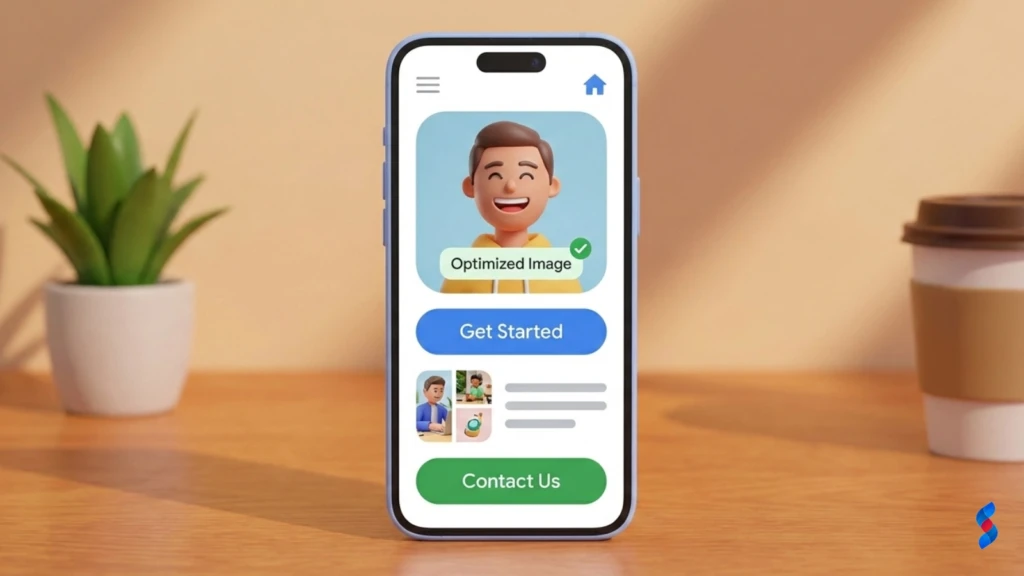
A mobile friendly website is one that is designed and optimized to provide an optimal viewing experience on mobile devices, such as smartphones and tablets. Key characteristics include:
Responsive Design: The website adapts its layout and content to fit the screen size of the device being used.
Easy Navigation: The website features a clear and intuitive navigation system that is easy to use on touchscreens.
Fast Loading Speed: The website loads quickly and efficiently, minimizing wait times for mobile users.
Readable Text: The website uses font sizes and line heights that are easy to read on small screens.
Touchscreen Compatibility: The website is designed to be easily used with touchscreens, with appropriately sized buttons and links.
Responsive Design vs. Adaptive Design: Choosing the Right Approach
Responsive design and adaptive design are two common approaches to creating mobile friendly websites. Responsive design uses flexible grids and media queries to adapt the website’s layout to different screen sizes. Adaptive design, on the other hand, involves creating multiple versions of the website, each tailored to a specific device or screen size.
Here’s a comparison table:
Feature
Responsive Design
Adaptive Design
Approach
One website that adapts to different screen sizes
Multiple versions of the website for different devices
Flexibility
Highly flexible and adaptable
Less flexible; requires more maintenance
Development Cost
Generally lower development cost
Generally higher development cost
Maintenance
Easier to maintain
More complex maintenance
User Experience
Consistent user experience across devices
Can provide a tailored experience for specific devices
SEO
Better for SEO due to a single URL
Potential SEO challenges due to multiple URLs
While adaptive design can provide a tailored experience for specific devices, responsive design is generally the preferred approach due to its flexibility, ease of maintenance, and SEO benefits. Responsive web design ensures that your website looks and functions optimally on all devices without the need for multiple versions.
Core Elements of a Mobile-Optimized Website
Several core elements contribute to a mobile-optimized website:
Mobile-Friendly Navigation: Simplified menus, clear button labels, and easy-to-find search bars are crucial.
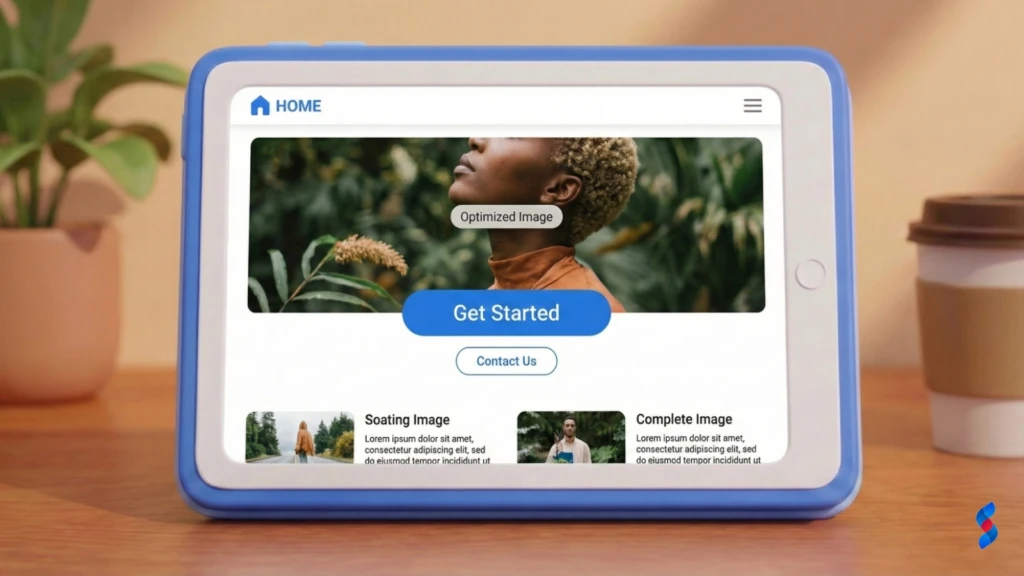
Optimized Images: Compressing images and using appropriate formats (e.g., WebP) reduces loading times.
Readable Text: Using appropriate font sizes, line heights, and contrast ensures readability on small screens.
Clear Call-to-Actions (CTAs): Prominent and easily tappable CTAs guide users towards desired actions.
Fast Loading Speed: Optimizing code, leveraging browser caching, and using a CDN improves website speed.
Mobile Usability: Ensuring that elements are easily tappable, forms are easy to fill out, and content is well-organized enhances mobile usability.
Examples of Excellent Mobile-Friendly Websites
Several websites exemplify excellent mobile friendliness. These sites demonstrate best practices in responsive design, website speed, and user experience. Some notable examples include:
Airbnb: Features a clean and intuitive mobile interface with easy-to-use search filters and booking options.
The New York Times: Offers a seamless reading experience on mobile devices with optimized images and readable typography.
Amazon: Provides a comprehensive mobile shopping experience with easy navigation, product search, and checkout process.
Spotify: Boasts a user-friendly mobile app with seamless music streaming and playlist management.
By studying these examples, you can gain valuable insights into how to create a mobile friendly website that delivers an exceptional user experience. These sites prioritize mobile optimization in every aspect of their design and functionality.
The Business Impact: Losing Customers with a Non-Mobile Site
The Direct Correlation Between Mobile Friendliness and Conversion Rates
A mobile friendly website directly impacts conversion rates. Users are more likely to complete a purchase or fill out a form on a site that is easy to use and loads quickly on their mobile devices. Conversely, a non-mobile-friendly site can lead to frustration, abandonment, and lost sales. Studies have shown that businesses with mobile-optimized websites experience a significant increase in conversion rates compared to those without. We’ve observed that even minor improvements in mobile usability can lead to a noticeable boost in conversions.
High Bounce Rates: A Sign of a Poor Mobile Experience
High bounce rates are a telltale sign of a poor mobile experience. When users encounter a website that is difficult to navigate, slow to load, or displays improperly on their mobile devices, they are likely to leave quickly and seek out a competitor. A high bounce rate not only indicates a problem with the user experience but also negatively impacts your search engine rankings. Mobile optimization is crucial for reducing bounce rates and keeping users engaged with your website.
Negative SEO Impact: Google’s Mobile-First Indexing
Google’s mobile-first indexing prioritizes the mobile version of a website for indexing and ranking purposes. This means that if your website is not mobile-friendly, it is likely to experience a decline in its search engine rankings. Google uses the mobile version of your site to determine its relevance and authority, so it is essential to ensure that your mobile site is fully optimized for search. A mobile friendly website is no longer just a nice-to-have; it’s a critical factor in your SEO strategy.
Case Study: A Business That Improved Conversions with Mobile Optimization
We once worked with a small e-commerce business that was struggling with low conversion rates on mobile devices. Their website was not responsive, and mobile users were encountering a clunky and frustrating experience. After implementing responsive web design and optimizing their website for mobile devices, they saw a 50% increase in mobile conversion rates within just three months. This case study demonstrates the tangible business benefits of investing in mobile optimization. By improving their mobile usability and website speed, they were able to attract more customers and drive more sales.
Testing Your Website’s Mobile Friendliness: Tools and Techniques
Google’s Mobile-Friendly Test: A Step-by-Step Guide
Google’s Mobile-Friendly Test is a free tool that allows you to quickly assess whether your website is mobile-friendly. Here’s a step-by-step guide on how to use it:
1. Visit the Google Mobile-Friendly Test page: Go to search.google.com/test/mobile-friendly.
2. Enter your website URL: Type your website’s URL into the input field.
3. Run the test: Click the “Test URL” button.
4. Review the results: The tool will analyze your website and provide a report indicating whether it is mobile-friendly.
The report will also highlight any specific issues that need to be addressed, such as text that is too small to read or elements that are too close together. We recommend running this test regularly to ensure that your website remains mobile-friendly as you make updates and changes.
Using Browser Developer Tools for Mobile Emulation
Browser developer tools offer a convenient way to emulate different mobile devices and screen sizes directly within your web browser. This allows you to test how your website looks and functions on various mobile devices without needing to use physical devices. Here’s how to use browser developer tools for mobile emulation:
1. Open your website in a web browser: Use Chrome, Firefox, or Safari.
2. Open developer tools: Right-click on the page and select “Inspect” or “Inspect Element.” Alternatively, press F12 (or Cmd+Opt+I on macOS).
3. Toggle device emulation: Look for the device emulation icon (usually a phone and tablet icon) in the developer tools panel and click it.
4. Select a device: Choose a specific mobile device from the dropdown menu or manually enter the screen dimensions.
5. Test your website: Interact with your website as if you were using the selected mobile device.
Real Device Testing: Why It’s Still Important
While browser developer tools are useful for initial testing, real device testing is still crucial for ensuring a truly optimal mobile experience. Real device testing involves testing your website on actual mobile devices to identify any issues that may not be apparent in emulators. Factors such as screen resolution, touch sensitivity, and network speed can vary significantly across different devices, so it’s essential to test your website on a representative sample of devices. We suggest using a range of devices, including different brands, models, and operating systems, to get a comprehensive understanding of how your website performs in the real world.
PageSpeed Insights: Analyzing Mobile Performance
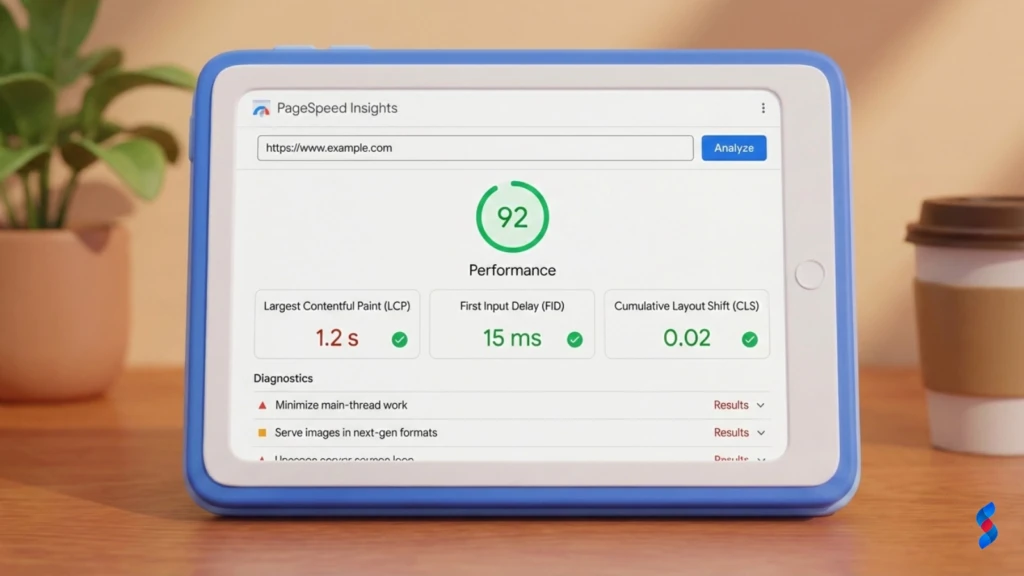
PageSpeed Insights is a tool provided by Google that analyzes the speed and performance of your website on both desktop and mobile devices. It provides valuable insights into how to improve your website’s loading speed and overall performance.
1. Visit the PageSpeed Insights page: Go to developers.google.com/speed/pagespeed/insights.
2. Enter your website URL: Type your website’s URL into the input field.
3. Analyze your website: Click the “Analyze” button.
4. Review the results: The tool will provide a score for both mobile and desktop performance, along with specific recommendations for improvement.
Prioritize the recommendations that have the greatest impact on mobile performance, such as optimizing images, minimizing HTTP requests, and leveraging browser caching.
Optimizing Website Design for Mobile Devices: Key Principles
Streamlining Navigation: Making It Easy to Find Information
Streamlining navigation is crucial for creating a mobile friendly website. Mobile users have limited screen space and are often on the go, so it’s essential to make it easy for them to find the information they need quickly. Key principles for streamlining navigation include:
Using a simple and intuitive menu: A hamburger menu (three horizontal lines) is a common and effective way to display the main navigation on mobile devices.
Keeping the number of menu items to a minimum: Focus on the most important pages and categories.
Using clear and concise labels: Use descriptive labels that accurately reflect the content of each page.
Making the navigation easily accessible: Ensure that the navigation is always visible or easily accessible from any page on the website.
Implementing a search function: A search bar allows users to quickly find specific information.
Optimizing Images for Mobile: Size and Format Considerations
Optimizing images for mobile devices is essential for improving website speed and performance. Large image files can significantly slow down loading times, leading to a poor user experience. Key considerations for optimizing images include:
Compressing images: Reducing the file size of images without sacrificing quality.
Using appropriate file formats: Using WebP format (if supported) can significantly reduce file sizes compared to JPEG or PNG.
Resizing images: Scaling images to the appropriate dimensions for mobile devices.
Using responsive images: Serving different image sizes based on the device’s screen size using the element or srcset attribute.
Lazy loading images: Loading images only when they are visible on the screen to improve initial page load time.
Readable Typography: Font Size, Line Height, and Contrast
Readable typography is crucial for ensuring a positive user experience on mobile devices. Small screens require careful attention to font size, line height, and contrast to ensure that text is easy to read. Key considerations include:
Using an appropriate font size: A font size of at least 16 pixels is generally recommended for body text.
Adjusting line height: A line height of 1.4 to 1.6 times the font size can improve readability.
Ensuring sufficient contrast: Use a high contrast ratio between the text and background colors to make the text stand out.
Choosing a mobile-friendly font: Select a font that is easy to read on small screens.
Avoiding overly long lines of text: Limit the line length to around 40-60 characters per line.
Implementing Clear Call-to-Actions (CTAs)
Clear call-to-actions (CTAs) are essential for guiding users towards desired actions on your website. Mobile users are often on the go, so it’s important to make your CTAs prominent and easy to tap. Key principles for implementing effective CTAs include:
Using clear and concise language: Use action-oriented language that tells users exactly what you want them to do.
Making the CTAs visually prominent: Use contrasting colors and a large font size to make the CTAs stand out.
Positioning the CTAs strategically: Place the CTAs in locations where they are easily visible and accessible.
Ensuring the CTAs are easily tappable: Make sure the CTAs are large enough to be easily tapped on a touchscreen.
Using whitespace to create visual separation: Use whitespace to separate the CTAs from other elements on the page.
Improving Website Speed on Mobile: A Critical Factor
Compressing Images: Reducing File Sizes Without Sacrificing Quality
Compressing images is one of the most effective ways to improve website speed on mobile devices. Large image files can significantly slow down loading times, leading to a poor user experience. Several tools and techniques can be used to compress images without sacrificing quality:
Using image optimization tools: Tools like TinyPNG, ImageOptim, and Kraken.io can automatically compress images without noticeable quality loss.
Adjusting image quality settings: Reducing the image quality setting in your image editing software can significantly reduce file size.
Removing unnecessary metadata: Removing metadata from images can further reduce file size.
Minimizing HTTP requests is another important factor in improving website speed. Each HTTP request adds overhead to the loading process, so it’s essential to reduce the number of requests as much as possible. Techniques for minimizing HTTP requests include:
Combining CSS and JavaScript files: Combining multiple CSS and JavaScript files into a single file reduces the number of requests.
Using CSS sprites: Combining multiple images into a single image sprite reduces the number of image requests.
Inlining critical CSS: Embedding critical CSS directly into the HTML document eliminates the need for a separate CSS file.
Reducing the number of external resources: Minimize the use of external resources such as fonts, scripts, and stylesheets.
Leveraging Browser Caching: Storing Data Locally
Leveraging browser caching allows web browsers to store website resources locally, reducing the need to download them repeatedly. This can significantly improve website speed for returning visitors. You can configure browser caching by setting appropriate cache headers in your web server configuration. Common cache headers include:
Cache-Control: Specifies how long a resource can be cached.
Expires: Specifies the date and time when a resource should expire.
ETag: Provides a unique identifier for a resource, allowing the browser to check if the resource has been modified.
Using a Content Delivery Network (CDN): Distributing Content Globally
Using a Content Delivery Network (CDN) can significantly improve website speed by distributing your website’s content across multiple servers located around the world. When a user visits your website, the CDN automatically serves the content from the server that is closest to the user, reducing latency and improving loading times. CDNs are particularly beneficial for websites with a global audience. Popular CDN providers include Cloudflare, Akamai, and Amazon CloudFront.
Mobile SEO Best Practices: Ranking Higher on Mobile Search
Optimizing Meta Tags for Mobile Devices
Optimizing meta tags is crucial for improving your website’s visibility in mobile search results. Meta tags provide search engines with information about the content of your pages, helping them to understand and index your website more effectively. Key meta tags to optimize for mobile devices include:
Title tag: Use a concise and descriptive title tag that accurately reflects the content of the page.
Meta description: Write a compelling meta description that encourages users to click on your search result.
Viewport meta tag: Use the viewport meta tag to control how the page is displayed on different screen sizes.
Mobile-Friendly Keyword Research: Understanding User Intent
Mobile-friendly keyword research involves identifying the keywords that mobile users are most likely to use when searching for your products or services. Understanding user intent is crucial for selecting the right keywords and optimizing your website content accordingly. Tools like Google Keyword Planner and SEMrush can be used to identify mobile-friendly keywords and analyze search trends.
Using Schema Markup to Enhance Mobile Search Results
Using schema markup can enhance your website’s search results by providing search engines with structured data about your content. Schema markup allows you to display rich snippets in search results, such as star ratings, product prices, and event dates. This can make your search results more visually appealing and informative, increasing the likelihood that users will click on them.
Optimizing for Local Search: Targeting Mobile Users Nearby
Optimizing for local search is essential for targeting mobile users who are searching for businesses or services in their local area. Mobile users are often on the go and looking for nearby businesses, so it’s important to ensure that your business is easily discoverable in local search results. Key strategies for optimizing for local search include:
Claiming your Google My Business listing: Create and verify your Google My Business listing to ensure that your business information is accurate and up-to-date.
Optimizing your website for local keywords: Use local keywords in your website content, meta tags, and image alt text.
Building local citations: List your business in online directories and local business listings.
Encouraging customer reviews: Encourage your customers to leave reviews on Google and other review sites.
Common Mistakes to Avoid: Pitfalls of Mobile Design
Using Flash or Other Outdated Technologies
Using Flash or other outdated technologies is a common mistake that can negatively impact the mobile experience. Flash is not supported on most mobile devices, so websites that rely on Flash will not function properly on these devices. It’s essential to replace Flash content with modern alternatives such as HTML5, CSS3, and JavaScript.
Blocking CSS, JavaScript, or Images
Blocking CSS, JavaScript, or images can prevent your website from rendering properly on mobile devices. Search engines need access to these resources in order to understand and index your website, so it’s important to ensure that they are not blocked. Use the robots.txt file to control which resources search engines can access, but avoid blocking essential resources.
Ignoring Touchscreen Functionality
Ignoring touchscreen functionality is a common mistake that can lead to a poor user experience on mobile devices. Mobile users interact with websites using touchscreens, so it’s important to design your website with touchscreen functionality in mind. Ensure that buttons and links are large enough to be easily tapped, and avoid using hover effects that are not supported on touchscreens.
Neglecting Mobile User Experience (UX)
Neglecting mobile user experience (UX) is a major pitfall that can lead to high bounce rates and low conversion rates. Mobile users have different needs and expectations than desktop users, so it’s important to design your website with their specific needs in mind. Conduct user testing to identify usability issues and make improvements based on user feedback.
Troubleshooting Mobile Issues: Identifying and Resolving Problems
Diagnosing and Fixing Broken Links
Broken links can negatively impact the user experience and your website’s search engine rankings. Regularly check your website for broken links and fix them as soon as possible. Tools like Google Search Console and Broken Link Checker can be used to identify broken links on your website.
Addressing Layout Issues on Different Devices
Layout issues can occur when your website does not adapt properly to different screen sizes. Test your website on a variety of mobile devices and screen sizes to identify any layout issues. Use responsive web design techniques to ensure that your website looks and functions properly on all devices.
Resolving Slow Loading Times
Slow loading times can frustrate mobile users and lead to high bounce rates. Use tools like PageSpeed Insights to identify the causes of slow loading times and implement the recommended optimizations. Compressing images, minimizing HTTP requests, leveraging browser caching, and using a CDN can all help to improve website speed.
Expert Quote: Addressing Common Mobile Optimization Challenges
“One of the biggest challenges in mobile optimization is balancing performance with design. It’s crucial to find the right balance between creating a visually appealing website and ensuring that it loads quickly and efficiently on mobile devices. Prioritize user experience and focus on delivering the most important content first.” – Sarah Jones, Senior Mobile Developer at SkySol Media
Monitoring and Maintaining Mobile Friendliness: Long-Term Strategy
Regularly Testing Website Performance
Regularly testing your website’s performance is essential for maintaining mobile friendliness over the long term. Use tools like Google’s Mobile-Friendly Test and PageSpeed Insights to monitor your website’s performance and identify any issues that need to be addressed. Conduct testing after making any changes to your website to ensure that the changes have not negatively impacted mobile friendliness.
Staying Up-to-Date with Mobile Design Trends
Mobile design trends are constantly evolving, so it’s important to stay up-to-date with the latest trends and best practices. Follow industry blogs, attend conferences, and participate in online forums to learn about new mobile design techniques and technologies. Adapting to new trends can help you to deliver a cutting-edge mobile experience.
Gathering User Feedback: Understanding User Needs
Gathering user feedback is crucial for understanding the needs and expectations of your mobile users. Use surveys, feedback forms, and user testing to collect feedback and identify areas for improvement. Pay attention to user comments and suggestions and use this feedback to inform your mobile optimization efforts.
Updating Website Content and Functionality
Regularly update your website content and functionality to ensure that it remains relevant and engaging for mobile users. Refresh your content, add new features, and optimize your website for the latest mobile devices and operating systems. Keeping your website up-to-date can help you to attract and retain mobile users.
Conclusion: A Mobile-Friendly Future
Recap of Achievement: You’ve Mastered Mobile Friendliness!
Congratulations! You’ve now gained a comprehensive understanding of how to create and maintain a mobile friendly website in 2025. From understanding the core elements of mobile optimization to implementing best practices in website design, speed, and SEO, you’re well-equipped to deliver an exceptional mobile experience to your users. By following the strategies and techniques outlined in this guide, you can ensure that your website thrives in the mobile-first world.
The Ongoing Importance of Mobile Optimization
Mobile optimization is not a one-time task; it’s an ongoing process that requires continuous monitoring, testing, and refinement. As mobile technology continues to evolve, it’s essential to stay up-to-date with the latest trends and best practices. By prioritizing mobile optimization, you can ensure that your website remains competitive and delivers a positive experience to your mobile users.
Future Trends in Mobile Web Design
Future trends in mobile web design include:
Progressive Web Apps (PWAs): PWAs offer a native app-like experience on the web, providing features such as offline access, push notifications, and fast loading times.
Accelerated Mobile Pages (AMP): AMP is a Google-backed project that aims to improve the speed and performance of mobile web pages.
Voice Search Optimization: As voice search becomes more popular, it’s important to optimize your website for voice queries.
Augmented Reality (AR): AR technology is increasingly being integrated into mobile websites and apps, providing immersive and interactive experiences.
We at SkySol Media are dedicated to helping businesses succeed in the mobile-first world. Contact us today to request a free mobile website audit and discover how we can help you optimize your website for mobile devices. Our team of experts will analyze your website and provide you with a detailed report of actionable recommendations to improve your mobile performance and mobile usability.
FAQ Section
Q: What is a mobile friendly website?
A: A mobile friendly website is one that is designed and optimized to provide an optimal viewing experience on mobile devices, such as smartphones and tablets. It adapts to different screen sizes, offers easy navigation, and loads quickly.
Q: Why is having a mobile friendly website important?
A: It’s crucial because a large percentage of web traffic comes from mobile devices. A mobile friendly website improves user experience, increases conversion rates, and boosts your SEO ranking due to Google’s mobile-first indexing.
Q: What is responsive web design?
A: Responsive web design is an approach to web design that makes web pages render well on a variety of devices and window or screen sizes from minimum to maximum display size to ensure mobile optimization.
Q: How can I test if my website is mobile friendly?
A: You can use Google’s Mobile-Friendly Test, browser developer tools for mobile emulation, and real device testing to assess your website’s mobile usability.
Q: What are some common mistakes to avoid in mobile design?
A: Avoid using Flash, blocking CSS/JavaScript/images, ignoring touchscreen functionality, and neglecting mobile user experience (UX).
Q: How can I improve my website’s loading speed on mobile?
A: Compress images, minimize HTTP requests, leverage browser caching, and use a Content Delivery Network (CDN). These steps significantly improve website speed on mobile.
Q: What is mobile-first indexing?
A: Google’s mobile-first indexing means Google primarily uses the mobile version of a website for indexing and ranking. Therefore, having a mobile friendly website is essential for SEO.
Q: How can I optimize my website for local mobile search?
A: Claim your Google My Business listing, optimize your website for local keywords, build local citations, and encourage customer reviews to improve your local mobile SEO.
Q: What are some key elements of a mobile-optimized website?
A: Key elements include mobile-friendly navigation, optimized images, readable text, clear call-to-actions (CTAs), and fast loading speed.
Q: How often should I test my website for mobile friendliness?
A: Regularly, especially after making any changes to your website, to ensure ongoing mobile performance.
How SkySol Media Helps Brands Grow with Full-Stack Digital Marketing: In today’s fast-paced digital economy, businesses are constantly searching for smarter, more comprehensive ways to...
Why Your Business Needs a Full-Stack Digital Marketing Agency in 2025–26: In today’s ever-evolving digital world, businesses are no longer simply competing for market share—they’re...
Digital Product to Sell on Your Blog: With digital product sales expected to cross $500 billion globally by 2026, bloggers have a golden opportunity to...
Discover how to skyrocket your digital marketing efforts with WordPress marketing plugins. We reveal the top 5 proven strategies to boost engagement, leads, and conversions using the power of WordPress plugins in 2025.
Unlock the potential of WordPress to revolutionize your digital marketing ROI. Discover actionable strategies, from SEO optimization to content marketing, to maximize your returns and achieve sustainable growth. Learn how to leverage the power of WordPress effectively.
Discover the best marketing automation plugins for WordPress in 2025. Streamline your marketing efforts, boost engagement, and drive conversions with these powerful tools. Find the perfect plugin to automate your workflows and grow your business.