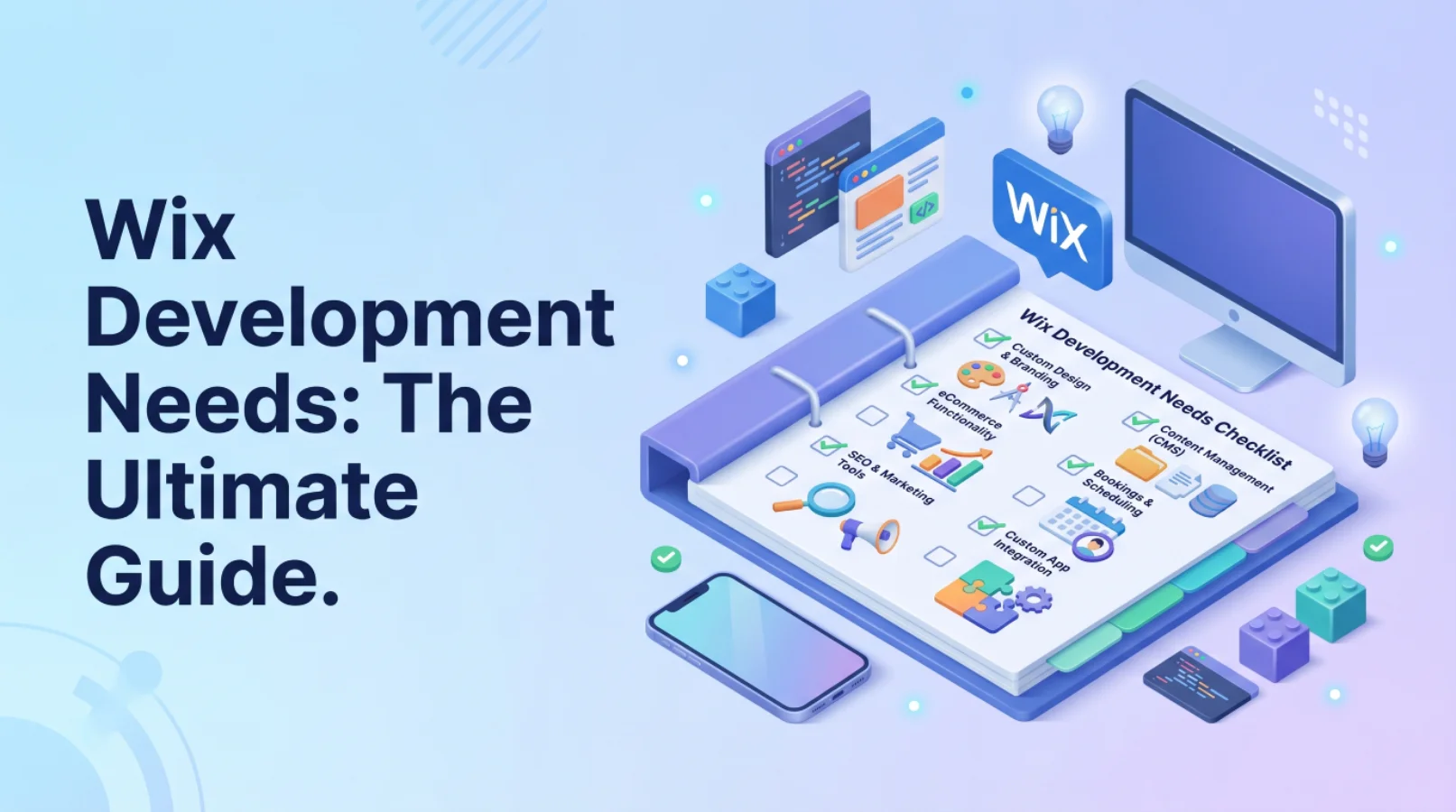
The Wix Development Guide offers a comprehensive, step-by-step process for creating a successful website using the Wix platform. From initial planning to advanced customization and troubleshooting, this guide provides actionable advice and solutions to common challenges. Whether you’re a small business owner or an aspiring web developer, this Wix Development Guide will help you unlock the full potential of the Wix website builder.
Introduction: Why Wix & What to Expect
Wix has become a popular choice for individuals and businesses looking to establish an online presence quickly and efficiently. With its user-friendly interface and extensive features, Wix empowers users to create stunning websites without requiring coding expertise. However, successful Wix development requires careful planning, execution, and optimization. This Wix Development Guide will provide you with the knowledge and tools to navigate the entire process, from initial concept to a fully functional and optimized website.
The Appeal of Wix: A Quick Overview
Wix’s appeal lies in its simplicity and versatility. The drag-and-drop interface allows users to easily arrange and customize elements on their web pages, making Wix website design accessible to everyone. Its cost-effectiveness makes it an attractive option for small businesses with limited budgets. Moreover, Wix offers an extensive library of templates, catering to various industries and design preferences.
- Ease of Use and Drag-and-Drop Interface: Wix simplifies website creation with its intuitive drag-and-drop interface, allowing users to visually design their site without coding.
- Cost-Effectiveness for Small Businesses: Wix offers various pricing plans, including a free option, making it a budget-friendly choice for small businesses.
- Extensive Template Library: Wix boasts a vast collection of professionally designed templates that cater to diverse industries and design styles.
Common Challenges in Wix Development
While Wix offers numerous advantages, it also presents certain challenges. Limited customization options compared to traditional coding platforms can sometimes restrict advanced design requirements. SEO limitations, although improved in recent years, require careful attention and optimization. Performance issues can arise on larger sites with heavy media content. This Wix Development Guide addresses these challenges head-on, providing practical solutions and workarounds.
- Limited Customization Options: Compared to coding a website from scratch, Wix offers less granular control over design elements.
- SEO Limitations: While Wix has improved its SEO capabilities, it still requires strategic optimization to rank well in search results.
- Performance Issues on Larger Sites: Large, media-rich Wix websites can experience slow loading times if not properly optimized.
This Guide’s Solution: A Structured Approach
This Wix Development Guide provides a structured approach to Wix website design and development, breaking down the process into manageable phases. Each phase focuses on specific aspects of website creation, from planning and design to SEO and launch. We address common problems and offer practical solutions to ensure a smooth and successful launch. Our team in Dubai has successfully used these strategies in various projects.
- Problem-Solution Framework for Each Step: We identify potential problems in each phase and provide clear, actionable solutions.
- Focus on Practical, Actionable Advice: This guide emphasizes practical tips and techniques that you can implement immediately.
- Ensuring a Smooth and Successful Launch: Our structured approach aims to minimize potential issues and ensure a successful website launch.
Phase 1: Idea Validation & Planning
Before diving into the technical aspects of Wix development, it’s crucial to validate your website idea and develop a solid plan. This phase involves defining your website’s purpose, analyzing your competition, and creating a site map. A well-defined plan will save you time and effort in the long run, ensuring a focused and effective website.
Defining Your Website’s Purpose (The Problem)
Many website projects fail because they lack a clear purpose. Without defined goals, the design becomes unfocused, and the content becomes irrelevant. Identifying your website’s goals (e.g., lead generation, sales, information dissemination) is the first step in successful Wix website design.
- Lack of Clarity Leads to Unfocused Design: Without a clear purpose, your website’s design and content will lack direction, confusing visitors.
- Solution: Clearly Define Goals (e.g., lead generation, sales): Determine what you want to achieve with your website (e.g., generate leads, sell products, provide information).
- Identifying your target audience: Understand who you are trying to reach with your website. Consider their demographics, interests, and needs.
We once worked with a client who wanted to sell handmade jewelry online. Initially, they had no clear strategy, which led to a cluttered website with low sales. By helping them define their target audience (young adults interested in unique, handcrafted items) and focusing their content and design accordingly, we saw a significant increase in conversions.
Competitive Analysis (The Problem)
Ignoring your competitors can lead to missed opportunities and a website that blends in with the crowd. Analyzing competitor websites allows you to identify their strengths and weaknesses, understand market trends, and differentiate your website.
- Ignoring competitors leads to missed opportunities: You may miss out on valuable insights into what works and what doesn’t in your industry.
- Solution: Analyze competitor websites (design, features, SEO): Identify your main competitors and analyze their websites, paying attention to their design, features, SEO strategies, and content.
- Identifying market gaps and unique selling points: Look for opportunities to differentiate your website by addressing unmet needs or offering unique value.
Creating a Site Map (The Solution)
A site map is a visual representation of your website’s structure, outlining all the pages and their relationships. Creating a site map ensures logical navigation, improves user experience, and helps search engines crawl your website more effectively. A well-organized site map is critical for Wix SEO.
- How to plan the site’s structure: Plan the hierarchy of your website, organizing pages into logical categories and subcategories.
- Ensuring logical navigation and user flow: Design your website’s navigation to guide users through the site in a clear and intuitive manner.
- Prioritizing key pages (homepage, product pages, contact): Identify the most important pages on your website and ensure they are easily accessible.
[IMAGE: A visual representation of a site map, showing the hierarchical structure of a website with different pages and their relationships.]
Phase 2: Choosing a Wix Template & Initial Setup
Once you have a clear plan, the next step is to choose a suitable Wix template and configure your website’s basic settings. Selecting the right template will save you time and effort in the long run, while proper initial setup is crucial for optimal performance and security.
Selecting the Right Template (The Problem)
Choosing the wrong template can result in significant rework and a website that doesn’t align with your brand or goals. Consider your industry, design style, and required features when selecting a template. Wix’s template filters can help you narrow down your options.
- Choosing the wrong template results in rework: You may have to spend extra time and effort customizing a template that doesn’t fit your needs.
- Solution: Consider industry, design style, and features: Select a template that aligns with your industry, reflects your brand’s design style, and includes the features you need (e.g., e-commerce functionality, blog integration).
- Using Wix’s template filters effectively: Utilize Wix’s template filters to narrow down your options based on industry, category, and features.
Initial Wix Setup (The Solution)
The initial Wix setup involves creating an account, choosing a plan, and configuring basic site settings. Connecting a domain name (or choosing a Wix subdomain) is crucial for branding and SEO. Proper configuration ensures your website functions smoothly and securely.
- Creating a Wix account and choosing a plan: Sign up for a Wix account and choose a plan that meets your needs and budget.
- Connecting a domain name (or choosing a Wix subdomain): Connect a custom domain name to your Wix website for branding purposes, or choose a Wix subdomain if you don’t have a domain.
- Basic site settings and configuration: Configure basic site settings, such as website title, description, and favicon.
Customizing the Template (The Problem)
Over-customization can lead to design inconsistencies and a website that looks unprofessional. Stick to a consistent brand identity when adjusting colors, fonts, and layouts. Ensure your customizations enhance the template’s design rather than detract from it.
- Over-customization can lead to design inconsistencies: Excessive customization can result in a website that looks cluttered and unprofessional.
- Solution: Stick to a consistent brand identity: Maintain a consistent brand identity by using your brand colors, fonts, and logo throughout your website.
- Adjusting colors, fonts, and layouts: Customize the template’s colors, fonts, and layouts to match your brand and create a visually appealing design.
[IMAGE: A screenshot of the Wix editor, highlighting the customization options for colors, fonts, and layouts.]
Phase 3: Content Creation & Design
Content is king, and design is queen. This phase focuses on creating compelling content that engages your audience and designing a user-friendly website that enhances their experience. Effective content and design are crucial for driving traffic, generating leads, and achieving your website’s goals.
Crafting Compelling Content (The Problem)
Poor content leads to low engagement, high bounce rates, and ultimately, low conversions. Focus on creating clear, concise, and valuable content that addresses your target audience’s needs and interests. Effective headlines and calls to action are essential for capturing attention and driving conversions.
- Poor content leads to low engagement and conversions: Uninteresting or poorly written content will fail to engage visitors and convert them into customers.
- Solution: Focus on clear, concise, and valuable content: Create content that is easy to understand, provides value to your audience, and addresses their needs and interests.
- Writing effective headlines and calls to action: Craft compelling headlines that grab attention and clear calls to action that encourage visitors to take the desired action (e.g., “Shop Now,” “Contact Us”).
Optimizing Images & Media (The Solution)
Images and media enhance your website’s visual appeal, but they can also impact its performance. Optimizing images and media is crucial for faster loading times and improved SEO. Compress images, use alt text for SEO and accessibility, and choose the right image formats (JPEG, PNG).
- Compressing images for faster loading times: Reduce the file size of your images without sacrificing quality to improve page load speed.
- Using alt text for SEO and accessibility: Add descriptive alt text to your images to improve SEO and make your website more accessible to visually impaired users.
- Choosing the right image formats (JPEG, PNG): Use JPEG for photographs and PNG for graphics with sharp lines and text.
Designing for User Experience (The Solution)
User experience (UX) is critical for website success. Ensure your website is mobile responsive, implements clear navigation, and includes prominent calls to action. Test user flow and make adjustments based on feedback to optimize UX.
- Ensuring mobile responsiveness: Make sure your website looks and functions well on all devices, including smartphones and tablets.
- Implementing clear navigation and calls to action: Design your website’s navigation to be intuitive and easy to use, and include clear calls to action to guide visitors.
- Testing user flow and making adjustments: Test how users navigate your website and make adjustments to improve the user experience.
[IMAGE: A mockup of a website on different devices (desktop, tablet, mobile), showcasing its responsive design.]
Phase 4: Wix SEO Optimization
Search engine optimization (SEO) is crucial for driving organic traffic to your website. This phase focuses on understanding Wix SEO basics, conducting keyword research, and improving site speed and performance. Effective SEO will help your website rank higher in search results and attract more visitors.
Understanding Wix SEO Basics (The Problem)
Ignoring SEO can lead to low visibility in search results and missed opportunities. Understanding Wix’s SEO tools and limitations is the first step in optimizing your website for search engines. Setting up Google Search Console is essential for tracking your website’s performance and identifying areas for improvement.
- Ignoring SEO leads to low visibility in search results: Without SEO, your website will struggle to rank well in search results, making it difficult for potential customers to find you.
- Solution: Understanding Wix’s SEO tools and limitations: Familiarize yourself with Wix’s built-in SEO tools and understand their capabilities and limitations.
- Setting up Google Search Console: Set up Google Search Console to track your website’s performance, identify errors, and submit your sitemap.
Keyword Research & Implementation (The Solution)
Keyword research involves identifying relevant keywords that your target audience uses when searching for products or services like yours. Use these keywords in page titles, descriptions, content, and image alt text to improve your website’s SEO. Wix SEO depends on effective keyword implementation.
- Identifying relevant keywords for your niche: Use keyword research tools to identify the keywords that your target audience is using to search for products or services like yours.
- Using keywords in page titles, descriptions, and content: Incorporate your target keywords into your page titles, meta descriptions, and website content.
- Optimizing image alt text with keywords: Add descriptive alt text to your images, including relevant keywords.
Improving Site Speed & Performance (The Solution)
Site speed is a crucial ranking factor for search engines. Optimize images and videos, leverage browser caching, and use Wix’s performance tools to improve your website’s loading times. Wix performance optimization directly impacts user experience and SEO.
- Optimizing images and videos: Compress images and videos to reduce file size and improve loading times.
- Leveraging browser caching: Enable browser caching to store static assets on users’ devices, reducing loading times for returning visitors.
- Using Wix’s performance tools: Utilize Wix’s built-in performance tools to identify and address performance bottlenecks.
> “Prioritize user experience. A fast-loading, easy-to-navigate website will not only improve your SEO but also keep visitors engaged and coming back for more.” – Sarah Lee, SEO Specialist at SkySol Media
Phase 5: Testing & Refinement
Before launching your Wix website, it’s crucial to thoroughly test and refine it to ensure it functions flawlessly and provides a positive user experience. This phase involves cross-browser and device testing, user acceptance testing (UAT), and performance testing.
Cross-Browser & Device Testing (The Problem)
Website rendering issues on different browsers and devices can frustrate users and damage your brand. Test your website on multiple browsers (Chrome, Firefox, Safari) and devices (desktops, tablets, smartphones) to ensure consistent rendering and functionality.
- Website rendering issues on different browsers/devices: Your website may not display correctly or function properly on all browsers and devices.
- Solution: Testing on multiple browsers (Chrome, Firefox, Safari): Test your website on the most popular browsers to ensure compatibility.
- Ensuring mobile responsiveness: Verify that your website is fully responsive and adapts to different screen sizes.
User Acceptance Testing (UAT) (The Solution)
User acceptance testing (UAT) involves getting feedback from your target users to identify usability issues and bugs. Use this feedback to make necessary adjustments and improve the user experience.
- Getting feedback from target users: Ask your target audience to test your website and provide feedback on its usability and functionality.
- Identifying usability issues and bugs: Use the feedback to identify any usability issues or bugs that need to be addressed.
- Making necessary adjustments based on feedback: Implement the necessary changes based on the user feedback to improve the user experience.
Performance Testing & Optimization (The Solution)
Performance testing involves measuring page load times and identifying performance bottlenecks. Optimize images and code to improve your website’s speed and performance.
- Measuring page load times: Use tools like Google PageSpeed Insights to measure your website’s page load times.
- Identifying performance bottlenecks: Identify any areas where your website is slow or inefficient.
- Optimizing images and code: Optimize images and code to improve your website’s speed and performance.
| Test Type |
Description |
Tools |
| Cross-Browser Testing |
Ensures compatibility across different browsers. |
BrowserStack, CrossBrowserTesting |
| Mobile Responsiveness Testing |
Verifies the site adapts to various screen sizes. |
Google Mobile-Friendly Test, Responsinator |
| User Acceptance Testing (UAT) |
Gathers feedback from target users. |
UserTesting, SurveyMonkey |
| Performance Testing |
Measures page load times and identifies bottlenecks. |
Google PageSpeed Insights, GTmetrix |
Phase 6: Launching Your Wix Website
Launching your Wix website is an exciting milestone. This phase focuses on preparing for launch, going live, and monitoring your website’s performance after launch. A successful launch requires careful planning and execution.
Preparing for Launch (The Problem)
A premature launch with unresolved issues can damage your credibility and hinder your website’s success. Double-check all content and functionality, create a backup of your website, and ensure everything is ready before going live.
- Premature launch with unresolved issues can damage credibility: Launching a website with errors or unfinished content can create a negative impression.
- Solution: Double-checking all content and functionality: Review all content, links, and functionality to ensure accuracy and proper operation.
- Creating a backup of your website: Create a backup of your website to protect your data in case of any unforeseen issues.
Going Live with Your Wix Website (The Solution)
Going live involves publishing your website and submitting your sitemap to Google Search Console. Monitor website traffic and performance to identify any issues and ensure your website is functioning properly.
- Publishing your website: Click the “Publish” button in the Wix editor to make your website live.
- Submitting your sitemap to Google Search Console: Submit your sitemap to Google Search Console to help Google crawl and index your website.
- Monitoring website traffic and performance: Use Google Analytics to track your website’s traffic and performance.
Post-Launch Monitoring & Maintenance (The Solution)
Post-launch monitoring and maintenance are crucial for ensuring your website’s long-term success. Track website analytics, regularly update content, and address any issues or bugs that arise.
- Tracking website analytics (traffic, conversions): Use Google Analytics to track your website’s traffic, conversions, and other key metrics.
- Regularly updating content and plugins: Keep your website fresh and engaging by regularly updating content and plugins.
- Addressing any issues or bugs that arise: Monitor your website for any issues or bugs and address them promptly.
Phase 7: Advanced Wix Development & Integrations
Once your website is live and functioning smoothly, you can explore advanced Wix development options and integrations to enhance its functionality and performance. This phase focuses on exploring the Wix App Market, leveraging Wix Velo for custom code, and integrating third-party tools.
Exploring Wix App Market (The Solution)
The Wix App Market offers a wide range of apps that can add functionality to your website, such as forms, live chat, and e-commerce tools. Choose the right apps for your business needs and integrate them seamlessly into your website. Wix app development expands your site’s capabilities.
- Adding functionality with Wix apps (e.g., forms, live chat): Enhance your website with apps that provide additional features and functionality.
- Choosing the right apps for your business needs: Select apps that align with your business goals and address specific needs.
- Integrating apps seamlessly into your website: Ensure that the apps you choose integrate seamlessly into your website’s design and functionality.
Custom Code & Wix Velo (The Solution)
Wix Velo allows you to add custom code to your website, extending its functionality and customization options. Use Wix Velo for advanced customization or hire a Wix developer for complex projects.
- Leveraging Wix Velo for advanced customization: Use Wix Velo to add custom code and create unique features for your website.
- Adding custom code to extend functionality: Extend your website’s functionality by adding custom code to handle specific tasks.
- Hiring a Wix developer for complex projects: Consider hiring a Wix developer for complex projects that require advanced coding skills.
Integrating Third-Party Tools (The Solution)
Integrate your website with other platforms, such as CRM systems, email marketing tools, and social media platforms, to streamline your workflow and improve your marketing efforts. Use Zapier or similar tools for automation.
- Connecting your website to other platforms (e.g., CRM, email marketing): Integrate your website with other platforms to streamline your workflow and improve efficiency.
- Using Zapier or similar tools for automation: Use Zapier to automate tasks between your website and other platforms.
- Ensuring data synchronization and security: Ensure that data is synchronized securely between your website and other platforms.
Troubleshooting Common Wix Development Issues
Even with careful planning and execution, you may encounter issues during Wix development. This section addresses common problems and provides troubleshooting tips.
Website Not Loading Properly
A website that fails to load can lead to lost traffic and frustrated users. Several factors can cause this issue, including DNS problems, server outages, or coding errors.
- Possible causes: DNS issues, server problems, code errors.
- Solutions: Check DNS settings, contact Wix support, debug code.
SEO Issues: Low Ranking
Poor search engine rankings can significantly reduce your website’s visibility. This problem can stem from inadequate keyword optimization, sluggish site speed, or a lack of backlinks.
- Possible causes: Poor keyword optimization, slow site speed, lack of backlinks.
- Solutions: Improve keyword usage, optimize images, build backlinks.
Mobile Responsiveness Problems
If your site doesn’t display correctly on mobile devices, you risk alienating a large segment of users. Incompatible template elements, incorrect viewport settings, or CSS problems can cause this issue.
- Possible causes: Incompatible template elements, incorrect viewport settings, CSS issues.
- Solutions: Test thoroughly on different devices, adjust viewport settings, use responsive design principles.
Expert Insights & Tips for Wix Success
- Optimize for mobile: With the majority of web traffic coming from mobile devices, ensuring your Wix site is fully responsive is crucial.
- Leverage Wix SEO Wiz: This built-in tool provides personalized SEO recommendations to help you improve your search engine rankings.
- Create high-quality content: Compelling and informative content is key to attracting and engaging visitors.
- Use high-quality images: Visually appealing images can enhance your website’s design and user experience.
- Monitor your website’s performance: Regularly track your website’s traffic, rankings, and conversions to identify areas for improvement.
Conclusion: Your Wix Website is Live!
You’ve reached the end of this comprehensive Wix Development Guide! By following these steps, you’ve successfully built and launched your own Wix website. From planning to design, SEO, and maintenance, you now have the knowledge and tools to create a thriving online presence. Custom Wix development can offer more advanced features. We are confident in your ability to succeed!
FAQ Section
Q: How much does Wix development cost?
A: The Wix development cost varies depending on the complexity of your project. Wix offers various pricing plans, and you may also need to factor in the cost of premium apps or hiring a Wix developer for custom work.
Q: Can I build an e-commerce store on Wix?
A: Yes, Wix offers e-commerce features that allow you to create and manage an online store. You can sell products, process payments, and manage inventory directly from your Wix website. Wix e-commerce solutions are robust and user-friendly.
Q: Is Wix good for blogging?
A: Yes, Wix has a built-in blogging platform that allows you to create and publish blog posts. You can customize your blog’s design, add categories and tags, and engage with your readers through comments. Wix blog functionality is constantly improving.
Q: Can I use my own domain name with Wix?
A: Yes, you can connect a custom domain name to your Wix website. This requires upgrading to a premium Wix plan.
Q: How do I improve my Wix website’s SEO?
A: To improve your Wix SEO, focus on keyword research, optimize your page titles and descriptions, create high-quality content, and build backlinks.
Q: Can I hire a Wix developer to help me with my project?
A: Yes, you can hire a Wix developer to help you with custom design, development, and SEO. SkySol Media offers professional Custom Wix development services.
Q: What is Wix Velo?
A: Wix Velo is a Wix website builder platform that allows you to add custom code to your Wix website, extending its functionality and customization options. It’s ideal for more advanced projects.